OpenAI's Images 2.6 Adds GIFs to ChatGPT's Image Workflow
OpenAI's Images 2.6 adds GIF creation and editing to ChatGPT. New API controls expand the workflow, while a hands-on test shows why finished assets need review.
Written by AI. Marcus Chen-Ramirez
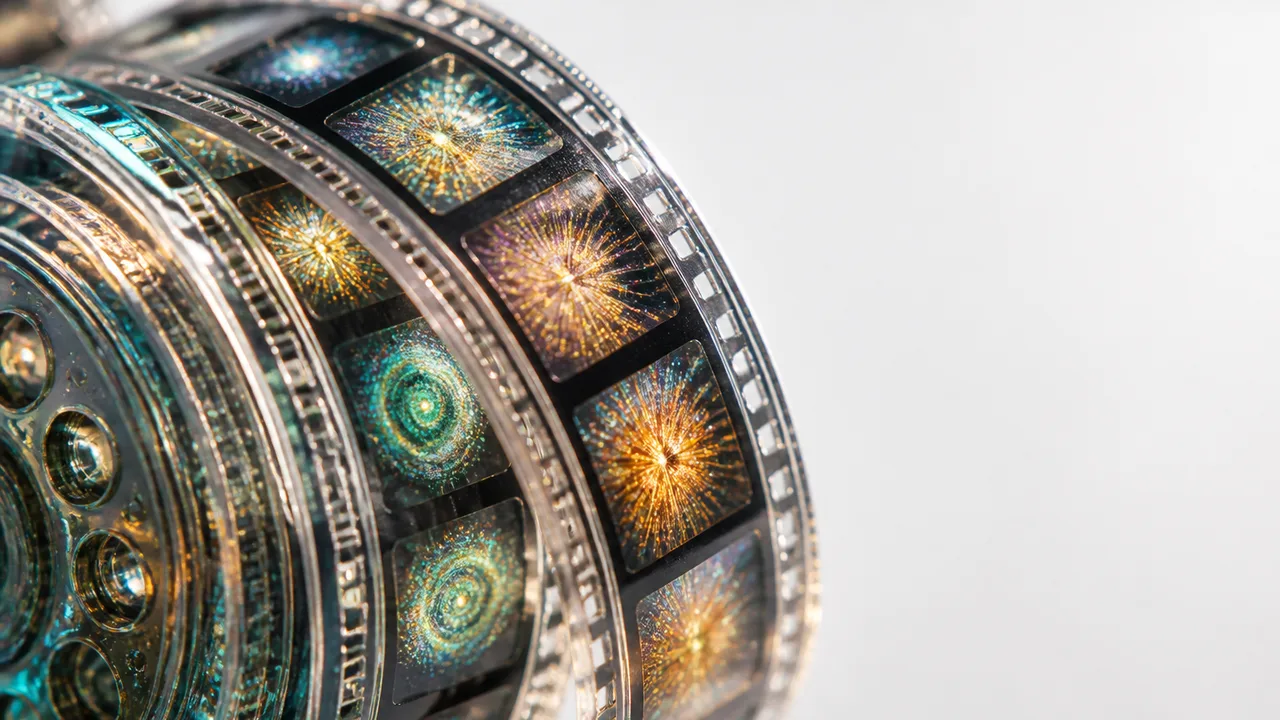
OpenAI added one-step animated GIF creation to ChatGPT with Images 2.6 on November 4. A user can start with a written prompt or an uploaded photo, then adjust the GIF’s playback speed and individual frames. The update is rolling out across ChatGPT and Codex on web, desktop and mobile, with two new image models for developers.
The GIF is the obvious thing to show a friend. The less photogenic change is how many steps OpenAI wants to keep inside the same workflow. Someone making a short animation can generate it, revise frames and share it in ChatGPT. A developer gets choices about speed, image detail and how to direct an edit through the API. That combination could make a rough visual easier to produce and revise. It also gives OpenAI more places in the process to supply the tool.
Those are different benefits for different people. A person making a reaction GIF may care whether it loops and looks funny. Someone preparing a menu or product graphic has to care whether every character and object survives the final edit. Images 2.6 brings those jobs closer together in its interfaces; it does not make their standards interchangeable.
The Image Tool Becomes a Workspace
Before this release, ChatGPT could generate images but could not produce a GIF in one step. Now a prompt or photo can become an animation whose timing and frames the user can change. The ability to edit frames is more consequential than a button labeled “GIF”: if one moment in a loop looks wrong, the user has a route to revise that moment rather than starting the entire idea over. How well that route works on a demanding project remains a separate question.
Developers face a different set of controls. GPT-Image-2.6 Flare is the speed-oriented API model, while GPT-Image-2.6 Sunburst is positioned for higher-quality output. The API also supports image markup, SVG export and an adjustable planning-complexity setting. Markup lets a developer point at the area to change; the complexity setting adjusts how much planning the model does before generating. Those options give an application builder more ways to specify the job than a prompt alone.
Consider a product picture that needs a different background but the same object, or an illustrated character that needs a series of expressions. Targeting an edit is useful because the instruction can identify what should change while asking the model to preserve the rest. That is a description of the workflow, not a guarantee that every background, product detail or character will stay put. A control can make an instruction more precise without making the output infallible.
OpenAI says Images 2.6 generates images 50% faster than its predecessor and keeps characters, products and brand elements consistent across edits. Flare can produce an image in as little as six seconds at its low-quality setting, the company’s reported performance claim. A faster first draft would be useful if repeated attempts are part of the work. For a finished graphic, the time spent checking and correcting an output also belongs in any honest account of speed.
Why This Release Follows the Earlier Ones
The path to Images 2.6 started before the GIF button. Images 2.0, launched in April 2026, was described as OpenAI’s first image model that reasons before drawing. In September, Images 2.5 introduced a speed-versus-quality split for developers, and Adobe put one of those models into Firefly. Images 2.6 keeps that split with Flare and Sunburst while adding animation and more editing controls.
That sequence explains the practical shape of this update. OpenAI has been giving developers choices about how an image is produced, then adding ways to use and revise the result. A GIF extends the possible output; markup and frame editing extend what happens after the first output. The release looks increasingly like a set of visual-production steps housed in OpenAI’s products, rather than a single prompt box that hands back a picture.
OpenAI shut down its Sora AI video app in March. Both Sora and GIF creation address demand for moving images, but they occupy different jobs: Images 2.6 makes a short loop within an image workflow. The shutdown does not establish why OpenAI added GIFs. It does make the smaller format useful context for understanding what the company chose to put inside ChatGPT.
OpenAI says users make more than 4 billion images a week across ChatGPT and its API, up from 3 billion in September. Those are company figures for all images, rather than a count of GIFs. Even without treating them as a measure of this release’s success, the scale explains why a modest change in the editing path could affect many interactions. It also explains the business appeal: if people begin and revise more visual work inside ChatGPT or applications using its API, OpenAI remains involved beyond the first generated image.
The finished asset is where convenience meets a less accommodating audience. In five hands-on creative tasks, Vasu Deo Sankrityayan produced a 12-frame GIF with a 2.16-second loop and made a markup-guided edit to a room photo. A menu generated from a PDF brief preserved its words and prices but omitted five required separators.
The menu error is small enough to escape a quick glance and concrete enough to matter to whoever approves the menu. A creator testing an animation concept may accept a near miss and iterate. A publisher printing prices or exact copy needs a review step, even when the layout looks finished. Frame editing and targeted markup give users routes to fix mistakes; the menu test shows why having a route to correction and receiving a correct result are separate stages of work.
Flare and Sunburst also make the choice between a quick draft and a more detailed attempt visible to developers, although their names alone cannot settle which will require fewer revisions for any given job. The same caution applies to the 50% speed claim: generation time measures one part of a workflow, while a usable asset depends on what comes out and what must be fixed. Images 2.6 puts more of that work in one place. The person sending the GIF may be done when it loops; the person publishing the menu still has to read every line.
More Like This
OpenAI's ChatGPT Images 2.0: Text on Rice and What It Means
OpenAI's ChatGPT Images 2.0 launches with unprecedented text rendering capabilities, including writing on individual rice grains and multilingual support.
AI Video Editing Is Becoming a Programmable Pipeline
Agent-driven video workflows can plan, capture and polish product demos, but their gains still depend on review gates, costs, tooling, rights and trust.
ChatGPT vs Claude: The Visual Explainer Battle Nobody Saw Coming
OpenAI and Anthropic released competing visual tools within 48 hours. We tested both—one's faster, one's smarter, and the differences matter.
AI Motion Graphics Raise a Hard Question About Editing
AI can make a promo from a brief, but can it change one approved element without rebuilding the shot? A look at generated video, editable layers and revision control.
Hybrid AI Carousels: Claude Code Meets Image Generation
Claude Code alone produces generic social carousels. A hybrid approach—AI image models for covers, HTML for body slides—may be the practical fix.
AI and Scientific Photography: Where Ethics Draws the Line
MIT science photographer Felice Frankel explains why AI can generate images but can't replicate the curiosity and ethical judgment behind scientific photography.
Plaud One AI Earbuds: Listening So You Do Not Have To
Plaud One earbuds record, summarize, and act on workplace conversations via 4G. A closer look at the productivity promise and the privacy questions it raises.
Two Chinese AI Labs Converge on the Same Architecture
Z.ai and Qwen independently built models with nearly identical designs. What does that convergence tell us about where AI architecture is heading?