M6 Mac Mini and M5 Ultra Mac Studio: What Apple Didn't Say
Apple's M6 Mac mini and M5 Ultra Mac Studio have real hidden costs buried in the configurator. Here's what you need to know before spending $899 to $18,300.

Written by AI. Tyler Nakamura
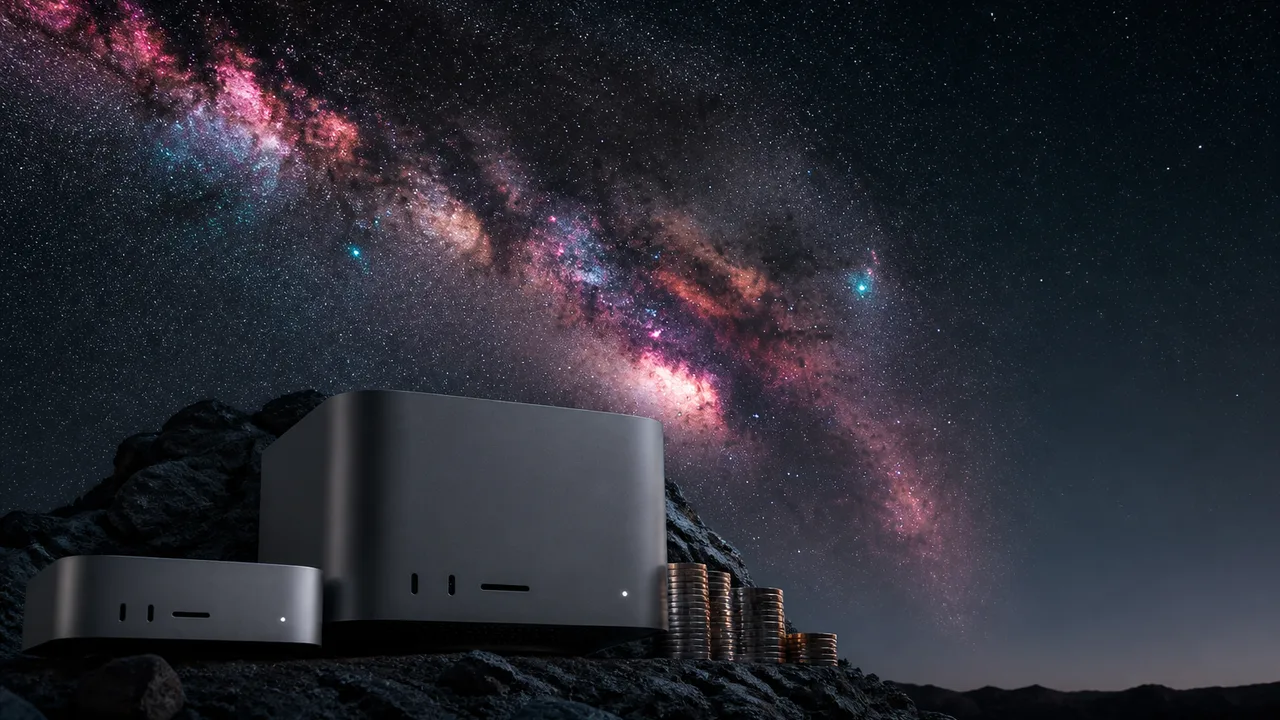
Photo: AI. Castor Belov
Apple launched the M6 Mac mini and M5 Ultra Mac Studio, said a bunch of impressive-sounding things, and then left a whole stack of important details buried in fine print and configurator drop-downs. Fernando from the 9to5Mac YouTube channel spent time actually clicking through Apple's configurator so you don't have to — and what he found is worth knowing before you hand over anywhere from $899 to well north of $18,000.
Let's start with the genuinely good stuff, because there is some.
The Upgrade Email You're Hoping For
If you had an M4 Mac mini order stuck in backorder limbo when Apple dropped the M6 announcement, there's a decent chance you got — or will get — an email from Apple offering a free upgrade to the M6. Fernando flagged this in his video breakdown: "We're getting reports that people are getting emails directly from Apple saying that they're going to upgrade their M4 Mac Mini to an M6 Mac Mini at no additional cost."
That's legitimately rare. M4 Pro Mac mini buyers apparently land an upgrade to the M5 Pro Mac mini too, which saves real money. The catch is that it's case-by-case — you need to have received the email from Apple, and your order needs to still be in process. If your M4 already arrived on your doorstep, you're out of luck. But if you're still waiting? Check your inbox.
The M6 Mac Mini Is Still a Strong Value — With Caveats
At $899, the base M6 Mac mini packs a 12-core CPU, 12-core GPU, 16GB of unified memory, and 256GB of storage, up from the M4 Mac mini's $599 starting price. According to Wired's spec breakdown, it also gets 2.5Gb Ethernet as standard (up from 1Gb), Wi-Fi 7, and Bluetooth 5 via Apple's new N1 chip. Those connectivity upgrades are genuinely meaningful if you're on a fast home network or pushing large files regularly.
For $899, go find me something that competes with that. I'll wait.
But here's where Apple's language starts doing its sneaky thing. Apple advertised the M6 Mac mini as delivering "up to 170GB/s" of memory bandwidth. The reality, per Fernando's video description correction (he caught this after community feedback): the standard M6 Mac mini gets 153GB/s, while the M6 with 32GB of unified memory gets 170GB/s. The M5 Pro Mac mini, which starts at $1,700, gets 307GB/s. For most people buying an $899 Mac mini, none of this will matter day-to-day — but "up to" doing a lot of lifting in that headline spec is worth noting.
Do Not Upgrade the Internal Storage. Seriously.
This is the part I want to shake people by the shoulders about. Apple's internal storage upgrades on both Mac minis are priced like they're made of rare earth elements recovered from the lunar surface.
Fernando puts it plainly: "Save your money, do not get the built-in internal storage unless you absolutely need to."
I'd take that advice every time. The M6 Mac mini tops out at 2TB of internal storage, and getting there costs $1,000 extra. The M5 Pro Mac mini can go higher, but the cost to do so climbs into territory that makes no practical sense for most buyers — we're talking configurations where the storage upgrade alone dwarfs what you'd spend on a capable external SSD. And with Thunderbolt 4 ports on these machines, a fast external drive will move data quickly enough that you'll barely notice the difference in everyday use. Put whatever upgrade budget you have toward RAM instead — that's the thing you actually can't swap out later.
The one honest counterargument: if your workflow demands everything internal for security or simplicity — think a locked-down creative studio environment or traveling with sensitive client files — then maybe. But for most people? Buy a good external SSD and don't look back.
The Mac Studio Configurator Trap
Okay, this is the one that made me genuinely annoyed on behalf of every person who's about to get surprised at checkout. The M5 Max Mac Studio starts at $2,500, confirmed by Tom's Hardware's launch coverage. For that price you get an 18-core CPU, 32-core GPU, 36GB of unified memory, and 512GB of storage. Respectable machine.
But here's the trick. If you want to upgrade to the 40-core GPU — the one Apple splashes all over its marketing materials — the configurator shows a "+$300" option. Click it. The total goes up $600.
Why? Because to run the 40-core GPU, you also have to upgrade from 36GB to 48GB of unified memory, which is another $300 that Apple doesn't surface until you've already clicked. Fernando's take: "Apple doesn't advertise this, they only have the little plus 300 sign on the configurator."
I'm not going to be diplomatic about this: that's deliberately obscuring the real cost of an upgrade. It's not a UI accident. Apple has world-class designers who think carefully about every pixel in that configurator. Showing "+$300" when the actual cost is "+$600" is a choice, and it's not one that benefits the buyer. Call it what it is.
And then there's the "up to" problem at the Mac Studio level, which is even wilder. Apple advertises the M5 Max Mac Studio with "up to" a 40-core GPU, "up to" 614GB/s of memory bandwidth, "up to" 128GB of unified memory. None of those specs apply to the $2,500 base model. The M5 Max vs M5 Ultra Mac Studio breakdown goes deeper on which configuration actually gets you those headline numbers — and whether most buyers need them at all. The honest truth is that most people buying a Mac Studio don't need the Ultra. The base M5 Max is already more powerful than the vast majority of creative workflows will ever demand.
The Ultra's Ceiling Has a Waiting List
The M5 Ultra Mac Studio is genuinely wild. Up to 512GB of unified memory — that's not storage, that's RAM — with 1.2TB/s of memory bandwidth. Engadget's launch coverage confirms these as the headline specs for the top-end configuration. The machine that can run models, datasets, and workloads that would choke anything else at this price point.
The catch: at launch, the configurator only goes up to 256GB of unified memory. The 512GB configuration is coming in a later wave. So if you were specifically shopping for that ceiling, you'll need to wait — Apple isn't taking orders for it yet.
The maxed-out configuration available at launch — M5 Ultra, 16TB SSD, 256GB of unified memory — will run you $18,300. Fernando notes you can lease it through Apple's upgrade program, which, sure, is technically an option. But at that price point you're not really in "should I buy a Mac mini or Mac Studio" territory anymore. You know who you are.
Two Small Things That Are Still Worth Knowing
Apple quietly updated the Magic Keyboard design, replacing text labels on modifier keys like Tab, Shift, and Enter with icons instead. Fernando is ambivalent; I think it's fine for anyone who's been typing for more than six months, mildly annoying for anyone still getting comfortable with a keyboard. Not a dealbreaker, just a thing to know.
Also: the M6 Mac mini has Thunderbolt 4 ports, while the M5 Pro Mac mini — the older chip, remember — has Thunderbolt 5. The chiplet architecture behind the M5 Pro and Max is part of why those chips carry connectivity features the M6 doesn't. It's a genuine generational quirk that's worth understanding if you're deciding between the two Mac minis and connectivity matters to your setup.
So Which One Would I Actually Tell You to Buy?
If someone texted me right now asking which Mac to get, here's what I'd say: if you're a regular person who needs a capable desktop and you don't want to spend more than $1,000, the M6 Mac mini at $899 is the move. Upgrade the RAM if your budget allows, skip the internal storage upgrades entirely, and you're set for years.
If you're doing serious creative or ML work and you need more than the Mac mini can offer, the base M5 Max Mac Studio at $2,500 is a legitimate beast — just go into the configurator with your eyes open and actually read what you're clicking. That "+$300" for the GPU upgrade isn't the full story.
And if you're eyeing the Ultra? You probably already know you need it. The rest of us will admire it from the base model tier.
More Like This
A Mac Mini Became an AI Assistant. Sort Of.
A tech YouTuber turned a Mac mini into a dedicated Claude AI workstation. The reality is messier—and more interesting—than the hype suggests.

M5 Max vs M5 Ultra Mac Studio: Which One Do You Need?
Apple's M5 Max and M5 Ultra Mac Studio are here. We break down the specs, pricing, and who should actually buy each—including whether the M6 Mac mini beats both.

iPhone 17 Pro Long-Term Review: Is It Worth $1,000?
Fernando from 9to5Mac has used the iPhone 17 Pro since launch. Here's what held up, what didn't, and whether you should actually spend $1,000+ on it.
The MacBook Pro That Questions Every Dollar You Spent
Real-world testing reveals the M5 Pro matches the Max in most tasks while costing significantly less. The gap only matters for one specific workload.
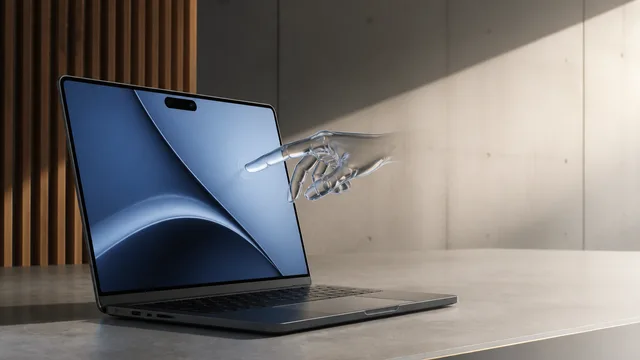
MacBook Pro Redesign: OLED, Touch, Same Old Chip
Apple's biggest MacBook Pro redesign brings OLED, touchscreen, and Dynamic Island—but the same M5 chip. Is a $3,000 price tag justified by new hardware alone?

iOS 27 AirPods Features: Custom EQ and More
iOS 27 brings custom EQ, heart rate gym sync, and precision finding to AirPods Pro 3. Here's what changed, what's still beta, and who it's actually for.

EU Tells Meta to Fix Addictive Instagram Features
The EU is threatening Meta with fines up to 6% of global revenue over infinite scroll and autoplay. Here's what that actually means for your Instagram experience.

UN AI Summit: Big Room, Bigger Questions on Governance
193 countries met in Geneva to tackle AI governance. The warnings were credible. The robots were cool. The binding rules? Still not there.