iOS 27 AirPods Features: Custom EQ and More
iOS 27 brings custom EQ, heart rate gym sync, and precision finding to AirPods Pro 3. Here's what changed, what's still beta, and who it's actually for.

Written by AI. Tyler Nakamura
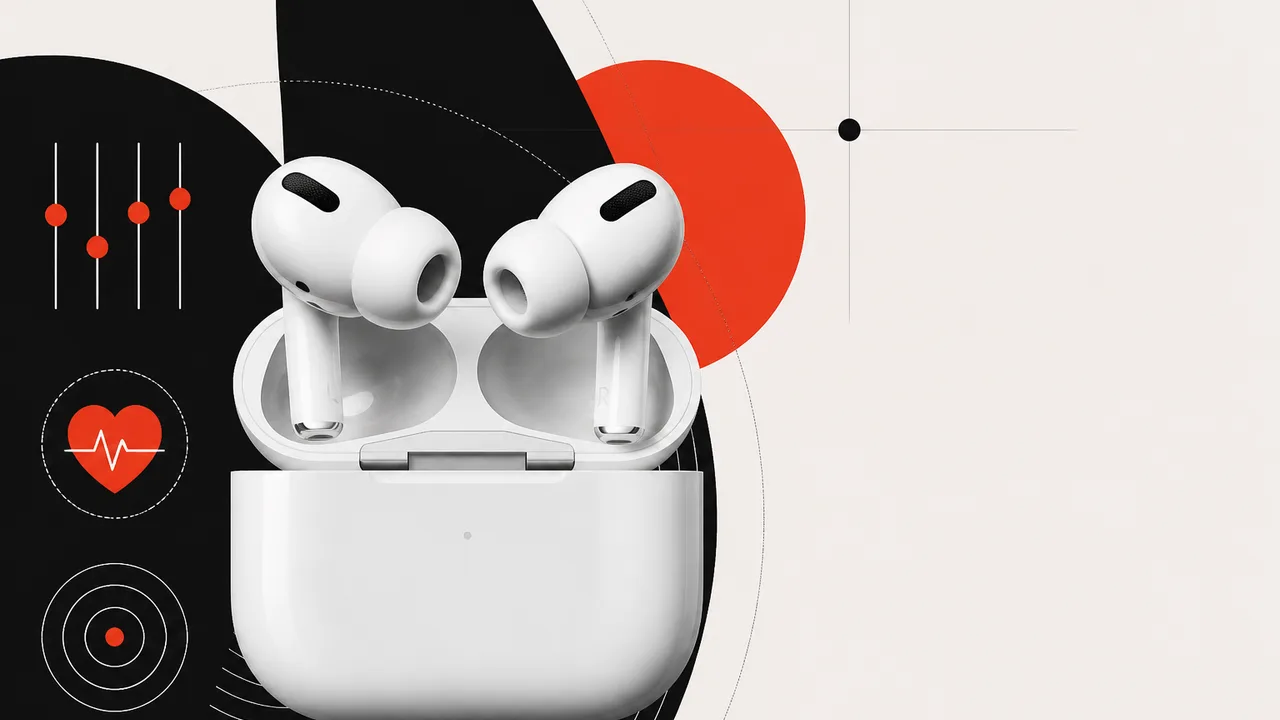
Photo: AI. Ondine Ferretti
Apple has a habit of burying the lede. Major AirPods updates often slip through WWDC with minimal stage time, and iOS 27 is pulling the same move. Fernando from 9to5Mac went hands-on with the iOS 27 beta on an iPhone 17 Pro alongside AirPods Pro 3, and the feature list is more substantial than Apple's marketing suggests — though it comes with the usual beta asterisks attached.
Let's map out what's actually here, what it means in practice, and where the real open questions live.
The Big One: Custom EQ, Finally
If you've spent any time in the Sony or Samsung earbuds ecosystem, you've had custom EQ for years. Apple AirPods owners have been asking for it roughly since 2016. iOS 27 is finally delivering it — and the implementation, at least in beta, sounds cleaner than a lot of third-party attempts.
The equalizer lives inside Settings under Audio and Routing when your AirPods are connected. You get three bands: low, mid, and high. No 10-band parametric setup here — this is the bass-and-treble dial from your car stereo, but inside your ear, and it actually moves the needle. Fernando's hands-on confirmed the low band meaningfully changes bass weight, the high end adjusts treble/vocal presence, and there's a "Recommended" preset to snap back to Apple's default tuning when you inevitably go too far with the bass slider at midnight.
"It's almost like a bass and treble situation if you are used to kind of changing it in your car from time to time."
Three bands is a real limitation compared to what Android earbuds offer at this price. Sony's WF-1000XM5 (around $200 street price) ships with a 5-band EQ plus a few presets. Samsung's Galaxy Buds 3 Pro gives you a full graphic EQ through the Galaxy Wearable app. Apple is catching up, not leaping ahead — but "catching up" is still progress for users locked into the ecosystem who didn't want to switch platforms just for EQ control.
Which AirPods get it? Based on Fernando's testing, the feature appears to require an H2 chip. That covers AirPods Pro 2, AirPods Pro 3, AirPods 4 (both ANC and non-ANC variants), and AirPods Max 2. He flagged uncertainty specifically around AirPods Pro 2 — Apple hasn't published a definitive compatibility list yet, so that one warrants caution before you buy based on this feature alone.
Heart Rate Gym Sync: The Apple Watch Workaround
This one slipped through a mid-edit correction — Fernando literally paused the video to add it as "Fernando from the future" — which tells you something about how quietly Apple rolled it out.
AirPods Pro 3 have a built-in heart rate sensor. With iOS 27 and Apple's newly opened GymKit integration, those sensors can now sync directly with compatible gym equipment (treadmills, ellipticals, rowers with NFC tap-to-sync). Previously, GymKit required an Apple Watch on your wrist. Now, if you have AirPods Pro 3 in your ears, you tap your iPhone to the machine and your heart rate data flows through.
"You simply tap your phone to sync it with the machine, and now you can sync your heart rate with the machine that you're using from your AirPods Pro."
The practical implication: you don't need a $300+ Apple Watch to get connected workout metrics at the gym anymore, at least on compatible equipment. That's a non-trivial shift for someone who bought AirPods Pro 3 but skipped the watch. It's also worth noting that GymKit machine compatibility isn't universal — it's gym-by-gym and brand-by-brand, so your mileage will literally vary depending on where you work out.
Settings Redesign: Reading the Tea Leaves
The AirPods settings panel in iOS 27 got a significant visual reorganization. What used to be a vertical scroll of loosely grouped toggles is now sectioned into logical categories: Audio and Routing (where EQ lives), Hearing Health (hearing protection, hearing aid functionality carried over from iOS 26), Controls and Gestures, and battery management options including an 80% charge limit toggle.
Fernando reads this reorganization as a signal: "I do think this is a foreshadow into possibly getting the AirPods their own application, a dedicated app." It's speculative — Apple hasn't announced anything — but the argument holds some water. The current setup already feels like a mini-app masquerading inside Settings, the same way Apple Watch had a companion app before it spun into its own thing. Whether that materializes in iOS 28 or never is genuinely unknown.
What isn't speculative: the hearing health section now consolidates the medical-grade hearing aid feature Apple introduced in iOS 26 (cleared by the FDA for mild-to-moderate hearing loss) alongside hearing protection tools. For users with hearing needs, having that in a cleaner, findable location matters more than it might seem.
Precision Finding on Apple Watch
Find My gets a small but logically satisfying upgrade: AirPods Pro 3 now support Precision Finding — the directional, distance-showing tracking mode — via Apple Watch. Fernando tested it on an Apple Watch Ultra 2 (not the current model) and reported it working well. Previously, Precision Finding for objects was primarily an iPhone-held experience. Being able to do it from your wrist when your phone is across the room or at the bottom of your bag is genuinely more convenient.
The headline limitation: this is AirPods Pro 3 exclusive, tied to the U2 ultra-wideband chip in that specific model.
Siri, Conversations, and the Screenless Direction
The broader Siri improvements in iOS 27 aren't AirPods-specific, but they land differently through earbuds than through a screen. Fernando's framing here is worth sitting with:
"I do believe the AirPods are going to be the gateway to Siri moving forward, especially a screenless Siri, which is the direction Apple's going with the new Siri AI."
Apple's vision of a more conversational, multi-turn Siri — where you can brainstorm, set reminders, or elaborate on ideas across a back-and-forth exchange — is only useful if there's a frictionless input method. AirPods, worn all day by millions of people, are the obvious candidate. Whether iOS 27's Siri is actually good enough to justify that framing is a bigger conversation, and one where opinions vary sharply among early beta testers.
The Beta Reality Check
Everything above is beta behavior. Fernando confirmed the firmware update to version 9A29E took a full overnight charge cycle to install — leaving AirPods plugged in during the day didn't trigger the update. The process requires enabling "AirPod beta updates" in Settings while running iOS 27 on your paired device. It'll happen passively; there's no manual install button.
Beta software behaves differently than shipping software. Features could change, disappear, or expand before iOS 27 goes public. The EQ having only three bands might reflect a deliberate design choice, or it might be where Apple starts before adding more bands at release. We genuinely don't know yet.
What This Update Actually Is
9to5Mac's Fernando is enthusiastic, and the enthusiasm is earned — custom EQ alone is legitimately overdue. But it's also worth calibrating: this isn't a ground-up reinvention. It's AirPods closing gaps that competing products filled years ago, plus a few Apple-ecosystem-specific additions (GymKit sync, Watch-based Precision Finding) that only make sense if you're already invested in Apple hardware.
If you're shopping right now, the AirPods Pro 3 are currently selling for around $179 on Amazon versus Apple's $249 MSRP — that's a real gap on the same hardware. Whether iOS 27's additions make the Pro 3 compelling over, say, AirPods 4 with ANC (~$129 street) depends almost entirely on which specific features matter to you: the heart rate sensor, the Precision Finding capability, and the top-tier ANC are what you're actually paying the premium for.
The custom EQ is coming to AirPods 4 too. That's the detail that might change some buying decisions entirely.
More Like This

World's Fastest Drone Reclaims Record with V4
Discover how Peregreen V4 reclaimed the world's fastest drone title with a speed of 657 km/h.

Apple's Ultra Strategy: Premium Tier or Price Ceiling?
Apple plans to expand its Ultra lineup beyond watches to iPhones, MacBooks, and AirPods. What this means for pricing and innovation across product tiers.
Apple TV and HomePod Mini Refresh Tied to Siri Overhaul
Apple is reportedly set to refresh Apple TV 4K and HomePod mini in 2025, with new chips and a next-gen Siri at the center of its smart home strategy.

This Tool Treats Your Home Lab Like Infrastructure Code
RackPeek documents home labs as YAML code in Git. Brandon Lee shows how this infrastructure-as-code approach beats static diagrams and spreadsheets.

30 Self-Hosted GitHub Projects Trending Right Now
From media automation to AI chat apps, here are 30 trending self-hosted GitHub projects that put you back in control of your data and infrastructure.

iOS 26.6 Beta 1: What Apple's Quiet Update Reveals
iOS 26.6 Beta 1 dropped two weeks before WWDC — and its small changes say a lot about where Apple's head is at heading into iOS 27.

Gigabyte MW94-RP0 Xeon 6 E-ATX Workstation Board Review
Wendell at Level1Techs tears down the Gigabyte MW94-RP0 Xeon 6 E-ATX board: six PCIe Gen 5 slots, DDR5-6400, and some real airflow warnings.

FCC Ends Rule Requiring ISPs to List All Fees
The FCC just killed the rule forcing ISPs to itemize every fee on your bill. Here's what changed, who pushed for it, and what it means for your wallet.