Sill Streams Mac Windows to iPhone and iPad Screens
Sill brings Mac windows to iPhone and iPad over a local network. Its window-first approach puts input, reliability and privacy at the center of everyday use.

Written by AI. Zara Chen
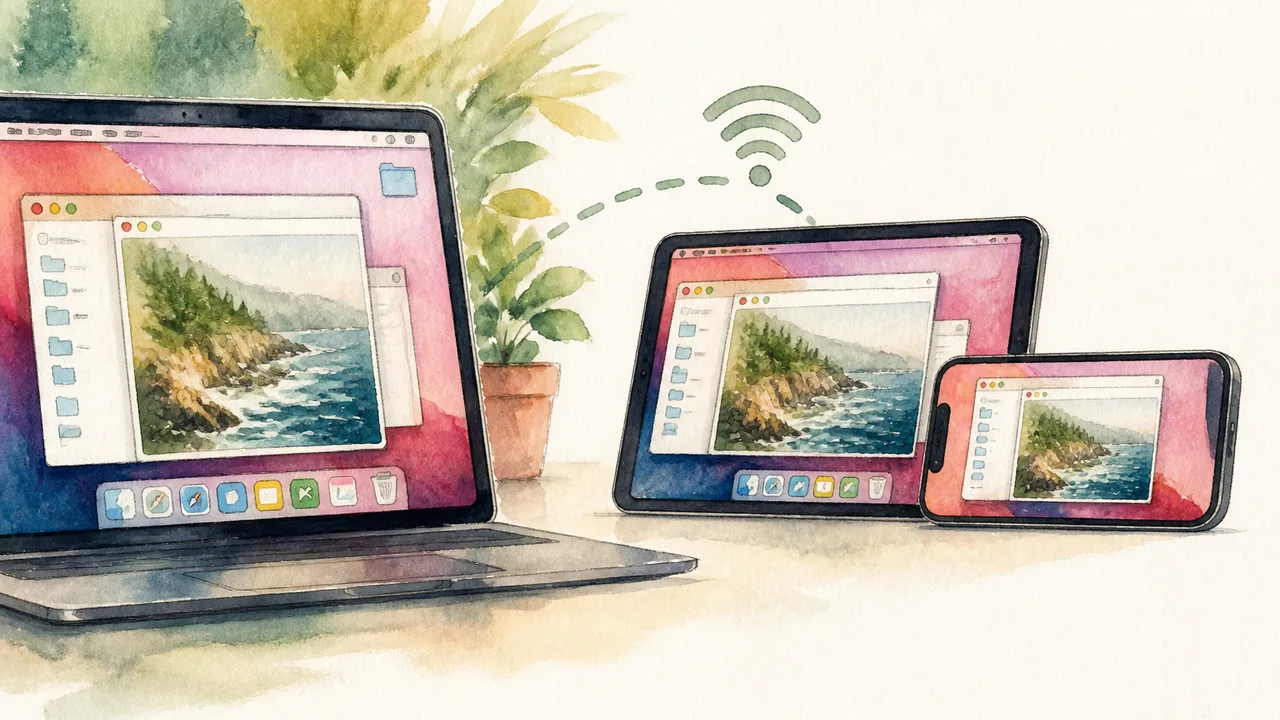
Sill wants to put a window from your Mac on your iPhone or iPad while the Mac keeps doing the work. That pitch has an obvious audience: anyone who needs a desktop app for one small task and would rather pick up a phone than return to their desk. The project is open source, and its focus on individual windows gives an old idea, remote access, a narrower frame.
Sill can also show the whole desktop. The stream travels directly from the Mac to the mobile device over the user's own network, with no account to create. Touch, keyboard, touchscreen trackpad and Apple Pencil input are available. That makes the proposition more ambitious than checking a static image: Sill aims to let someone use the Mac window from a smaller screen.
The central trade-off is easy to spot. A desktop app remains a desktop app even when its window appears on an iPhone. Sill can carry the view and offer ways to interact with it; it cannot make every menu, tiny button or keyboard-heavy workflow feel native to a phone. Whether that trade-off works depends on the task, the screen and the connection.
Why One Window Could Be Enough
Remote desktop tools usually hand users an entire computer interface. That is useful when the goal is to operate the computer, but excessive when the goal is to check one document, adjust one setting or keep an eye on an app already open on the Mac. On a phone, the rest of the desktop consumes precious pixels. Window-level streaming lets the user begin with the thing they came for.
Consider a spreadsheet open at a desk. A mobile spreadsheet app may exist, but moving to it can mean finding the same file, checking that changes have synced and getting back to the right place. Showing the existing Mac window could skip those steps. Whether the spreadsheet itself is pleasant to edit with a finger is a separate question. A quick check and a long editing session put very different demands on the same tool.
An iPad changes that calculation again. Its larger screen gives a Mac window more room, and a keyboard or trackpad can make desktop controls easier to reach. An iPhone offers greater convenience for a glance, but less space for precise work. The same Sill session might be useful on one device and cramped on the other, with no failure of the stream involved.
Sill's full-desktop option also has a clear purpose. Some tasks cross several windows, and some Mac interfaces make sense only alongside other parts of the desktop. The choice between a window and the whole screen is therefore about how much context the user needs. A focused view can reduce clutter; it can also hide something essential to the task.
The Mac is Still in the Loop
Sill's local-network design makes its promise more specific than the broad phrase “access your Mac anywhere.” The Mac runs the application and sends its view to the iPhone or iPad. The mobile device displays that view and sends input back. For that arrangement to work, the Mac must be reachable on the relevant network. Someone picturing an effortless connection from across town should pay close attention to that boundary.
The local approach has an appealing logic. An account-free connection avoids another sign-in and, as described by the developer, does not route the stream through a service account. It also ties the experience to the network the devices use. A person moving between rooms at home faces a different situation from someone leaving Wi-Fi behind on the way to work. Sill's stated design speaks most directly to the first scenario.
Input may be the harder test than viewing. Touch works well when a target is large and an action is simple. Desktop interfaces often assume a pointer that can hover, click precisely and use keyboard shortcuts. Apple Pencil, a touchscreen trackpad and a physical keyboard give users alternatives, but each adds its own setup and habits. If reaching one control takes repeated zooming or careful taps, the convenience of staying on the couch can disappear fast.
Those details determine whether a session can survive everyday interruptions, rather than merely demonstrate that a Mac window fits on an iPad screen.
Convenience Has a Permission Slip
Streaming a Mac window also means deciding what the mobile device may see. A single-window view could help someone avoid displaying unrelated desktop content, particularly when other apps contain messages or private documents. But the selected window can carry sensitive information of its own: a notification, an account page or a document shared with someone who did not expect it to appear on another screen.
The full-desktop option widens that exposure. It gives the user more flexibility while increasing the chance that something beside the intended app becomes visible. That choice matters in a shared room, on a device another person might pick up, or on a workplace network with rules about where information can go. Window selection helps define the scope of a session; it does not make every item inside that window safe to display.
“Over your own network” is a useful description of where Sill says its stream goes. It is not, by itself, a complete security specification. Users weighing sensitive work need to know how devices authorize a connection, what access the Mac grants, how the connection is protected and how to end a session. Open-source code allows people to examine an implementation; the label alone does not answer those practical questions for a person installing the app.
Employers and schools may have another concern. Their device rules can apply to the content in a Mac app even if no file is copied to the phone. A streamed view can still expose information on a second screen, and input from that screen can change the original document. For someone handling work material, the sensible question is whether that use fits the rules attached to the data and devices.
A Smaller Bridge Between Two Interfaces
Sill sits between two familiar approaches to mobile work. A dedicated iPhone or iPad app can redesign controls for touch, but it requires its own interface and may ask users to move between versions of a workflow. A remote desktop can preserve the Mac environment, but it brings the whole desktop along. Sill's window-first pitch tries to keep the continuity while giving the mobile screen less to manage.
It could make short trips back to an open Mac app easier, especially when the task is to check or adjust something already on screen. It will leave the design choices of that Mac app intact. The person who needs a single status window and the person trying to navigate a dense professional interface with a thumb are buying very different amounts of convenience.
The appeal of Sill is unusually modest for a device-continuity pitch: keep the app where it already runs, and bring over the window you need. If that window stays responsive, accepts input comfortably and exposes only what the user intends, the phone becomes a useful extension of the desk. If any of those conditions slips, the Mac is still waiting right where it was.
More Like This

This Creator Got Shadowbanned on YouTube in 25 Days—On Purpose
A vidIQ creator deliberately shadowbanned their channel with AI-generated content to expose how YouTube's algorithm actually works. The results are wild.

Flock Cameras Track Far More Than License Plates
Flock Safety's AI-powered cameras are spreading fast across U.S. cities—and they're capturing far more than license plates. Here's what's at stake.

Renewables Hit 30% of US Electricity in Early 2026
EIA data shows renewables reached 30% of US electricity in early 2026, up from 27.8% a year ago. Here's what that number actually means—and what it doesn't.

Apple's Reference Image Builds a Photo Evidence Chain
Apple's Reference Image proposal could preserve photo provenance through edits and platforms, but its value depends on adoption and careful trust rules.

Netflix Used AI in 300 Titles. Here's What That Means.
Netflix disclosed AI use in roughly 300 titles in its Q2 2026 earnings. We break down what that number actually tells us — and what it doesn't.

Applied Computing Bets $20M on AI for Oil and Gas
Applied Computing raised $20M to build a foundation AI model for oil, gas, and petrochemical plants. Here's why that's more complicated than it sounds.