Google Play Opens a Route for Private AI-Built Android Apps
Google Play is opening a path for private AI-built Android apps. Easier installs help personal tools, but permissions, updates and review remain questions.

Written by AI. Mike Sullivan

Google Play is opening a route for private Android apps built for individual use. A person who needs a small tool may be able to describe it, assemble it with AI assistance and get it onto a phone without preparing a public app launch. The idea sounds modest, which is part of its appeal. Most people have more use for a checklist tailored to their own routine than for the next social network.
The phrase attached to this shift is “vibe coding,” the practice of directing AI tools with natural-language requests while they generate much of the code. Google AI Studio is part of the personal-app creation pitch, and the distribution route described for Google Play centers on access through a Google account. That combination addresses two chores at once: making the software and getting it onto an Android device.
Neither chore disappears just because the interface gets friendlier. Someone still has to decide what an app should do, check whether it does it, and live with the consequences when it behaves badly. AI can write the first draft of a tool. It cannot be the person who notices that Tuesday’s reminders have vanished.
The Old Workaround Gets a Front Door
Android users and developers have had ways to install software outside a public Play listing for years. They can sideload apps, pass around test builds or make tools for a closed group. Those routes solve the distribution problem for people comfortable handling app packages, installation settings and updates. They are a less attractive proposition for someone who just wants a custom form on a phone before lunch.
A private Play route changes the likely audience. Consider a volunteer who wants a simple inventory checklist with fields that match one storeroom. A conventional app may offer 40 features and a subscription; a spreadsheet may be adequate until it becomes awkward on a small screen. A custom app could serve that narrow job. Those are possible uses, not promises that a prompt will produce a reliable inventory system.
The history here stretches well beyond AI. Offices have built internal databases for decades. People made macros, Access forms and spreadsheet contraptions to avoid waiting for a software vendor to care about their peculiar process. Some worked for years. Others survived because the one person who understood them kept the same laptop. AI-assisted creation may move more of that improvisation onto phones, where an app feels finished even when the thinking behind it remains a draft.
Play gives that draft a familiar place to live. Installation through an established channel can make a personal tool easier to reach than a loose build passed between devices. It also changes expectations. Users may assume an app installed through Play has passed through safeguards comparable to those protecting public listings. For this private-app route, the precise review process, permission controls and update requirements have yet to be made clear in the accounts of its launch. That uncertainty belongs next to the convenience claim, not in fine print three taps away.
Small Apps Still Have Big Permissions
A personal app can be useful precisely because it works with information a generic product cannot anticipate: a household schedule, a set of client notes or photos of items in a collection. Those examples also show why “private” needs careful handling. A private listing describes who can find or install an app. It does not, by itself, describe what happens to information entered into the app.
An app could store data only on the phone, send it to an online service, request access to other parts of the device or combine those behaviors. The relevant question for a user is concrete: what information does this tool read, where does it keep that information, and who else can receive it? A calendar helper that asks for calendar access has an understandable reason. A checklist that wants contacts, location and photo access deserves the sort of look you give a printer that claims it needs your birthday.
AI-generated code adds another wrinkle. A person can ask for a narrow function and receive an implementation whose behavior they cannot easily inspect. A successful demonstration checks whether the button works. It may miss an error that appears after the data grows, a permission request that reaches too far or a failed update that leaves the app unusable. These are familiar software problems, but a growing pool of creators with little experience testing code changes who catches them.
That does not mean a one-person timer demands the same scrutiny as a banking app. Risk follows the job. A throwaway counter with no sensitive data offers room to experiment. A tool holding medical details, work records or other people’s contact information calls for a slower decision about what to store and whether a custom app is appropriate at all. The Play icon cannot make that decision for its owner.
Who Maintains the App After the Prompt?
A prompt is an appealing way to begin a project because it compresses the trip from idea to working screen. Maintenance runs in the other direction. Once someone relies on an app, changes to Android, a broken dependency or a revised workflow can turn a quick personal project into a recurring obligation. The creator may need to test a fix and distribute an update, even if the audience consists of one person.
That is where the platform’s role becomes consequential. An accessible installation path is helpful on day one; a dependable update path helps on day 100. If a generated app mishandles data, accountability can become murky to its user: the person described the task, an AI system produced code, and a platform distributed the result. Each had a role, but the phone owner still needs a practical way to diagnose the failure, recover data and decide whether to keep using the tool.
Google has an obvious reason to reduce friction here. If people use its creation tools and Play to make their own apps, Android becomes a more attractive home for small projects that might otherwise remain a web page, a spreadsheet or an abandoned idea. That is an industry incentive, not proof that every personal app needs to exist. The strongest case for this route is narrower: it gives people with unusual, limited needs a chance to build for themselves without first learning the mechanics of mobile publishing.
The broader AI sales pitch sometimes jumps from “you can make an app” to “you can replace established software.” That skips the work those products do after their first launch: maintaining compatibility, handling failures, managing access and supporting users who did not write the original prompt. Personal apps have a different advantage. They can ignore the market-sized feature list and concentrate on one task. A household checklist does not have to beat Microsoft at productivity software to earn a place on someone’s phone.
For anyone tempted to try the new route, a good first project is small, reversible and stingy with permissions. Check the output against the request. Test what happens when entries are wrong or missing. Decide where the data goes before adding information you would regret losing or exposing. Those habits are less exciting than describing an app into existence, but they are how a private experiment becomes a useful tool.
Google Play can make the trip from prompt to phone shorter. The measure of success will be whether people can still trust the app after they have stopped admiring how quickly it arrived.
More Like This

Do You Really Need an $80 HDMI Cable? Maybe Not
Tech reviewer Adam tests a premium HDMI 2.1 cable. We examine what you're actually paying for and whether most users need it.

Atlas Can Lift a Fridge. Now What?
Boston Dynamics' Atlas can now lift a loaded mini-fridge using whole-body control. Here's what the demo actually tells us—and what it doesn't.

AMD EPYC 8005 Sorano: A Genuine Generational Leap
AMD's EPYC 8005 Sorano upgrades SP6 with Zen 5 cores, 84-core density, and 96 PCIe Gen 5 lanes—but the ecosystem remains niche and memory costs sting.

CircuitPython Turbo Speeds Python Code on Tiny Boards
Adafruit's CircuitPython Turbo compiles selected Python functions into native code, promising faster microcontrollers while preserving an accessible workflow.

Android's Next Fight Is Over Who Controls the Defaults
Android is moving into premium laptops as privacy-focused users reclaim app, location and account controls. Here is how to choose your level of control.
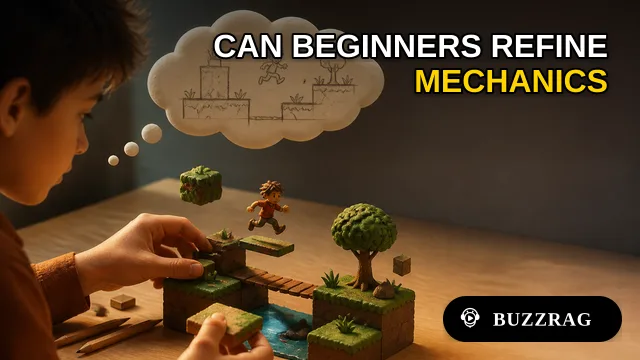
Google and Unity's Playground Brings Text Prompts to Games
Google and Unity's Playground promises games from text prompts. Its bigger test is whether newcomers can edit prototypes, refine mechanics and finish what they start.
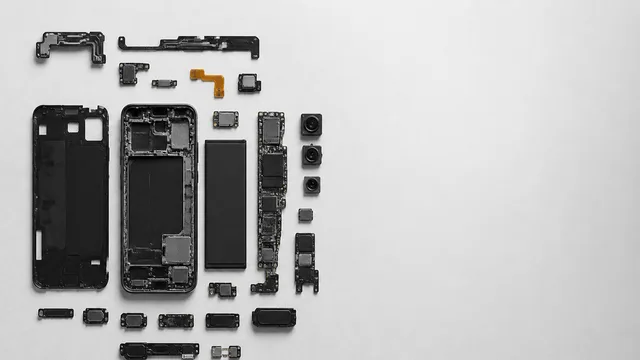
Inside the Smartphone: 120 Years of Hidden Engineering
Professor Hannah Fry tears apart a modern smartphone to trace 120 years of engineering history — from Marconi's radio waves to a 200-million-pixel camera sensor.

Pokémon Go at Ten: AR's One Durable Success Story
Pokémon Go turns ten this week. A look at what it actually got right—and why the AR industry it was supposed to launch mostly didn't follow.