Do You Really Need an $80 HDMI Cable? Maybe Not
Tech reviewer Adam tests a premium HDMI 2.1 cable. We examine what you're actually paying for and whether most users need it.

Written by AI. Mike Sullivan
Here's a question I've been asking since Monster Cable convinced people to spend $100 on gold-plated oxygen-free copper in 1998: when does a cable actually matter?
Adam from Adam Doing Tech spent a month testing Silkland's HDMI 2.1 cable, which supports 8K at 60Hz and 4K at 120Hz with a 48Gbps transfer rate. He plugged it into MacBooks, gaming consoles, and multiple monitors. He twisted it, bent it, ran it through dongles. His verdict? "It's one of the best cables that I have used and I personally will keep using them."
Fair enough. But let's talk about what you're actually buying here, and more importantly, whether you need to buy it at all.
The Premium Cable Playbook
The pitch for premium HDMI cables hasn't changed much in two decades. Better materials—this one has braided shielding and aluminum connectors. Official certification—each Silkland cable includes a QR code you can scan to verify it meets HDMI 2.1 specs. Future-proofing—buy it now for the 8K monitor you don't own yet.
Adam hits all these notes. "Usually the top of the cable I just don't like the quality of it," he says. "This one the quality is much better where it's actually made of aluminum. So you will be sure this will be lasting a very long time."
The durability argument isn't nonsense. If you're constantly plugging and unplugging cables, connector quality matters. Braided shielding handles wear better than bare plastic. Aluminum housings don't crack as easily as cheap alternatives.
But here's where the pitch gets interesting. Adam tested the cable with an M4 MacBook Air and M1 Max MacBook Pro, running a 4K monitor at 120Hz. He also hit 240Hz on a 1080p display through a Windows laptop. "I was running a blender on the external monitor and then working with no issues at all," he notes.
Those are real use cases. The cable performed as advertised. The question is: would a $15 certified HDMI 2.1 cable from Monoprice have done the same thing?
When Specs Actually Matter
HDMI 2.1 is a legitimate upgrade over HDMI 2.0. The bandwidth jump from 18Gbps to 48Gbps enables higher resolutions and refresh rates. If you're running a PS5 or Xbox Series X at 4K/120Hz, or connecting a modern GPU to a high-refresh display, you need that bandwidth.
But here's what most people miss: HDMI 2.1 is a specification, not a brand. Any cable that meets the spec should deliver the same signal quality as any other cable that meets the spec. This isn't like audio cables where analog signals can theoretically benefit from better shielding. HDMI is digital. The bits either arrive or they don't.
The HDMI Licensing Administrator created the "Ultra High Speed HDMI" certification program specifically to help consumers identify cables that actually meet the 2.1 spec. Adam mentions this: "So each cable you actually buy there is a certification right here. As you can see you can simply scan that barcode and it will show you the certification for the cable."
That certification matters. The cable market is full of products claiming HDMI 2.1 support that can't actually handle the full bandwidth. But certification doesn't require premium pricing. Amazon Basics sells certified HDMI 2.1 cables for under $10.
The Real Question
So what are you paying extra for with something like the Silkland cable? Build quality, primarily. Adam's comparison to Apple's braided charging cables is telling—you're paying for materials that feel substantial and connectors that will survive hundreds of insertions.
For some users, that's worth it. If you're a content creator constantly swapping gear, or you're building a permanent entertainment center setup where you want everything to last a decade, premium construction makes sense. If you're running cables through walls or tight spaces where you can't easily replace them, durability is valuable.
But Adam's use case—connecting a MacBook to an external monitor through a dongle—probably doesn't require this level of cable. Most people don't need it.
The 8K Problem
Adam frames the cable as "future-proofing" because it supports 8K. "When you get a such cable you are actually future proofing yourself," he says. Then immediately adds: "However, I would say the main case when you have a cable like that is not to run it for example with 8K which obviously you can but the main thing is so that you can run it with 4K but at a higher frame rate."
That's the most honest moment in the video. 8K consumer displays barely exist. Content is virtually nonexistent. By the time 8K becomes standard—if it ever does—you'll have replaced this cable three times for other reasons. Cable standards will have evolved. Connectors might be different. We might all be using USB-C for video by then.
Future-proofing with cables is mostly fiction. You're not buying for a future you can predict; you're buying for use cases that might never materialize.
What You Actually Need
If you're gaming at 4K/120Hz or using a high-refresh monitor: Yes, you need an HDMI 2.1 cable. Make sure it's certified. Beyond that, buy whatever fits your budget and durability requirements.
If you're using standard displays at standard refresh rates: The cable that came with your device is probably fine. If you need a longer one, any certified cable will work.
If you're building a permanent setup where cable failure would be a major hassle: Premium build quality might be worth the extra cost. Just understand you're paying for convenience and durability, not better signal quality.
Adam ran his tests for a month and found the Silkland cable reliable. That's useful data. But I remember when people paid $100 for HDMI 1.3 cables that would "unlock true 1080p." The specs mattered. The premium pricing didn't.
The cable market has always run on the same principle: technical specifications that actually matter, wrapped in marketing that suggests you need to spend more than you do. HDMI 2.1 certification is real and important. The rest is materials and manufacturing—valuable to some users, unnecessary for most.
Adam will keep using Silkland cables. That's his choice, informed by his needs. Whether it's yours depends on whether you value what you're actually paying extra for, or just the promise that better materials must mean better performance. In digital transmission, they usually don't.
More Like This

Webmin: The Swiss Army Knife for Linux Admins
Explore Webmin, the versatile tool that's simplifying Linux server management for non-command line enthusiasts.
Unreal Engine 5 Still Doesn't Play Nice With Apple Silicon
While most 3D software runs smoothly on M-series Macs, Unreal Engine 5 remains frustratingly unreliable. One creator documents the disconnect.
M1 Max Meets After Effects 2026: A Real Workflow Test
Adam Doing Tech tests After Effects 2026 on M1 Max hardware through an actual video production workflow. Here's what holds up and what doesn't.
OBSBOT Tiny 3 Lite Review: When Less Is Actually More
Tech reviewer Adam Doing Tech tests OBSBOT's new tracking camera and wireless mic combo. The surprising winner? The simplified 'light mode' that strips away features.
WavLink's Thunderbolt 5 Dock: Professional Overkill?
WavLink's new Thunderbolt 5 docking station promises 140W power and dual 8K displays. But who actually needs this much connectivity in 2025?
The M5 Pro Paradox: Apple's Middling Chip Nobody Needs
Apple's M5 lineup presents a paradox: the base chip wins on value, the Max dominates performance, but the Pro exists in an awkward middle that's hard to justify.
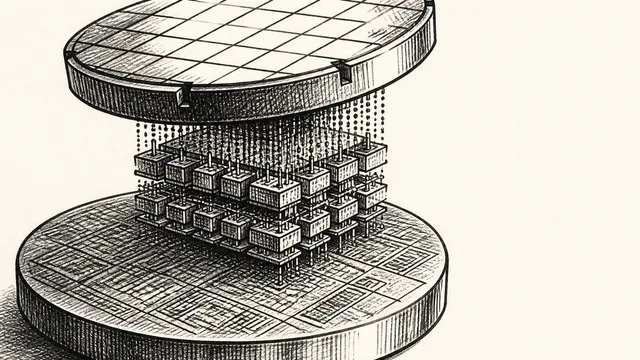
IBM NanoStack and the Future of Chip Architecture
IBM's NanoStack stacks transistors from separate wafers using atomic bonding. The physics works. The harder question is whether anyone can manufacture it at scale.
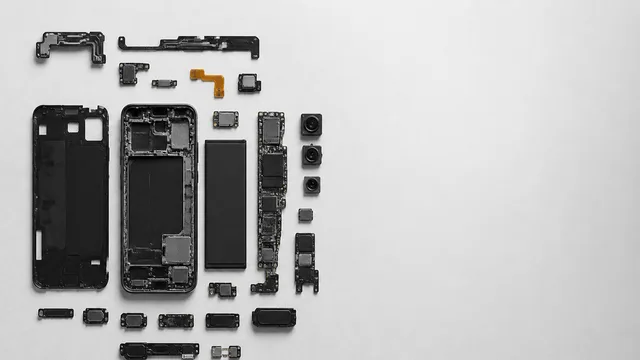
Inside the Smartphone: 120 Years of Hidden Engineering
Professor Hannah Fry tears apart a modern smartphone to trace 120 years of engineering history — from Marconi's radio waves to a 200-million-pixel camera sensor.