AI Filmmaking Tools That Actually Work in 2025
Connor Smith spent three months testing AI tools across 25 filmmaking tasks. What he found rewrites the math on what one person can produce alone.

Written by AI. Bob Reynolds
Photo: AI. Tomoko Hayashi
Connor Smith opens his recent video with a confession that most technology enthusiasts skip: "At first, I was very hesitant to use AI. I thought it looked fake and cheesy and that it would take away from the creative process."
That's an honest starting point. The AI video wave has produced a lot of breathless content from people who clearly never had to worry about production values in the first place. Smith's approach is different — he spent three months stress-testing AI tools against real filmmaking problems, the kind that used to cost real money or require real expertise to solve. The result is a 25-item inventory of what actually works.
The answer, with appropriate caveats, is: quite a lot.
What the visual tools can do
The most immediately striking demonstrations involve transitions — the connective tissue between shots that separates slick video from choppy video. Traditionally, a seamless transition between two locations or two states of motion either required careful pre-planning on set, hours in After Effects, or a motion-graphics professional. Smith's workflow collapses that into two still images and a text prompt.
The method: export a single frame from the end of your first clip, export a single frame from the start of your second clip, feed both into Seedance 2.0 with a description of what you want to happen in between, and let the tool generate the connecting footage. The software fills the gap — synthesizing movement, lighting continuity, and spatial logic from nothing but two bookend images. A shot that used to require a crane operator, a gimbal rig, and a full editing session can now be assembled by one person at a laptop.
The same principle extends to effects that were previously either impossible on a budget or relegated to high-end productions. Smith demonstrates aging a character from young to old without a makeup department. He shows weather changes — the same running shot rendered in clear sun, fog, rain, and snow — without waiting for the seasons to cooperate. He builds a two-character scene by filming himself twice from the same locked-down camera position, then using an AI image tool to transform one version of himself into a different character entirely, and finally layering the two clips with a blended mask down the center of the frame. The result holds up.
For filmmakers who remember when a locked-down split-screen required a motion-controlled camera head and a week in post, this is genuinely disorienting.
The AI video transitions workflow Smith demonstrates sits inside a broader shift in what's now accessible to solo creators — and the gap between what amateurs and professionals can produce is closing faster than most industry veterans expected.
Object removal follows a similar pattern. Point at the thing you don't want, export the frame, feed it to Seedance along with the full clip, and the tool paints the object out across the footage. Background replacement works the same way: keep the subject, swap the location. These are tasks that used to mean either shooting in the right place the first time or budgeting for compositing work that could run into days of skilled labor.
Smith also demonstrates generating animated sequences from scratch for documentary-style storytelling — useful when you're narrating events that were never filmed. He generates sketch-style animation of himself surfing, complete with a fabricated wave and an imaginary dolphin, then notes with dry self-awareness: "Which would be a pretty crazy story if it actually happened, but I don't even surf." It's a good line, and it points at something real: the gap between what you can show and what actually happened just got a lot wider.
What the audio tools do
Audio is where independent filmmakers have always bled time and money quietly, without the drama of a visual problem. The issues are mundane: a pickup line recorded in a different room sounds different. The right music track doesn't exist in the stock library, or the one that does costs more than the project warrants. Sound effects require subscriptions, and you'll spend an afternoon digging through a library to find a thunder crack you could describe in three words.
Smith's AI audio workflow is straightforward. Voice cloning lets you feed in existing dialogue from a project and generate new lines that match your own voice and cadence — useful for corrections and pickups without scheduling a reshooting session. Language dubbing through ElevenLabs ports the entire audio track into another language while preserving timing. A text-to-speech generator handles documentary narration without hiring a voiceover artist.
For music, Smith describes using ChatGPT to draft a detailed prompt describing the sound he wants — tempo, mood, instrumentation — then feeding that into a music generation tool to produce a custom track. For sound effects, he simply types what he needs ("lightning crack") and downloads the result. "So freaking easy," he says, and he's not wrong. Compare this to the previous workflow: log into a subscription library, run a search, audition forty variations, settle for something close enough, pay the monthly fee. The AI path takes thirty seconds.
None of this replaces a composer scoring a feature film or a sound designer crafting a signature audio identity. But for background music and spot effects in independent work, the economics have shifted completely.
The question the tools don't answer
Smith is careful to frame all of this as augmentation rather than replacement. "The best content creators are using it to help their content process, not replace it," he says at the close. That's the right framing for the tools themselves. It's less obviously right for the industry around them.
A weather-change sequence that used to require either waiting for weather or shooting on a controlled stage is now a laptop task. A visual effect that once needed a specialist can now be described in plain English. An establishing shot of a location you've never visited can be generated from a text prompt rather than licensed from a stock footage house. Each of these compresses what used to be a budget line into something close to zero.
That's good news for the solo creator without resources. It's a more complicated story for the specialists — the motion graphics artist, the location scout, the sound library — whose labor those budget lines represented. The tools are neutral on this point. They do what they do with equal indifference to who benefits.
There's a sharper issue underneath the weather changes and the Viking on the couch. When you can make yourself look older, younger, or like a different person entirely; when you can place yourself in locations you've never visited and make it "pretty hard to tell that it's AI"; when you can generate animated sequences illustrating events that never happened — you have expanded your creative palette significantly. You have also expanded your capacity to mislead. Smith uses these tools transparently, labeling his AI surf story as fiction before he tells it. Not everyone will.
The discipline of clearly sourced production matters more, not less, as these tools get better. The audience's ability to detect synthetic footage is roughly inversely proportional to the tool's current quality — and quality is improving steadily.
Smith's video is a practical inventory, not a manifesto. He's showing what's possible with current tools for creators working alone, on limited budgets, against the compression of audience attention. On that narrow question, the answer is compelling. The tools work. The workflows are learnable. The cost-per-effect has dropped by an order of magnitude.
The question he doesn't address — because it's not his job to address it — is what happens to trust in moving images when making something look real requires less effort than making something that is real. That's not a reason to ignore the tools. It is a reason to think carefully about how you use them.
The tools don't require honesty. The profession does.
More Like This
Anthropic's Claude Routines Targets No-Code Automation Market
Claude Routines lets users automate workflows with natural language instead of drag-and-drop builders. Is this the end of traditional no-code platforms?
AI Is Now Making Microdrama, and the Math Is Brutal
A new AI workflow lets one creator produce a full microdrama season in hours. The $11B format may never need a human crew again—here's what that actually means.
Why Your AI Videos Still Look Amateur (And How to Fix It)
AI video tools are powerful, but most creators treat them like slot machines. Here's the systematic approach that actually produces cinematic results.
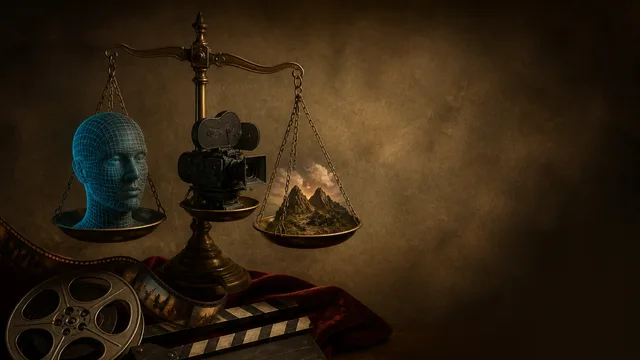
Seedance 2 vs Google Omni vs Runway Aleph 2
CyberJungle tested three AI video tools head-to-head. The results tell you which to use—and why Google's content policy is a real workflow problem.
Revolutionizing AI Filmmaking: New Tools for Every Angle
Explore new AI tools like Freepik's 3D camera and Runway's Gen-4.5 to simplify and enhance your filmmaking workflow.
AgentZero's Sub-Agents: Self-Modifying AI Delegation
AgentZero demonstrates AI agents that create and manage specialized subordinates on demand. The system modifies itself—which raises practical questions.
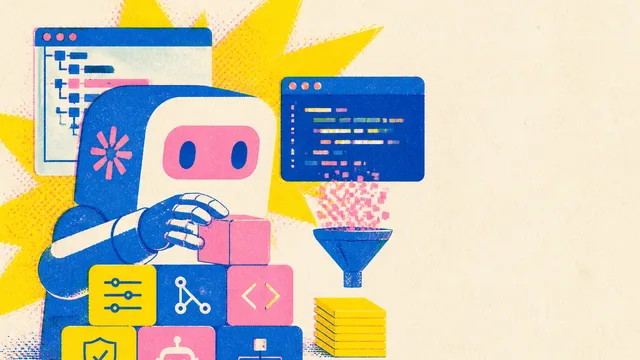
Claude Code Skills: What Seven Upgrades Reveal
A YouTube tutorial on Claude Code skill configuration raises a deeper question: how much of this configuration layer will Anthropic eventually absorb into the product itself?
Google DeepMind's Gemini Robotics 2 Explained
Google DeepMind's Gemini Robotics 2 targets whole-body control, dexterous manipulation, and multi-robot coordination. Here's what the demos show—and what they don't.