United's Spotify Seatback Rollout Depends on More Than Wi-Fi
United is rolling out personal Spotify accounts on Starlink-equipped seatback screens. Learn how access works, what can block it, and why a backup still helps.

Written by AI. Tomas Reyes-Kim
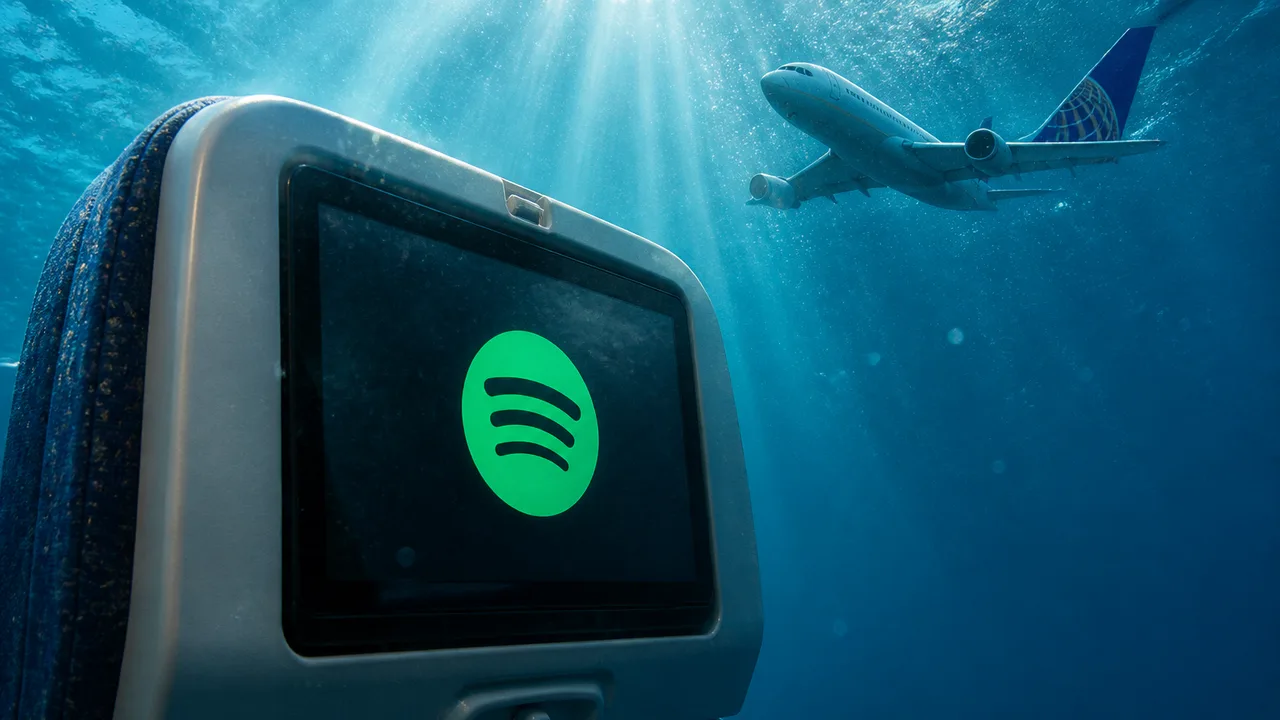
United Airlines began rolling out access to personal Spotify accounts on seatback screens on November 5. On a supported flight, that means your saved playlists and recommendations can follow you onto the screen in front of you, alongside podcasts, audiobooks and video. For anyone who has spent a flight trying to prop up a phone against a tray-table latch, the larger screen has an obvious appeal.
The catch is in the word supported. The new seatback feature is rolling out on aircraft equipped with Starlink internet. You also need a working screen with the Spotify option: connect your phone to United’s inflight Wi-Fi, scan the QR code on the seatback screen and sign in or load your existing Spotify profile. Connecting to Wi-Fi for Spotify does not require buying an inflight internet pass. A phone is still part of the setup, even if you plan to put it away once the playlist starts.
That arrangement creates a useful question for travelers: what, precisely, is installed on your flight? Starlink connectivity, a functioning seatback screen and the Spotify app have to meet at the same seat. An airline-wide announcement cannot tell you whether those three things will line up on a particular departure.
From Somebody’s Playlist to Yours
United and Spotify already had an onboard partnership. In June 2025, they introduced more than 450 hours of curated content. United’s reported figures since that launch put use at more than 2.3 million passengers and more than 1.9 million hours of programming. Those totals describe use of the earlier offering; they are not a count of passengers who have tried personal-account streaming.
The November change is about control. Instead of choosing only from a selection assembled for the cabin, a passenger on a supported screen can bring up their own library and recommendations. Spotify DJ and music videos are among the features described for the rollout. Audio can continue while a passenger browses other seatback features, including the flight map, and a phone can control playback.
United’s history with Starlink helps explain the timing. The airline began testing it on flights in early 2025, and now says nearly half its daily departures offer the connection. Faster, more widespread inflight internet makes a personal streaming service plausible in a way a fixed onboard catalog was not. But the share of departures with Starlink is a connectivity figure. It does not tell you how many seats currently have a working screen with personal Spotify access. The companies have not specified a count of aircraft supporting the new feature or a completion date for its rollout.
The Screen Can Lag Behind the Wi-Fi
Five United Boeing 737-900s offer a concrete example of how those upgrades can get out of step. Starlink was installed on these aircraft before their cabin refresh, deactivating the existing DirecTV system and leaving the old seatback monitors inoperative. The memo identified fleet numbers 3401, 3402, 3407, 3408 and 3409 as of November 3. That dated list describes a small transition group, not the condition of United’s fleet.
Passengers on those aircraft have internet access but cannot use an inactive seatback screen for the new Spotify feature. United says placards on the affected screens direct MileagePlus members to free Starlink Wi-Fi. If you are choosing between a seatback video podcast and internet on your own device, the distinction becomes concrete fast: one upgrade can be ready while the cabin hardware it is supposed to complement is waiting its turn.
That does not make the Wi-Fi installation pointless. Someone working from a laptop may prefer a connection they can use immediately over an aging seatback television system. A traveler counting on the screen to keep a child occupied, or hoping to watch a video while using their phone for something else, faces a different trade-off. The five aircraft show why a Starlink label alone cannot promise seatback entertainment. They do not tell us how often other United travelers will encounter a dark screen.
There is also a narrower question than whether the screen lights up: whether it offers your Spotify account on the flight you booked. The personal-account feature is still rolling out. Treat a Starlink-equipped aircraft as a necessary condition for this seatback perk, rather than a guarantee that the app will appear.
What Other Music Offers Tell You
United did not invent music in the air. American Airlines has offered music-streaming perks, including access through seatback screens or free streaming through supported apps on personal devices; Delta has offered curated YouTube Music playlists. The useful comparison is how a passenger reaches the content. A curated playlist asks you to choose from the airline’s selection. Streaming on your own phone gives you your device and its screen. United’s new setup aims to put your personal Spotify account on the seatback screen while leaving your phone free for other things.
That comparison has limits: those offerings do not come with a single shared set of catalog, account, screen and connectivity rules. It would be a pretty expensive mistake to pick an itinerary on the assumption that every airline’s phrase “music streaming” buys the same experience. Ask what device plays it, whose library you can open and whether it needs a particular aircraft connection.
For a United flight, start with the airline’s Starlink Wi-Fi tracker, which can show an upcoming flight within three days of departure. Check again closer to travel because aircraft assignments can change. Then keep the backup boring: bring a charged phone, headphones and something downloaded that you already know will play without the aircraft’s connection. Downloads are for the possibility that the onboard setup is unavailable, not a requirement for using Spotify on a supported seatback.
If you do sign in on the shared screen, you can log out during the flight; United says it will also log you out automatically at flight’s end. Choosing to log out yourself takes seconds and does not depend on remembering the policy after landing.
A personal playlist on a seatback screen sounds simple because the experience, when it works, should be simple. Getting there takes an aircraft connection, a finished screen upgrade and an app ready for your seat. Pack for the flight you have, and let the Spotify screen be the pleasant surprise rather than your only plan.
More Like This

Spotify's 50 Million Tracks Reveal a Fight Over Discovery
Spotify says it pulled over 50 million slop and spam tracks from recommendations. What that means for discovery, and how YouTube Music and Deezer differ.
Airplane Windows Are Rounded; Digital Views May Replace Them
Rounded airplane windows limit stress in a pressurized fuselage. Digital displays could offer new views, but raise questions about comfort and safety.

How Disney+ Redefined What an Ad-Free Plan Promises
Disney+ has widened ad permissions across paid tiers. Here is what changed, where it applies, and how the approach compares with Netflix and Amazon Prime Video.
American Airlines' Automatic Seat Changes Have Limits
American Airlines can move eligible solo travelers to a matching seat, but its 24-hour cutoff and paid-seat limits leave the last seat-map decisions to you.
8 Money Scams to Watch for on Cruise Port Days
From taxi bait-and-switch to card skimmers, here are eight port day scams that target cruisers and what you can actually do about each one.

Labor Day Travel Costs Are Up. Here's What That Means
Flights are 21% pricier and gas is up 27% this Labor Day. Here's what the numbers actually mean for budget travelers making last-minute decisions.