How Your OS Works: Boot to Shutdown Explained
From bootloader to SIGKILL, here's what your operating system actually does every time you power on—and why it's more impressive than you think.

Written by AI. Mike Sullivan

Photo: AI. Asha Kingsley
The first operating system, GM-NAA I/O, shipped in 1956 because someone at General Motors had the reasonable opinion that humans had better things to do than hand-feed punch cards into a two-story IBM mainframe. It ran one program at a time. No memory protection, no users, no files. Sixty-eight years of iteration later, your laptop juggles hundreds of concurrent processes while Chrome consumes enough RAM to simulate a small nation-state, and your cursor still moves when you wiggle the mouse.
That gap—between what the hardware can literally do and what you actually experience—is entirely the operating system's doing. And most people who use computers daily, including most people who write software for a living, have a pretty hazy picture of how it works.
A recent video from Fireship takes a run at closing that gap, walking through every major OS concept in about eleven minutes—from the bootloader to the shutdown signal. It's a useful map of terrain that rarely gets explained in one sitting. Here's what that map actually shows.
The Lie Starts at Boot
When you press the power button, the CPU wakes up in what the video accurately calls "the most primitive state possible." No memory management. No files. No abstractions of any kind. Just a single core executing instructions from a hard-coded address burned into the firmware—UEFI on modern machines, the older BIOS on anything built before roughly 2010.
The firmware's one job is to find a disk and hand control to a bootloader—GRUB on Linux, iBoot on Mac, Bootmgr on Windows. The bootloader's one job is even simpler: find the kernel on disk and load it into RAM. That's the handoff. After that, the kernel takes over with full hardware privileges and starts building the entire environment you'll eventually interact with, from scratch, in the next few seconds.
What's interesting about this sequence isn't the mechanics—it's the dependency chain. Nothing works until the previous thing works. The bootloader can't run until firmware finds the disk. The kernel can't do anything interesting until the bootloader loads it. The user space can't exist until the kernel builds it. It's turtles all the way down, except the bottom turtle is firmware burned into silicon, and if that turtle has a bug, you're not booting.
Two Rings to Rule Them All
Before the kernel can do anything useful, it establishes the fundamental security model of your computer: privilege rings. On x86 hardware, there are technically four, but as the Fireship video notes, basically only two matter—Ring 0 for the kernel, which can do essentially anything, and Ring 3 for user space, which can run your applications but has to ask permission for everything else.
This isn't a software policy. The CPU itself enforces it.
The practical consequence is that a buggy application—your PDF reader, your browser tab, whatever—can usually only crash itself. It can't reach into another process's memory. It can't write directly to disk. It can't tell the network card what to do. To do any of those things, it has to cross the boundary through a system call, which is where the CPU switches from Ring 3 back to Ring 0 and the kernel handles the request on the application's behalf.
The video calls system calls "the single most important API in computing that you've never actually written by hand," which is accurate. When you call printf in C, you're not doing I/O. You're invoking a library that eventually makes a write system call, which crosses the ring boundary, which is the actual I/O. Linux has around 400 of these calls. Everything else—every framework, every runtime, every library—is built on top of them.
The Productive Deceptions
Virtual memory is where the OS gets philosophically interesting. When your browser requests a memory address, that address doesn't physically exist. It's a virtual address, translated to a real physical address by the Memory Management Unit—a piece of hardware that uses a kernel-maintained data structure called a page table to do the mapping.
Each process gets its own page table, which means each process thinks it has its own private address space. Your browser cannot read your password manager's memory. They live, as the video puts it, in "parallel universes that only the kernel can see between."
The file system is a similar productive deception. Your disk at the hardware level is a long sequence of numbered blocks. The file system is the software that presents you with folders and filenames instead. The actual file data lives in blocks, pointed to by index nodes (inodes), which contain metadata—size, permissions, timestamps—but notably not the filename. Filenames live in directories, which are themselves just special files that map names to inode numbers. This is why hard links work: multiple filenames can point to the same inode, the same actual data.
Modern file systems add journaling—writing intentions before writing data—so that if the power dies mid-write, the system can recover without corruption. It's a small design choice with enormous practical consequences for anyone who has ever had a disk die at an inconvenient moment, which is everyone.
Interrupts: The Machine Is Actually Just Screaming
Here's something that should recalibrate how you think about your computer: the OS doesn't poll hardware. It doesn't sit in a loop asking, "Did anyone press a key? Did anyone press a key?" Instead, hardware fires interrupts—electrical signals that yank the CPU out of whatever it's currently doing and jump to an interrupt handler in the kernel.
The video's framing is memorable: "the entire machine is driven by tiny electrical screams from hardware saying, 'Hey, something happened. Deal with it.'"
When you move your mouse, an interrupt fires. When your Wi-Fi card receives a packet, an interrupt fires. When your keyboard registers a keypress, an interrupt fires. This is why your cursor responds instantly even when your CPU is otherwise occupied—the interrupt literally preempts whatever was running.
Device drivers are the code that translates generic kernel requests into the specific instructions a given piece of hardware understands. They run in kernel mode, which is why a buggy driver can take down the entire system. The Windows blue screen of death is usually a driver failure. The 2024 CrowdStrike incident—where a bad sensor driver update knocked out millions of Windows machines globally—is what happens when kernel-mode code goes wrong at scale.
The Scheduling Problem Is Harder Than It Sounds
By the time you see a desktop, you have dozens to hundreds of running processes competing for a CPU that has maybe eight cores. The scheduler is what makes this work.
Modern Linux uses an algorithm called Earliest Eligible Virtual Deadline First, which sounds like it was named by a committee that really wanted to include the word "virtual" somewhere. The goal is ensuring every process gets its fair share of CPU time—that your music player doesn't starve while your compiler is running, that interactive processes feel responsive even under load.
Threads complicate this further. A thread shares memory and file descriptors with its parent process but has its own stack and program counter, allowing one program to do multiple things simultaneously. The problem is that shared memory is a race condition waiting to happen—two threads writing to the same variable at the same time produce undefined behavior, and undefined behavior in production is how bugs become incidents.
Languages like Go and Rust have made thread safety a first-class concern—Go's goroutines with channels, Rust's borrow checker that refuses to compile code that could race. Whether those solutions are adequate, elegant, or just differently painful is a genuine ongoing debate in software engineering.
Shutdown Is the Whole Thing in Reverse
When you hit the power button to shut down, PID 1—the first user space process, the ancestor of every other process on the machine—sends a SIGTERM signal to everything. That's the polite ask: save your state and exit. After a timeout, SIGKILL goes out. That's not a request.
Then the file system flushes its journals and unmounts. Drivers release their hardware. The kernel syncs memory to disk. Interrupts are disabled. The CPU halts. Firmware cuts power.
Sixty-eight years of accumulated abstraction, running forward in about thirty seconds, then backward in about ten.
What strikes me about this whole chain—boot to shutdown—is how much of it is built on deliberate, load-bearing deception. Virtual addresses that don't exist. Filenames that aren't stored with files. Processes that think they own all of memory. The OS's core competency is convincing software that it lives in a simpler world than it actually does. Every abstraction is a lie told for a good reason.
The question worth sitting with: as hardware gets stranger—heterogeneous compute, processing-in-memory, neuromorphic chips—how long do abstractions designed around 1970s hardware assumptions hold up?
More Like This
What Actually Happens When You Run printf() in C
Dr. Jonas Birch's tutorial reveals the three-layer journey from C library calls to system calls to CPU instructions—using printf() as the unlikely hero.
Linux Kernel Draws a Line on AI-Generated Code
After six months of debate, Linux kernel developers establish new rules for AI assistance: disclosure required, human accountability mandatory.

Stoolap Promises 138x Speed Over SQLite. It Delivers 6x.
New Rust database Stoolap claims massive speed gains over SQLite. Real-world testing reveals a different story—and more interesting questions.
Your CPU's Idle Process Isn't the Problem—It's the Solution
That 95% idle process in Task Manager? It's not hogging your CPU—it's saving your battery. Here's what your processor actually does when it has nothing to do.
VS Code's Autopilot Mode: Trust Issues, Automation, and AI
Microsoft's VS Code introduces Autopilot mode for GitHub Copilot. The promise: hands-off automation. The question: how much control are you willing to surrender?
Where Does the Linux Kernel Actually End?
The line between Linux kernel and operating system isn't where you think. A deep dive into init, user space, and what actually makes a distribution.
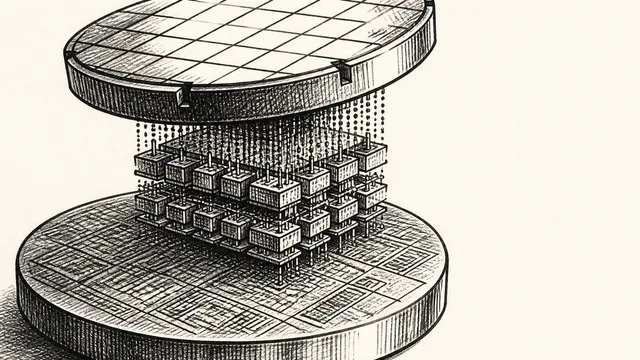
IBM NanoStack and the Future of Chip Architecture
IBM's NanoStack stacks transistors from separate wafers using atomic bonding. The physics works. The harder question is whether anyone can manufacture it at scale.
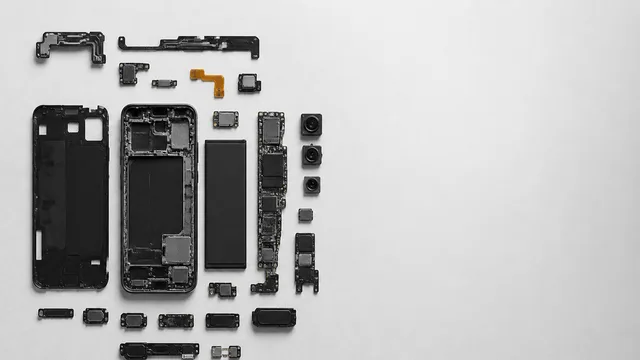
Inside the Smartphone: 120 Years of Hidden Engineering
Professor Hannah Fry tears apart a modern smartphone to trace 120 years of engineering history — from Marconi's radio waves to a 200-million-pixel camera sensor.