What Actually Happens When You Run printf() in C
Dr. Jonas Birch's tutorial reveals the three-layer journey from C library calls to system calls to CPU instructions—using printf() as the unlikely hero.

Written by AI. Yuki Okonkwo
Most C programmers have typed printf("hello world") a thousand times. Few have asked what actually happens when they do.
Dr. Jonas Birch's two-hour tutorial takes that innocent line of code and follows it through three increasingly metal layers of abstraction: from C library calls, to operating system syscalls, to raw CPU instructions in assembly. It's like watching someone explain how your car works by first removing the steering wheel, then the engine, then melting down the pistons to show you the molecular structure of steel.
The video promises to take intermediate C programmers to "advanced level" in 130 minutes. That's... optimistic. But what it does deliver is something rarer: a ground-up understanding of where your code actually goes when you hit compile.
The Three Layers Nobody Teaches You
Birch starts with printf(), which most of us treat as atomic—a thing that just works. But it's not a system call. It's a library call, part of the standard C library (libc or glibc). "Print f and other library calls, that is communication between the programmer and the userland software," he explains, "but then the actual software needs to communicate with the operating system and that's done via these system calls."
That "hello world" you printed? It becomes a [write()](https://man7.org/linux/man-pages/man2/write.2.html) syscall under the hood—the actual request your program makes to the operating system. And write() takes three arguments: a file descriptor (where to write), a buffer (what to write), and a count (how many bytes).
File descriptors are one of those concepts that seem arcane until you realize they're everywhere. Standard input (keyboard) is always file descriptor 0. Standard output (screen) is 1. Standard error is 2. When you write to the screen, you're just writing to file descriptor 1.
Birch demonstrates this by rebuilding "hello world" using raw write() calls instead of printf(). Same output. Different abstraction layer. And then he introduces [strace](https://man7.org/linux/man-pages/man1/strace.1.html), a debugging tool that shows you every syscall your program makes. Run strace on any binary and you see the skeleton beneath the skin—every write(), every read(), every syscall your code generates.
Then It Gets Weird
The third layer is where things get properly low-level: assembly language, which is basically human-readable machine code. "Assembly language is basically machine code so you send commands directly to the CPU," Birch says.
He codes "hello world" again, this time in 32-bit assembly. You store the syscall number in register eax (4 for write, 1 for exit). You store the file descriptor in ebx. The buffer address goes in ecx. The size goes in edx. Then you trigger an interrupt with int 0x80, which hands control to the operating system.
Registers are "like variable space but in hardware"—the fastest memory your computer has. You're literally telling the CPU: put this number here, put that address there, now execute this syscall. No abstractions, no libraries, just you and the metal.
The result? A binary that does exactly what the C version did, except you had to manually count that "hello world\n" is 12 bytes (he counts: "hello is five, world is five, there's a space, that's 11 total, and then the new line is 12").
Function Pointers and Other Dark Arts
The tutorial also covers function pointers, which let you store functions as variables and call them indirectly. Birch builds a calculator that stores math operations (add, subtract, multiply, divide) as function pointers, then switches between them based on user input.
The syntax is gnarly: void (*fp)(int*, int, int) declares a function pointer called fp that points to functions taking three int arguments and returning void. You assign it with fp = addition, then call it with fp(&result, x, y). It's indirect in a way that feels deliberately obtuse until you need it (callback functions, plugin systems, jump tables).
Birch also demonstrates the select() system call, which lets you wait for input with a timeout—something scanf() can't do. He builds a "timed readline" function that gives users three seconds to type their name before printing "too slow." It's the kind of thing you'd use for network programming or interactive terminals.
The implementation uses file descriptor sets (fd_set) and time values (struct timeval) to tell the kernel: watch this file descriptor, wake me when there's data or after three seconds, whichever comes first. When select() returns, you check if there's actually data available (using the FD_ISSET macro) before reading.
What You Actually Learn
The "intermediate to advanced in two hours" framing is marketing. What the tutorial really offers is depth over breadth—a vertical slice through the abstraction layers most programmers never see.
You learn that printf() isn't magic, it's sugar over write(). You learn that syscalls aren't magic either—they're an agreed interface between userspace and the kernel. You learn that the CPU doesn't speak C; it speaks move-this-number-to-that-register.
Birch's teaching style is conversational to the point of rambling ("I will make like a uh what's it called? Atra I don't remember the word currently"). He codes in real-time, makes mistakes, backtracks. It's the opposite of a polished Udemy course, and that's probably why it works—you're watching someone think, not perform.
The question isn't whether this makes you "advanced" in C. It's whether understanding these layers changes how you think about the code you write. Probably yes. A printf() becomes heavier when you know it's carrying three layers of abstraction on its back. A file descriptor stops being a mysterious integer and becomes what it is: an index into the kernel's table of open files.
And assembly? Assembly stops being the scary thing you'll never need and becomes the thing you could use if you needed that last 10% of performance or that degree of control.
The tutorial's real value isn't the individual techniques—it's the x-ray vision. Once you've seen how far down these abstractions go, you can't unsee it. Every library call has a syscall underneath. Every syscall has registers underneath. All the way down, until you hit silicon.
More Like This
Why Regulators Should Care About C Programming Skills
A file compression tutorial reveals the technical knowledge gap undermining tech regulation—and why lawmakers need to understand what they're trying to govern.
Building Tor Network Tools and Encryption in C
Dr. Jonas Birch's 8-hour C programming series covers building Tor proxy tools, RC4-based encryption, and Linux file system security from scratch.
Can You Really Master a Programming Language in 6 Weeks?
A developer claims three strict rules can make you fluent in any programming language in six weeks. No AI, no copy-paste, minimal Google. Does it work?
Building a Virtual Machine From Scratch Takes Six Hours
A programmer documents building a 16-bit virtual machine in C with custom assembly language, revealing the actual complexity of low-level systems work.
Unpacking Dr. Birch's Unique AES Key Schedule
Explore Dr. Birch’s creative take on AES key scheduling, blending coding and cryptography with unique twists.
Three Hours of Debugging a File Compressor in C
Dr. Jonas Birch spent 3.5 hours live-coding a file compressor in C. What the session reveals about real programming work might surprise you.

How Optimization Powers Modern AI and Engineering
From training ChatGPT to imaging black holes, optimization is the hidden engine behind modern AI and engineering. Steve Brunton's lecture explains how.
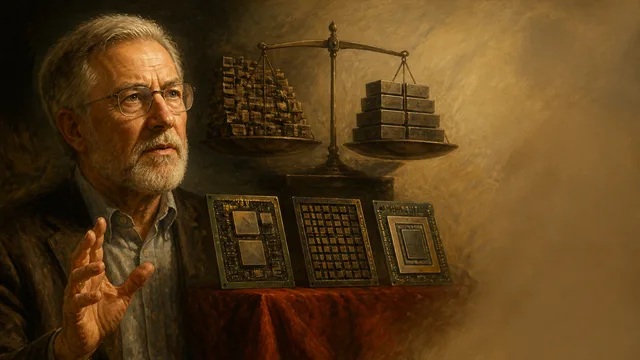
David Patterson on CPUs, GPUs, TPUs, and 50 Years in Computing
Turing Award winner David Patterson breaks down RISC vs. CISC, the GPU-to-TPU shift, Moore's Law's real status, and what 50 years in computing actually taught him.