ZimaCube 2 Pro Review: Great NAS, Brutal Market
The ZimaCube 2 Pro is a genuinely impressive NAS — 10GbE, PCIe slots, Thunderbolt. Too bad the storage market has other plans for your wallet.

Written by AI. Mike Sullivan
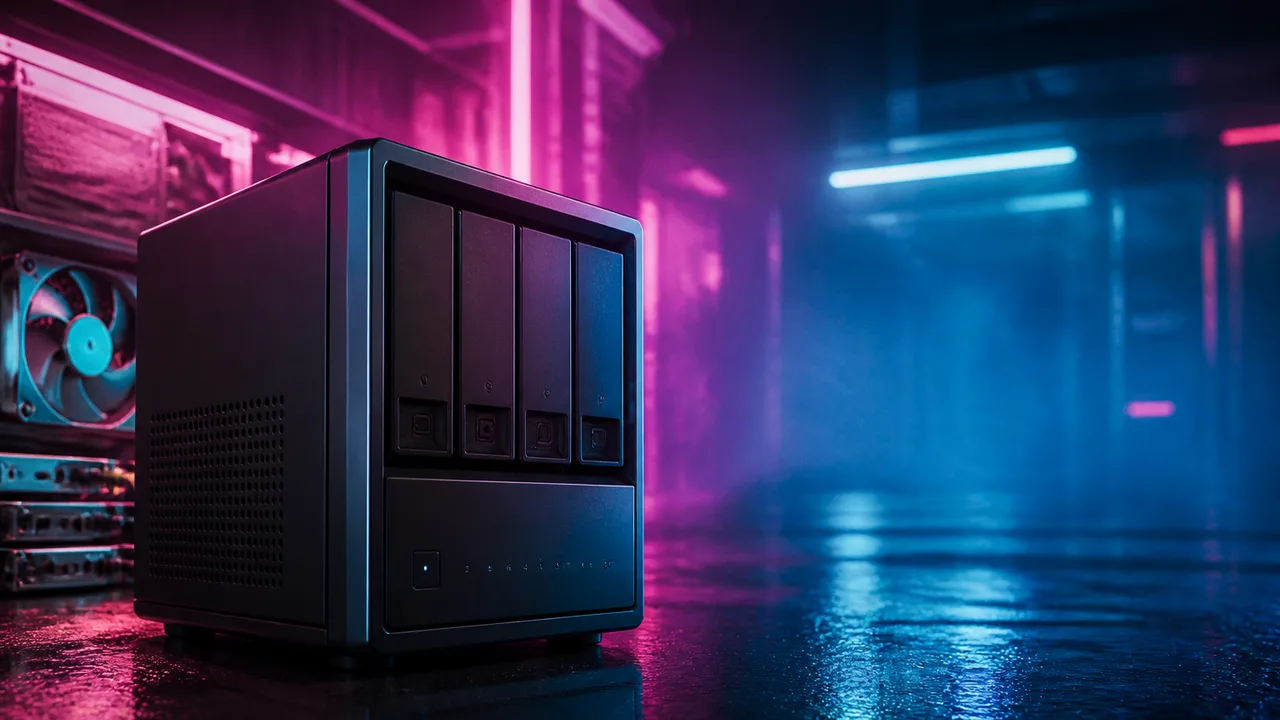
Photo: AI. Quinn Adler
The ZimaCube 2 Pro has a name that, if you grew up in the late '90s, makes you think of a caffeinated beverage that was definitely not marketed to teenagers. Patrick Kennedy of ServeTheHome acknowledges this immediately, which tells you something about the target demographic for a $1,299 NAS with PCIe expansion slots and Thunderbolt ports. This is not a product for people who just discovered cloud storage.
What it is, actually, is a surprisingly thoughtful piece of hardware that illustrates a problem nobody at IceWhale created but everyone buying storage right now is living inside.
What's in the box
The ZimaCube 2 Pro runs an Intel Core i5-1235U — an Alder Lake chip that shipped in early 2022, so yes, it's a four-year-old processor. The core configuration is worth understanding: two performance cores (four threads with hyperthreading) and eight efficiency cores (eight threads, no HT), giving you 10 cores and 12 threads total. The "10-core processor" headline is technically right; the thread count math just needs a moment to resolve. The Pro model pairs this with 16GB of DDR5-4800 memory across two slots, double what the non-Pro carries. The DDR5-4800 spec is actually a minor blessing — it's cheap now, since everyone's moved on to faster bins.
Storage capacity is the obvious headline: six 3.5-inch drive bays up front, plus a removable M.2 board that holds four additional NVMe SSDs alongside a separate 256GB Kingston boot drive. That's ten storage devices total before you touch the PCIe slots. The M.2 board is not just a passive adapter — Kennedy describes it as having "a little boot button and a little USB," which sounds like a throwaway detail until you realize it means the expansion module is doing actual work rather than just routing lanes.
Networking on the Pro tier is where it separates from the base model: 10GbE via a Marvell AQC113 controller on an internal M.2 adapter (elegantly, this means the non-Pro can be upgraded by dropping in the same card), plus dual 2.5GbE, Thunderbolt ports on the back, HDMI, and DisplayPort. The thing has enough I/O that Kennedy keeps noting it feels like a desktop. He's not wrong — the i5-1235U is the same class of chip you'd find in a thin-and-light laptop from that era.
The PCIe slots are a genuine differentiator for this category: one x16 slot running electrically at PCIe Gen 4 x4, and one x8 slot running electrically at PCIe Gen 3 x2. Kennedy's guidance is useful here — don't expect a 200GbE card to run at full bandwidth, but a 25GbE NIC or an M.2 expansion card? Totally viable. The manufacturer caps GPU power at 75 watts, and Kennedy is blunt about passively cooled cards in an enclosure with this airflow profile: don't.
The power connector situation
I want to spend a moment on what Kennedy correctly identifies as the biggest miss on this entire unit, because it's the kind of thing that reveals how a company thinks about its own product.
The ZimaCube 2 Pro uses an external power brick with a DC barrel jack. No retention mechanism. No screw collar. Just friction. On a NAS — a device specifically designed to run unattended, in a closet or under a desk, holding data you presumably care about. In the mid-90s, when I was at Microsoft and we were evaluating storage solutions for enterprise deployments, a barrel jack with no retention on an always-on storage device would have gotten the responsible engineer a very uncomfortable afternoon. The fact that in 2025 we're still shipping consumer NAS units with power connectors you could dislodge with a stray foot during a cable-management session is, to put it diplomatically, a choice. The chassis is large enough for an internal power supply. Kennedy makes this point. I'm making it louder.
Everything else about the physical design is solid — the sheet metal is heavy gauge, the fan headers are exposed for easy swapping, and getting inside requires exactly four screws. The toolless drive bays are missing (24 screws for a full six-drive install, which is fine but feels slightly retro for mid-2020s hardware), but these are minor complaints compared to the barrel jack situation.
ZimaOS: Fine. You'll replace it.
The ZimaCube ships with ZimaOS Plus pre-installed. Kennedy's assessment is honest: "frankly, it was easy to set up" and the app library surprised him. For someone who wants a NAS that behaves like an appliance — set up RAID, point Lightroom at it, go — ZimaOS probably does the job without requiring you to touch a terminal.
Kennedy is equally honest about where it goes from there: "just from my perspective, we tried it, it worked, but it's probably going to get replaced by either Ubuntu or Proxmox VE."
That's me too, for the record. The hardware compatibility story on this box is genuinely good — the Intel i226-V NICs for 2.5GbE have solid Linux driver support, the Marvell AQC113 works in most major OSes, and if you hit a wall there's Thunderbolt and PCIe slots waiting. The platform is OS-agnostic in a way that most consumer NAS hardware isn't. Whether you land in the ZimaOS camp or reach for TrueNAS, Proxmox, or CasaOS, the hardware will probably accommodate you. There's also a software licensing angle on the ZimaCube 2 base model worth reading before you commit to a platform.
The actual problem, which the ZimaCube did not cause
Storage used to be the cheap part of a storage device. I remember when a Jaz drive felt like a prosumer purchase — a hundred bucks for a cartridge, and you felt it. Then drives got cheap, RAID got accessible, and for about fifteen years, populating a home NAS was an afternoon project with a credit card receipt you didn't lose sleep over.
That calculus has changed, and Kennedy doesn't sugarcoat who's responsible: "Let's call it what it is. The AI play is definitely making hard drives and memory more expensive and making SSDs more expensive." Hyperscalers are buying storage at a scale that's distorting retail markets the same way enterprise SSD demand distorted consumer SSD pricing in the late 2010s. The first time I watched enterprise procurement decisions trickle down into Newegg pricing in real time, it felt like discovering that the big kids were eating from the same lunch line. It still feels that way.
Kennedy's framing of the current situation is the sharpest part of the review. A year and a half ago, populating a 10-drive system (six spinning disks, four NVMe) might have run you around $1,500 in drives. He estimates the same build now costs three to four times that — his words, based on what he's spending for his lab, not an independently sourced figure, but it tracks with what anyone who's been shopping drives this year has noticed. What that does to the value calculation is structural: the ZimaCube 2 Pro at $1,299 used to be roughly half the cost of a fully populated system. Now it might be a quarter. The box got relatively cheaper not because it dropped in price but because everything you put in it got more expensive.
The Pro-versus-non-Pro math shifts the same way. Five hundred dollars for 20-25% more CPU performance and double the RAM is a lot of money in isolation. As a fraction of what you're spending on drives anyway, it's gotten smaller. Kennedy admits he "doesn't love it, but that's what it is." That's the kind of consolation prize nobody asked for.
So who buys this
If you're running a two- or four-bay NAS that's hitting its limits and you need to scale up, the ZimaCube 2 Pro is a genuinely capable upgrade path — assuming whatever OS you're migrating to can import your existing array. The hardware is expandable in ways that consumer NAS rarely offers, the noise floor is low enough for a home office (the system itself, anyway — once you add spinning drives, that calculation changes), and the power consumption is reasonable as a baseline before drives enter the picture.
If you're building from scratch in the current market, Kennedy's underlying message is worth sitting with: the hardware decision is almost secondary to the drive procurement math. A $500 difference between Pro and non-Pro matters a lot less than it did when drives were cheap. It matters a lot less than it probably should.
The processor out-benchmarks a Dell ruggedized tablet about as well as a four-year-old ultralow-voltage laptop chip benchmarks anything, which is to say: adequate for NAS duty, completely sufficient for media transcoding via Intel Quick Sync, and not what you'd reach for if someone handed you a Geekbench leaderboard. For storage, that's fine. For everything else you might want to run on this hardware, know what you're getting.
More Like This
This 128GB Mini PC Has a Performance Dial You Can Actually Use
The Acemagic M1A Pro+ packs 128GB of RAM and AMD's Strix Halo chip into a box with an RGB dial that changes performance modes on the fly—no reboot needed.

When Agents Generate Their Own UI: The Three Flavors Explained
CopilotKit's Tyler Slaton maps the spectrum of generative UI—from pixel-perfect control to agents writing raw HTML. Each approach makes different tradeoffs.

Apple's Creator Studio: Subscription or One-Time Purchase?
Apple's Creator Studio offers a subscription model. Will it replace one-time purchases?
ZimaCube 2 Review: A Meaningful Upgrade or Incremental Refresh?
The ZimaCube 2 is a compact home server that earns attention for its processor upgrade—but a quiet software licensing twist deserves yours too.

Why Three Nodes Matter: The Real Cost of Proxmox HA
Christian Lempa upgraded his Proxmox cluster to three nodes with Ceph. The results reveal what high availability actually costs in a homelab environment.

Unreal Engine 5 Still Doesn't Play Nice With Apple Silicon
While most 3D software runs smoothly on M-series Macs, Unreal Engine 5 remains frustratingly unreliable. One creator documents the disconnect.
IBM NanoStack and the Future of Chip Architecture
IBM's NanoStack stacks transistors from separate wafers using atomic bonding. The physics works. The harder question is whether anyone can manufacture it at scale.
Inside the Smartphone: 120 Years of Hidden Engineering
Professor Hannah Fry tears apart a modern smartphone to trace 120 years of engineering history — from Marconi's radio waves to a 200-million-pixel camera sensor.