ZimaCube 2 Review: A Meaningful Upgrade or Incremental Refresh?
The ZimaCube 2 is a compact home server that earns attention for its processor upgrade—but a quiet software licensing twist deserves yours too.

Written by AI. Bob Reynolds
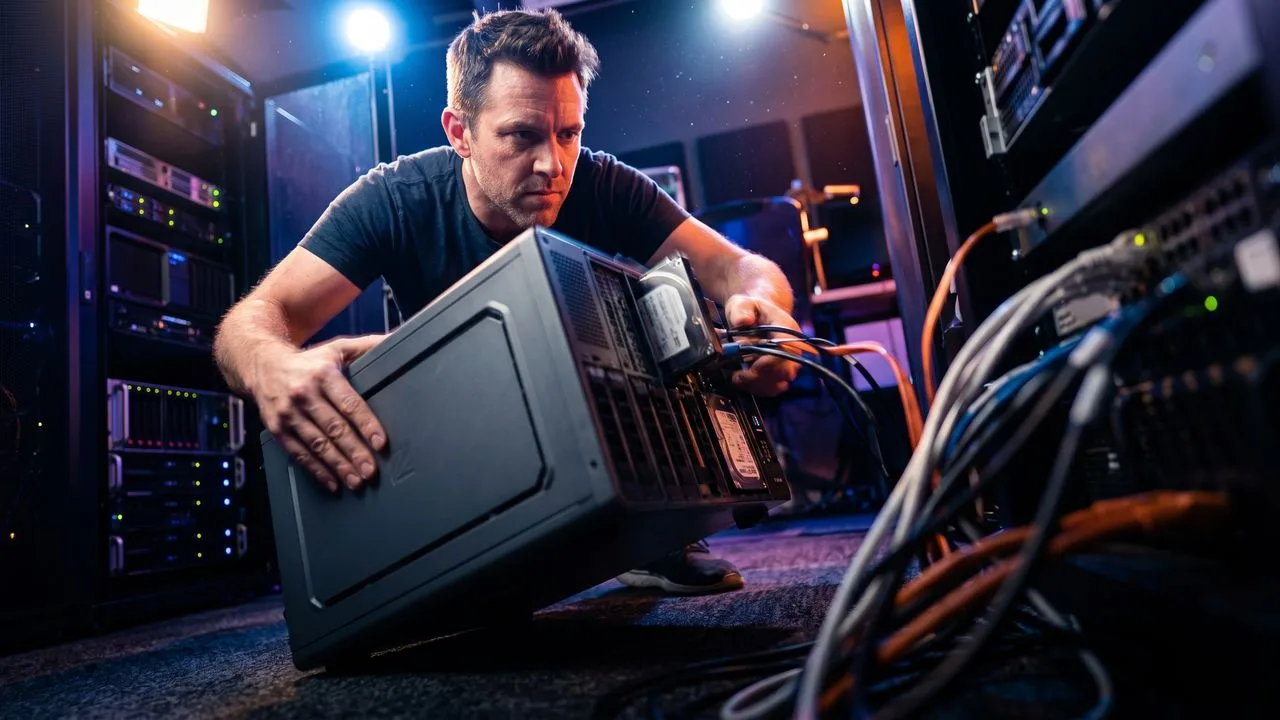
Photo: AI. Lev Zolotov
There is a category of personal technology that never gets the mainstream attention it deserves: the home server. Not the chest-freezer-sized rack units that populate corporate data centers, but compact, quiet boxes that sit on a desk or a shelf and handle everything from household file storage to running personal software services. The ZimaCube 2, made by a company called IceWhale, is the latest entrant trying to own that space — and reviewer Christian Lempa recently spent time with it as his primary source material.
The short version: if you own the original ZimaCube and bought the standard model, the upgrade case is genuinely strong. If you already bought the higher-end "Pro" version of the original, the arithmetic gets murkier fast.
The Processor Is the Story
The original ZimaCube's standard model ran on an Intel N100 chip — a four-core processor tuned primarily for energy efficiency. Lempa's verdict on real-world use was blunt: "my real world experience with this chip wasn't so great at all because of the low speed and the four cores."
The ZimaCube 2 standard replaces that with an Intel Core i3-1215U, a six-core mobile processor that Intel officially rates at a maximum turbo frequency of 4.4 GHz. Geekbench comparison data for these two chips — available publicly and consistent across multiple independent submissions — puts the i3-1215U at more than double the i3's single-core score and roughly triple the multi-core score versus the N100. For a device whose job is to run multiple applications simultaneously in the background, that difference matters in practice, not just on paper.
The memory ceiling moves substantially too. The N100 chip topped out at 16 gigabytes of RAM — fine for a simple file server, limiting for anything more ambitious. The i3-1215U supports up to 64 gigabytes. The ZimaCube 2 ships with 8 gigabytes standard, which means there is headroom to grow without replacing the machine.
That combination — meaningfully faster processor, four times the expandable memory — is why the standard model is the version worth paying attention to. The Pro model, priced around $1,300, carries the same Intel i5-1235U processor as the previous generation's Pro. IceWhale has not publicly explained that decision, and it is worth noting before you assume you are getting a full generational upgrade at the top of the line. Both chips boost to 4.4 GHz, but the i5 carries 10 cores to the i3's six, which matters for heavier workloads.
What the Box Actually Does
It helps to understand what this class of device is for. The ZimaCube 2 is essentially a small computer optimized for two jobs at once: storing large amounts of data and running software services continuously at low power. Think of it as the gap between a consumer network-attached storage drive — the kind you buy at Costco to back up photos — and a full server that belongs in a rack. Most people who want one are running personal cloud storage, home automation software, media libraries, or self-hosted versions of tools they would otherwise pay monthly subscription fees to use.
The ZimaCube 2 standard accommodates up to six traditional hard drives for bulk storage, plus multiple high-speed solid-state drive slots for applications that need faster access — think of those as the difference between a warehouse and a workbench. There are also two expansion slots on the motherboard that accept add-in cards. Lempa installed a 10-gigabit network card in one of his, upgrading the standard model's network speed beyond what it ships with.
Build quality, by Lempa's account, is solid — quiet fans, no sharp edges, compact enough for a desk. One cosmetic complaint carried over from the first generation: a drive bay cover he describes as cheap. IceWhale apparently did not change it. Small grievance, noted.
The Pricing Problem
The standard ZimaCube 2 is priced at approximately $800 at the time of Lempa's review — a $150 increase over its predecessor. The Pro sits at roughly $1,300, up $200. Hardware component costs have risen industrywide over the past two years, so some increase was predictable. But $800 is still a number that requires justification.
Here is my read, independent of Lempa's: for someone who currently owns no home server at all and wants something that can handle genuine multi-application workloads without rack space or significant technical knowledge, $800 is defensible. The processor upgrade alone addresses the central complaint about the original standard model. For someone who already owns a capable NAS or a reasonably modern small server, the numbers get harder. You are paying $800 for a processor generation and a memory ceiling — upgrades that improve on a previous generation's weaknesses but do not redefine the category.
The Pro's case is weaker still. Spending $1,300 for a device carrying the same processor as the previous generation's $1,100 model requires you to believe the other incremental improvements justify the premium. That is a harder argument to make.
ZimaOS, and the Licensing Wrinkle Worth Watching
The ZimaCube 2 ships with ZimaOS, IceWhale's own operating system — essentially a web-based dashboard for managing storage, running applications, and accessing files remotely. Lempa has been critical of it in the past; he acknowledges it has improved substantially, adding redundant storage management, better file browsing, remote access, and an application catalog for installing self-hosted software without technical expertise.
That progress is real. But there is a new detail that deserves more scrutiny than it typically receives in hardware reviews.
ZimaOS now has a paid tier called ZimaOS Plus — a $30 lifetime license that unlocks support for more than four drives and more than three user accounts. On a device with six drive bays, selling it to someone for $800 and then gating full use of the hardware behind an additional purchase is a conceptual problem, even at $30. Lempa puts it diplomatically: "it still feels a bit weird that if you buy a device like this that has six drive bays and then some part of the software experience is limited unless you buy another license."
I would put it less diplomatically: it sets a precedent. Thirty dollars and a lifetime license sounds reasonable today. The question is what "lifetime" means when the company decides to restructure its tiers in three years, or when "Plus" becomes "Pro" and the price doubles. We have seen this pattern in software often enough that it warrants naming. The ZimaCube 2 is sold as hardware; the moment its full capability depends on a software license, it has also become a subscription business in waiting.
To be clear, you are not required to use ZimaOS at all. The device runs standard Linux-based operating systems without modification — Lempa runs his as a node in a multi-machine virtualization cluster using Proxmox (open-source server management software, free to use). That flexibility is genuinely valuable. But buyers who want the simple plug-and-use experience — which is presumably who ZimaOS is designed for — should go in with open eyes about what the software model might become.
Lempa's Actual Power Numbers
Lempa measured idle power draw with five hard drives, an added 10-gigabit network card, and two solid-state drives running Proxmox: 50 to 55 watts. Without the drives and virtual machines, closer to 26 to 30 watts. These are self-reported figures from a single configuration, not independently verified lab measurements — worth noting, though they are consistent with what comparable hardware tends to draw. He also did not optimize power settings in the system firmware, which he estimates could drop consumption further, perhaps to around 20 watts.
Lempa's broader point — that power efficiency differences between modern mobile-class processors have narrowed to the point where they should not drive purchase decisions — is accurate. The gap between an Intel N100 and an Intel i3-1215U in power draw is real but modest. The gap in performance is not modest. That asymmetry is precisely what makes the processor upgrade in the ZimaCube 2 standard the device's most defensible argument.
The ZimaCube 2 is not a reinvention. It is a corrected version of a product that had one significant flaw — a processor that could not keep pace with the workloads the rest of the hardware invited — and IceWhale has fixed that flaw in the model most people should have been buying anyway. The software licensing question is worth watching, not panicking over. And if you are new to this category and willing to spend $800 on a quiet, expandable home server that does not require a networking degree to operate, this is a reasonable place to start.
More Like This
This 128GB Mini PC Has a Performance Dial You Can Actually Use
The Acemagic M1A Pro+ packs 128GB of RAM and AMD's Strix Halo chip into a box with an RGB dial that changes performance modes on the fly—no reboot needed.
Caddy Web Server: Where 'Easy' Gets Complicated
Caddy promises automatic HTTPS and minimal config. Christian Lempa tested it. The simple parts work great. The advanced parts reveal trade-offs.

Amazon Spring Sale Tech Deals: What's Actually Worth It
Tech reviewer Alex covers 10 Spring Sale deals, from charging stations to OLED monitors. We examine what's genuine value and what's seasonal hype.
Tiny Server, Big Potential: Beelink ME Pro Review
Explore the Beelink ME Pro, a compact storage server with modular design and surprising capabilities for data backup and media streaming.
YouTuber Builds Enterprise Storage Server for $2,300
A DIY enthusiast built a custom E3.S storage server for 80% less than commercial options, hitting 91 GB/s speeds with consumer parts and 3D-printed components.
Linux Kernel 6.19 Arrives as Discord Stumbles on Privacy
Linux 6.19 brings decade-old AMD GPUs back to life while Discord's age verification rollout raises questions about who controls access to platforms.

Garry Tan's Blueprint for the AI-Native Company
Y Combinator's Garry Tan argues that how you organize AI matters more than which AI you use. Here's what that means in practice.

Cross-Entropy and the Math Behind LLM Training
Grant Sanderson's 3Blue1Brown video explains cross-entropy loss and why the logarithm in LLM training isn't a design choice — it's the only mathematically valid option.