Minisforum N5 Max Review: NAS Meets AI Workstation
The Minisforum N5 Max stuffs a five-bay NAS, AMD Ryzen AI Max+ 395, and dual 10GbE into one box. Here's what that actually means in practice.

Written by AI. Bob Reynolds
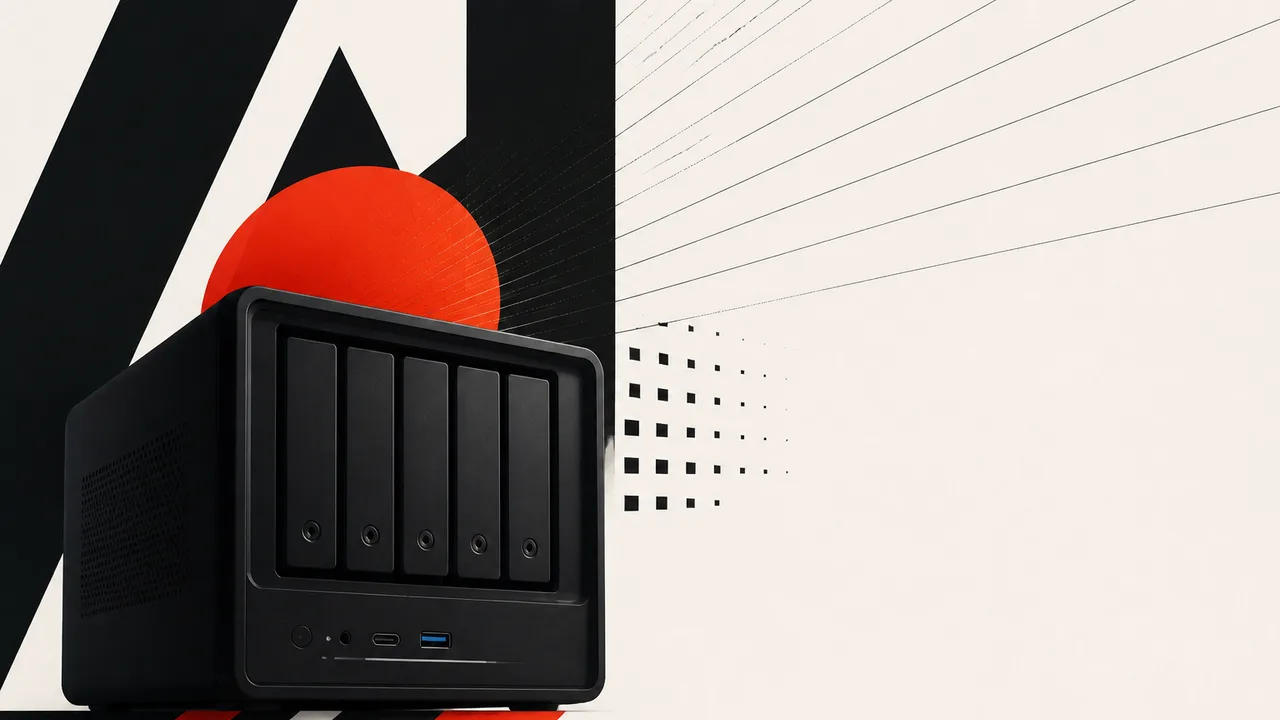
Photo: AI. Ondine Ferretti
The oldest question in product design is also the most frequently ignored one: just because you can combine things, should you? The Minisforum N5 Max answers that question in the most Minisforum way possible — by combining everything anyway and then daring you to find fault.
Patrick Kennedy of ServeTheHome got his hands on the N5 Max 395, and what he found is a machine that defies tidy categorization. Five 3.5-inch hard drive bays. Five M.2 NVMe slots. Dual 10-gigabit Ethernet ports. An AMD Ryzen AI Max+ 395 processor with 16 Zen 5 cores and a 40-compute-unit Radeon 890M GPU. Sixty-four gigabytes of soldered LPDDR5X memory. An internal 250-watt power supply. All of it in a chassis roughly the size of a shoebox.
Minisforum's DNA is in the mashup. Kennedy describes the N5 Max as a "love child" between two existing products: the MS-S1 Max, a high-performance AMD AI mini PC, and the N5 Pro, the company's AMD-based NAS. What you get is neither exactly — it's a third thing that borrows selectively from both, which means it also inherits some of the compromises from each.
Dual 10GbE Is the Right Call; the PCIe Slot Disappearance Is the Tradeoff
The back panel is where the N5 Max makes its strongest argument. Two RTL8125 10-gigabit Ethernet ports, high-bandwidth USB4 Type-C ports for external expansion, and an HDMI output. Kennedy notes that "there are many NAS vendors out there that are still just slinging 2.5 gig and 1 gig" connections — so dual 10GbE here is a genuine differentiator, not a marketing checkbox.
What you give up is the PCIe expansion slot that the N5 Pro carried. The trade Kennedy identifies is architectural: the internal power supply, a real improvement over the N5 Pro's external brick, ate the physical space where the PCIe slot would have lived. The expansion philosophy shifts to USB4 — attach what you need externally. There's a reasonable argument for this approach, particularly around thermals; a PCIe card sitting inside a dense chassis without active cooling is a recurring problem in this class of machine. Whether you find the USB4 approach liberating or annoying will depend on how much cable clutter you're willing to tolerate on your desk.
One note on the M.2 situation: of the five NVMe slots, only one runs at PCIe Gen 4 x4. The other four are Gen 4 x1. Kennedy's advice is direct — don't drop money on a fast Gen 5 drive here. A mid-range Gen 4 drive in the full-speed slot is the practical move, because the interface will be the constraint before the drive is.
64GB Soldered RAM Is the Spec That Will Age Poorly
This is where the review gets genuinely interesting. The N5 Max launched as a 64GB system. When Kennedy saw the prototype at CES 2026, it was configured with 128GB. Memory pricing — which Kennedy calls "probably the worst" of the current SSD/HDD/RAM trifecta — is the reason it shipped at half that.
The memory is soldered. You cannot upgrade it later. That decision is not unusual for this class of AMD Strix Halo hardware — the Acemagic M1A Pro+ manages 128GB, which illustrates exactly what Kennedy means when he says he wishes this machine had kept the original spec. The gap matters because of what the processor is actually being asked to do.
Kennedy ran Qwen 3 (the 6B variant) through Ollama and recorded around 40 tokens per second on generation — a respectable figure that reflects both the LPDDR5X memory bandwidth and the GPU's 40 compute units pulling their weight. Smaller models run faster. The 35B model class also runs "pretty darn well," per Kennedy's testing. But the ceiling is real: larger model families that would benefit most from local inference — the ones that justify building this kind of system in the first place — require more headroom than 64GB provides. Kennedy is unambiguous about it: "I do wish that there was an option for 128 gigs, just because those larger models are just so useful."
The counterargument Minisforum would make, implicitly, is that 128GB at current memory prices would push this into $4,000-plus territory. Kennedy acknowledges that math. It doesn't make the constraint less frustrating; it just makes it more understandable.
MinisCloud Software Needs Work; Linux Users Will Skip It Entirely
The bundled MinisCloud software gets a mixed report. The setup experience is the main problem: the system boots and presents an IP address, but there's no browser-accessible management page. Anyone coming from QNAP or Synology will find this disorienting. You have to download a desktop app from Minisforum's website — an app that Microsoft Defender flags on installation, and for which there is no Linux client.
Once past those friction points, the software itself is functional. ZFS configuration, RAIDZ2 array setup, SMB and NFS shares, Docker container support — it covers the NAS fundamentals. There's also a containerized stack for running Ollama and an Open WebUI, which is the local AI pitch made tangible.
Kennedy's personal plan is to bypass MinisCloud entirely and install Ubuntu or Proxmox instead. That's an honest assessment that will resonate with the technically inclined reader. For everyone else, the question is whether the setup friction is a one-time annoyance or a recurring reminder that this is not a consumer NAS. It is not. The MS-02 Ultra demonstrated that Minisforum can build serious expandable hardware for homelab users — the N5 Max is aimed at a similar audience, just with AI inference baked in rather than PCIe expandability.
165 Watts Peak: Real Money Over a Year of Runtime
Power consumption is where specs become consequences. Kennedy's testing established a range: drives spun down and system idle pulls 30–35 watts. Active idle with spinning drives lands in the low-to-mid 40s. AI inference workloads without drives run around 90 watts. Peak observed draw hit approximately 165 watts, against a 250-watt supply ceiling.
That 165-watt peak number deserves translation. At the U.S. residential average of roughly $0.16 per kilowatt-hour, running this machine at peak load continuously for a year would cost around $230. At typical mixed-workload usage — some inference, some idle, drives spinning periodically — a realistic annual figure is probably in the $80–$120 range. That's not outrageous for what the machine does, but it's also not the $15-a-year cost of a low-power Synology box that only serves files. You are paying for the horsepower whether or not you're using it. Noise-wise, Kennedy found the chassis itself manageable in the 40–43 dBA range under load; the spinning hard drives are the audible element at close range.
Who Actually Buys This
Here's a concrete picture: you have a four-bay Synology that's been doing fine for five years, plus a separate mini PC you've been using for AI experimentation, and the two systems are starting to feel like an awkward couple sharing a desk. You want your photo library, your ZFS array, and your local language models to coexist without a network hop in between. You have maybe one rack unit of desk real estate to spare and you're not excited about managing two separate machines, two power cables, and two sets of software updates.
That person gets genuine value here. The N5 Max solves a real consolidation problem for someone whose homelab ambitions outgrew their original NAS but who isn't ready to build a full rack.
What this machine is not is a primary gaming rig. Kennedy makes the point plainly: the Radeon 890M is a capable GPU for a machine of this class, but if gaming is your primary purpose, you buy a dedicated gaming system. The GPU earns its keep in AI inference, not in chasing frame rates.
The deeper question the N5 Max raises is one Minisforum didn't invent but is betting on: whether co-locating storage and inference compute is a niche enthusiast preference or an early signal of how home infrastructure actually evolves. Every major cloud provider already runs AI inference next to storage — the latency argument for keeping data and compute together is not theoretical. Kennedy thinks the timeline for this becoming mainstream may be shorter than conventional wisdom suggests. The hardware to do it at home exists right now, at a price point that a few years ago would have been laughable.
The N5 Max won't be the last device to make this bet. It probably won't be the best one. But it is, right now, one of the more honest attempts to answer the question of what a home server should be in an era where the data and the thing that reasons about the data belong in the same box.
More Like This
Anthropic's Claude Routines Targets No-Code Automation Market
Claude Routines lets users automate workflows with natural language instead of drag-and-drop builders. Is this the end of traditional no-code platforms?

oMLX: A Smarter Local AI Runner for Apple Silicon
oMLX beats LM Studio 47 vs 16 tokens/sec on Apple Silicon—but occasional 400 errors mean it's not plug-and-play. Here's what the tradeoff actually looks like.
ZimaCube 2 Pro Review: Great NAS, Brutal Market
The ZimaCube 2 Pro is a genuinely impressive NAS — 10GbE, PCIe slots, Thunderbolt. Too bad the storage market has other plans for your wallet.

AgentZero's Sub-Agents: Self-Modifying AI Delegation
AgentZero demonstrates AI agents that create and manage specialized subordinates on demand. The system modifies itself—which raises practical questions.
AMD Instinct MI350P: 144GB HBM3E in a PCIe GPU
AMD's Instinct MI350P brings 144GB of HBM3E and 3.6TB/s bandwidth to standard PCIe servers. Here's what it means for the mid-market AI infrastructure gap.
Not Every Problem Needs AI. Here's How to Tell.
Google engineers explain when to use generative AI, traditional machine learning, or just plain code. The answer matters more than you'd think.
Portfolio Analysis in Python Using QuantStats
QuantStats brings institutional-grade portfolio analytics to Python in a few lines of code. Here's what the library actually does—and where its limits begin.

Ponytail Cuts Claude Code Token Usage by 94%
Ponytail is a Claude Code plugin that enforces a seven-step minimalism checklist before writing code. Here's what it does, how it works, and what to watch for.