CPU vs GPU vs TPU: What the Difference Means for AI
CPUs, GPUs, and TPUs aren't interchangeable—they encode tradeoffs in performance, flexibility, and who controls your AI compute. Here's what that means for you.

Written by AI. Rachel "Rach" Kovacs
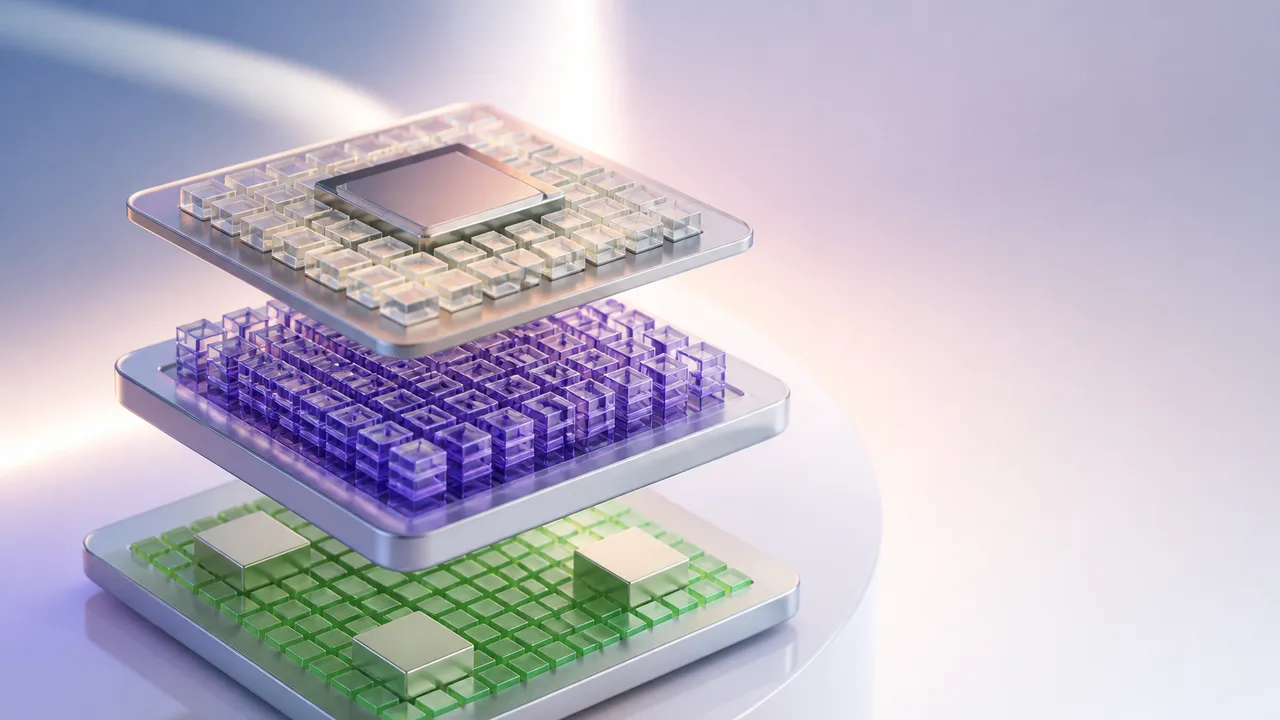
Photo: AI. Ren Takahashi
Most discussions about AI hardware stop at performance benchmarks. Faster, more efficient, handles bigger models—great. But I cover the security and privacy beat, and when I look at the CPU-GPU-TPU landscape, I see something the benchmarks don't capture: the quiet consolidation of who controls the hardware your sensitive data runs on. That's worth understanding clearly before we get to the stakes.
So let's do the technical part properly, because it genuinely matters.
Three chips, three design philosophies
A CPU—central processing unit—is built for sequenced, branching logic. ByteByteGo's recent explainer describes the kind of work it does well: "Read a request, check authentication, look up data, apply business rules, return a response. That is a lot of branching and decision-making. CPUs are good at that." Consumer and workstation CPUs typically ship with a handful of powerful cores—enough to handle diverse, unpredictable workloads without breaking a sweat. Server-grade CPUs, like AMD's EPYC or Intel's Xeon lines, push into 64 to 128+ cores for heavy infrastructure work, though even those aren't what you'd reach for when training a large neural network.
GPUs—originally graphics processors—got their AI moment because neural network training turns out to be structurally similar to rendering: the same mathematical operation, applied thousands of times in parallel across large datasets. A GPU packs far more arithmetic units than a CPU, trading sequential flexibility for raw throughput. ByteByteGo puts it plainly: "In machine learning, the same math is repeated across large batches of inputs. That is a great fit for a GPU."
The math in question is matrix multiplication. A neural network, stripped of abstraction, is largely a sequence of matrix multiplications: input numbers multiplied against model weights, layer after layer, to produce outputs. Matrices are grids of numbers. Tensors are their higher-dimensional cousins—a single color image is already a three-dimensional tensor (height, width, color channels), and a batch of images stacks into something larger still. This is where TPUs enter.
TPU stands for Tensor Processing Unit. Google developed them specifically to accelerate the kind of computation that dominates modern AI—tensor operations, matrix multiplications at scale, transformer model training and inference. As the ByteByteGo explainer notes, "TPUs are more specialized. They're designed specifically for machine learning workloads, especially tensor-heavy workloads like training and inference for large neural networks." The trade-off is explicit: "The more specialized the hardware is, the less flexible it becomes."
That trade-off is the technical foundation. What's built on top of it is where my beat lives.
The part the explainer doesn't cover
Here's the architecture question I don't hear asked enough: when you send data to a cloud AI service, what hardware is processing it, and who owns that hardware?
For most enterprise AI workloads running on Google Cloud, the answer increasingly involves TPUs. Google Cloud TPUs are available to external developers and researchers—this isn't a locked internal system—but the hardware itself lives inside Google's infrastructure, under Google's operational control. The specialization that makes TPUs efficient for tensor operations also makes them less fungible than CPUs. You can lift a general-purpose workload off one cloud provider's CPU cluster and move it to another's. You can't do the same with TPU-optimized code without meaningful rework. ByteByteGo names this directly: "Performance comes from matching the workload to the right architecture." The corollary nobody says out loud is that optimizing for one architecture is also optimizing yourself into staying there.
This is a real consideration for security teams and privacy-conscious organizations right now, not a theoretical one. When your AI pipeline is tuned to a specific hardware ecosystem—and the performance case for that tuning is genuinely compelling—migration costs become a de facto lock. Vendor switching becomes a project measured in months, not days. And during that period, renegotiating data processing agreements, audit rights, or security terms gets harder, not easier.
The on-device versus cloud inference question sharpens this further. CPUs in your own hardware—servers you control, endpoints your users own—can run inference for many use cases, particularly smaller models. The data doesn't leave the device. The compute happens locally. You know exactly who can access it because you're the one running it. Move to GPU-accelerated cloud inference and you gain throughput; you also gain a new entry in your data processing agreements and a new surface area for your incident response team. Move to TPU-accelerated infrastructure and the performance gains can be substantial—and the surface area expands again.
None of this means cloud AI compute is bad. It means the hardware architecture decision and the data governance decision are the same decision, and they should be made together.
What to actually ask
If you're on a security team, a platform team, or you're someone who signs contracts with AI infrastructure vendors, here are the questions the hardware conversation should surface:
What chip architecture processes our data, and where does that hardware live? Not "which cloud region"—which physical infrastructure, under whose operational jurisdiction. This matters for breach notification timelines, for regulatory compliance, and for understanding your actual attack surface.
How optimized is our current pipeline for a specific hardware ecosystem? The more TPU-specific or GPU-specific your ML code, the higher the practical switching cost. That switching cost is leverage your vendor holds, whether they're exercising it or not. Know your number.
Where can we run inference locally, and where do we need cloud compute? For sensitive data, the answer to this question should drive model selection, not the other way around. A smaller model running on-device with acceptable accuracy may be a better security outcome than a larger model running in someone else's data center with better accuracy.
What happens to our data during training runs? Training on proprietary data against shared infrastructure—including shared GPU clusters—has a different security profile than inference alone. If you're fine-tuning on sensitive material, the hardware question and the data isolation question are entangled.
The efficiency argument is real, and so is the dependency
I want to be clear about something: the performance case for specialized hardware is not hype. TPUs deliver genuine efficiency gains for large-scale tensor operations. For organizations training or serving large language models, the difference in cost and speed is material. ByteByteGo's explanation of why—the architectural match between tensor operations and TPU design—is accurate and worth understanding on its own terms.
The question isn't whether to use specialized hardware. For many AI workloads, you probably should. The question is whether you understand the full terms of that choice: the performance gain, the flexibility loss, the vendor relationship it implies, and the data governance posture it requires.
Modern production AI systems typically combine all three chip types—CPUs for orchestration and control flow, GPUs for parallel compute, TPUs where tensor workloads dominate. That architectural distribution is sensible. It's also a map of dependencies, and dependencies are what I spend most of my professional life thinking about.
The next time someone on your team proposes moving a sensitive AI workload to a TPU-accelerated cloud service because it's faster and cheaper—and it probably is—that's the moment to ask which cloud, under what terms, with what portability, and what your options are if those terms change. Performance benchmarks will be in the proposal. Those questions probably won't be.
More Like This
Google's Gemma 4: Local AI That Doesn't Need the Cloud
Google's Gemma 4 brings cloud-level AI to your laptop. Free, offline, commercially usable—but is local AI ready to replace the cloud model?
Inside Google's TPU Infrastructure: 9,216 Chips, One Job
Google's TPU product manager breaks down how Kubernetes orchestrates thousands of AI chips as a single unit—and why that matters for training frontier models.
AMD's AI Chip Play: Enterprise Hardware Meets Policy Reality
Supermicro's AMD MI350P server launch is a hardware story, but for enterprises navigating chip export rules and procurement law, the policy context is the real news.
Nvidia's GPU Era: Facing AI Hardware Evolution
Exploring Nvidia's potential decline as AI companies turn to specialized chips.
Apple's M5 Max Just Changed the Local AI Game
New benchmarks show Apple's M5 Max running local AI models 15-50% faster than M4, with MLX format delivering double the performance of standard GGUF.

Claude Code Agents View: What You Can't See Matters
Claude Code's new Agents View lets you run parallel AI pipelines—but the sub-agents are invisible from the dashboard. Here's what that means for your data.

Flock Safety Cameras: Crime Tool or Privacy Risk?
Flock Safety's license plate readers are spreading fast. Retired Microsoft engineer Dave Plummer breaks down what they actually capture—and what's at stake.

Why AI AppSec Needs Organizational Context to Work
AI finds more vulnerabilities than ever—but without organizational context, it still can't tell you which ones actually matter. Here's what that gap costs.