Claude Code Loop Engineering: A Three-Level Guide
Loop engineering in Claude Code moves beyond prompt-and-check cycles. Here's how a three-level framework hands verification to agents while keeping humans in the right seat.

Written by AI. Yuki Okonkwo

Photo: AI. Soraya Hadid
Here's something that might reframe how you think about what you've been doing with AI coding agents: you were already running a loop. You prompted, the agent built, you checked it, you prompted again. The human in that sequence wasn't the builder — you were the quality gate. Loop engineering is what happens when you hand the quality gate to the agent and keep only the one call that was genuinely always yours: whether the thing is done or needs another pass.
A recent AI LABS video walks through this framework across three escalating levels, using a salon booking app as the working example. The framing is practical rather than theoretical, and it surfaces some tensions that don't get enough airtime in the usual "vibe coding" conversation.
The naming thing that will trip you up immediately
Before anything else, there's a gotcha in Claude Code's slash menu that the AI LABS presenter flags early, and honestly, whoever named these commands deserves a strongly-worded post-it note. There's a /loop command and a /goal command. Loop engineering — the whole thing this framework is named after — uses /goal. Not /loop.
/loop fires a prompt on a timer. Every five minutes, every hour, whatever you set — it runs again whether anything changed or not. It's a cron job wearing a trench coat. /goal, by contrast, keeps working until the condition you specified is actually met. At the end of each turn, a smaller model reads the conversation and decides: done, or keep going? That's the loop. That's what you want.
The presenter puts it plainly: "Loop engineering is basically the goal one." They're not wrong, but the naming situation means you will absolutely open that slash menu for the first time, see /loop, think "yes, that one," and set up something completely different from what you intended. Consider yourself warned.
Level 1: one goal, one agent, verification built in
The first level keeps the scope tight — one loop, one goal — but it introduces the structural move that everything else builds on: the spec file doubles as the verification checklist. When the AI LABS presenter sets up the animated landing page (built with the GSAP animation library, then optimized for speed with a separate skill pass), the spec they wrote described what the page should look like and what criteria the agent would check itself against on each pass.
The video reports the loop ran unattended for under an hour and came back with one error: the blinking animation on a mascot character. That single miss is a genuinely useful illustration of what screenshot-based verification can and cannot do. A screenshot catches a single moment. A blink happens between moments. The loop had no way to surface that through static images alone. It took one additional correction prompt.
This is the honest version of what "automated verification" means at Level 1: pretty good, not complete. The agent is checking its own work against a checklist it helped write, using screenshots that collapse time into frames. That covers a lot of ground. It doesn't cover everything.
Level 2: the software factory
This is where the loop engineering paradigm gets genuinely interesting — and genuinely complicated.
Level 2 introduces a queue: multiple features, each with its own spec and verification folder, running sequentially overnight. The main agent doesn't build features itself. It hands tasks to a subagent, which builds on a separate code branch. When the subagent is done, it doesn't verify its own work — that goes to what the presenter calls an "adversarial review agent," one that's specifically primed to assume something is wrong. If the adversarial agent finds a problem, the subagent builds again. The loop runs until the feature gets ticked off the queue.
The presenter articulates the core rule cleanly: "The agent that does the work should never verify it. The verification should always go to another agent with a fresh context window."
That's a real insight borrowed from how humans do code review — the person who wrote the code is the worst person to spot its blind spots. Giving the verification pass to a context-fresh agent that's actively looking for bugs is a structurally sounder approach than self-review.
There's a second reason to build a clickable UI prototype before any of this starts, and I find it more architecturally interesting than the first. The obvious reason is that prototyping helps you discover whether you actually wanted what you described — you build the fake version, click around, realize the flow is wrong, and fix the spec before any real code gets written. Good. But the second reason is that the prototype becomes the verification target. The adversarial agent compares the finished feature against the clickable mock to decide if the build is correct.
Which means the quality of your verification is only as precise as the quality of your prototype. If the prototype is loosely sketched — if the interaction states are ambiguous, if edge cases are missing — the adversarial agent is checking the work against an incomplete definition of correct. More agents in the chain don't fix an imprecise spec; they launder it through extra steps before it reaches production. A sharp prototype + adversarial review is a genuinely strong setup. A vague prototype + adversarial review is just adding review cycles to a target that was always blurry.
And here's the scenario I keep turning over: what happens when you wake up to a merged feature that passed adversarial review, passed the screenshot check, and still has a subtle interaction bug — say, a state management issue that only surfaces after a specific sequence of user actions? The adversarial agent checked for what the prototype showed. The prototype didn't show that sequence. The bug is real and it's in production.
At that point, you're not debugging code — you're debugging a three-layer verification pipeline to figure out where the gap was. Was the prototype incomplete? Was the adversarial agent's prompt too narrow? Was the spec file ambiguous? That's a different kind of diagnostic problem than reviewing a diff, and the fact that it all happened while you were asleep makes it harder, not easier, to trace. The framework doesn't claim to eliminate that problem; it does claim to reduce how often you're in the loop for the routine cases. How you feel about that tradeoff probably depends on how consequential the app is and how much you trust your own spec-writing.
The presenter is honest about where human review still lives: every feature batch ends with a pull request that requires your approval before merging to the main branch. Screenshots are attached. You can also check out the branch locally and click through it before you merge. The loop does the building and the first-pass verification; the human does the final gate. That's a reasonable division.
Level 3: the laptop becomes optional
Once the software factory is running, the presenter makes an observation that lands: "There are only two things left for you to do in this whole process. Now you just need to plan the feature and you need to give the final permission before the feature or change is sent to your users."
Neither of those requires being at a desk. Level 3 is about making that literal.
The tool here is Paseo, a free app that runs Claude Code on your own machine and tunnels a usable interface to your phone. The reason the AI LABS team chose it over Claude Code's built-in remote control feature is specific: Claude's native remote feature doesn't surface the slash commands menu. No /goal. No custom skills. The whole skill-based workflow from Levels 1 and 2 breaks. Paseo keeps all of it working because it's running actual Claude Code on your machine — your phone is just the window.
The mobile preview skill closes the loop: when the agent builds an HTML prototype for a new feature, it deploys it as a live Vercel link you can open on your phone and actually click through, rather than squinting at a static image in the chat interface. You approve or redirect the prototype before any real build starts, entirely from your phone.
The honest version of Level 3 is: your laptop becomes a server you occasionally SSH into to approve PRs. Your agent does the building. You do the spec-writing and the merge button. If you're working on something with real users and real data, how comfortable you are with that division depends entirely on how airtight your verification chain is — which brings us right back to the quality of the specs and prototypes you're feeding into the system.
The framework makes a compelling case that most of the busy work in AI-assisted development — the re-prompting, the checking, the back-and-forth — can be structured away. Where it gets philosophically interesting is in asking what kind of judgment the human checkpoints are actually exercising at the end of a long automated chain. If the pull request comes with screenshots and a summary, and you click merge without checking out the branch, you're not really doing a gate review — you're ratifying an automated process you've chosen to trust. That's fine, and it might be exactly right for small features on a personal project. It's a different calculus when the stakes go up.
As agentic loops get longer and more consequential, figuring out what human judgment is actually for in these systems — not just where to put the approval button, but what the approval is meaningfully based on — might be the design problem that matters most.
More Like This
Anthropic's Advisor Strategy Flips Claude's Model Hierarchy
Anthropic's new advisor strategy lets Sonnet run tasks while Opus only advises. AI LABS tested it on real apps—here's what actually works.
Inside Brennan Dunn's AI-Powered Dev Squad
Explore Brennan Dunn's AI setup using Claude Code and custom agents for software development.
AI Agents: The Future of Coding by 2026
Explore how AI agents are reshaping software development, making coding accessible to non-developers, and transforming engineering roles.
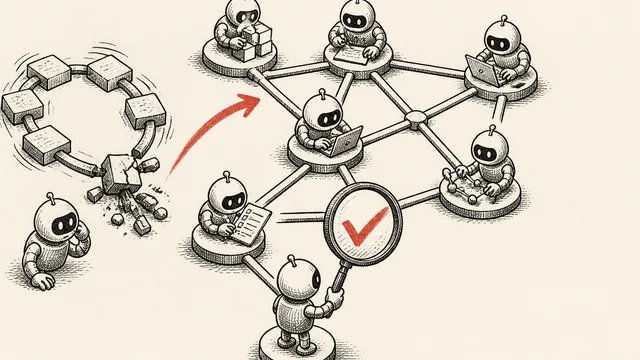
Graph Engineering: Verification Is the Hard Part
Graph engineering runs AI tasks in parallel across multiple agents—but one bad node can poison everything. Here's how verification actually works.
OpenAI Dots Test the Limits of Always-On AI Approval
OpenAI's Dots can research in the background and ask before acting. Early examples show useful work, but leave open how well approval checks hold up in practice.
Meta’s Muse Exposes the Permission Problem for AI Agents
Meta’s Muse arranged a Marketplace pickup without its user knowing. The case shows how vague AI agent permissions can turn chat into real-world consequences.

Building an LLM Wiki from Karpathy's Blueprint
Nate Herk demos an AI-powered personal wiki built on Karpathy's LLM knowledge base idea. Here's what the architecture reveals about how context shapes AI reasoning.

Claude Tag Wants to Run Your Workday
Anthropic's Claude Tag embeds AI directly into team Slack channels. Here's what it actually does, what it can't do yet, and what it means for how teams work.