Why Your Computer Uses 12 Types of Memory
Your computer's memory hierarchy isn't just a performance trick—it determines what data survives a wipe, a seizure, or a subpoena. Here's what you need to know.

Written by AI. Rachel "Rach" Kovacs
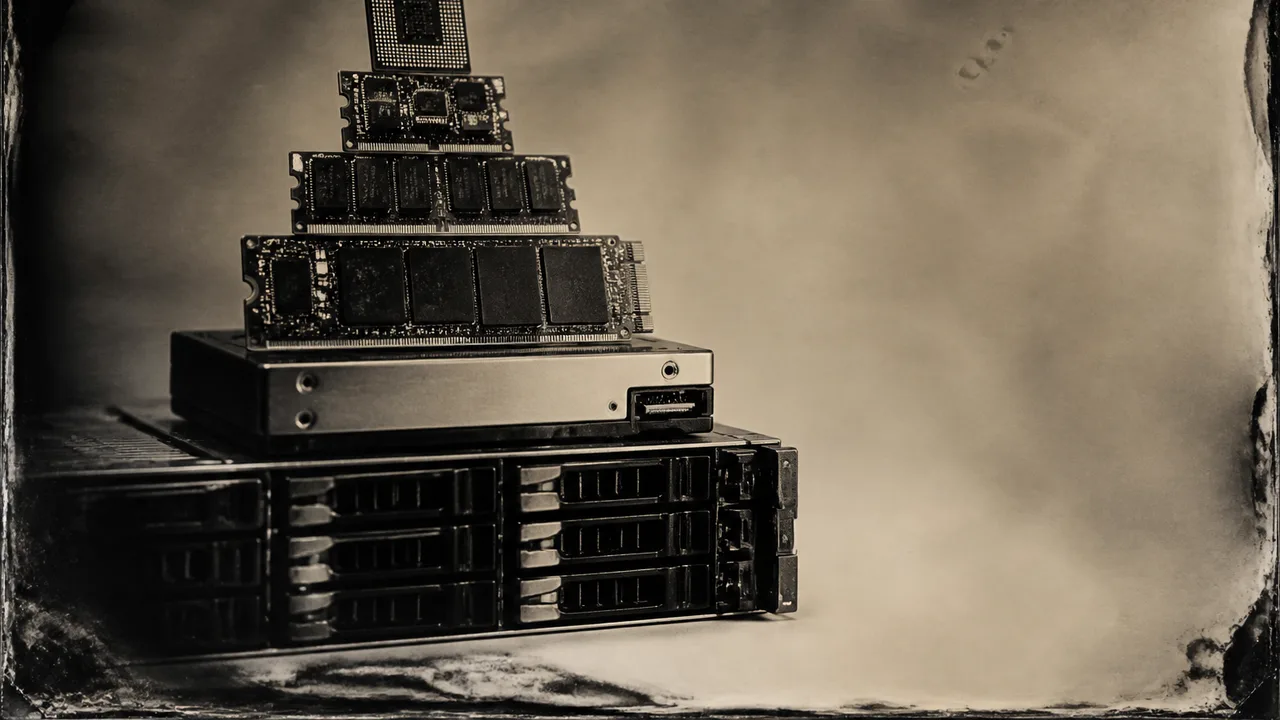
Photo: AI. Otieno Okello
Every time I write about a data breach or a seized device, I get some version of the same question: "But I wiped it. Isn't it gone?" The honest answer requires knowing something most people don't—that your computer doesn't store data in one place. It stores it in more than a dozen, each with different rules about what survives power loss, a factory reset, or a forensic imaging tool.
Branch Education just put out a 27-minute deep-dive on the memory hierarchy—the layered system of registers, cache, DRAM, SSDs, hard drives, and cloud storage that keeps your computer running. The animation is genuinely impressive, the library-as-computer analogy actually works, and for anyone who's ever wondered why gaming PCs need both a fast SSD and RAM, it answers that cleanly. But buried inside the engineering explainer is something more immediately useful: a map of exactly where your data lives, how long it stays there, and what it takes to make it actually go away.
The hierarchy, briefly
The video's core insight is that no single memory type is good at everything. As the video explains: "No single memory location has five stars in all these attributes. However, by connecting them all together and using memory controllers and sophisticated algorithms to move data between locations, your computer can run with a combined five stars across the board."
To make the scale of the differences visceral, the Branch Education team built a spatial analogy: one megabyte of data equals one 400-page book, and one nanosecond of access time equals 20 centimeters of distance. Under those rules, your CPU's registers sit a few inches from the processor. Your DRAM sits about nine meters away. Your NVMe SSD? Sixteen kilometers. Your hard drive? Two thousand kilometers. Cloud storage on the other side of the planet is, quite literally, on the other side of the planet.
What that distance represents isn't cable length. It's the time cost of the physics involved—the voltage sequencing required to read a flash cell, the mechanical seek time of a spinning platter, the round-trip latency of a network request. Speed and capacity trade against each other at every layer, which is why the hierarchy exists at all.
What this actually means for your data
Here's the part the video covers technically but doesn't name directly from a privacy standpoint: the hierarchy is also a map of volatility.
DRAM—your system's working memory, where active processes live—is designed to forget. It stores data as charge in tiny capacitors that leak continuously. Without constant refresh cycles, that charge dissipates; without power, it's gone within seconds to a minute or so depending on temperature and cell quality. (The video states "a tenth of a second," which is on the aggressive end of the range—real-world retention varies considerably by chip and conditions.) This is relevant if you've ever wondered why "cold boot attacks"—where an adversary freezes RAM chips to slow charge decay, then reads their contents—are a real forensic technique. They work precisely because DRAM retention isn't instantaneous. It's just fast.
Flash storage—your SSD—is the opposite. Those charge-trap cells the video describes are surrounded by insulating dielectric specifically so electrons stay put for years without power. That's the feature that makes SSDs practical as storage. It's also why "deleted" files on an SSD are recoverable until the storage controller gets around to actually erasing the cells, which happens on its own schedule via a process called TRIM. A quick format does not accomplish what you think it accomplishes.
Hard drives, meanwhile, store data as magnetic domains on spinning platters. Overwriting is more reliable than on flash—write zeros over a sector and the original data is largely gone—but the mechanical nature of the medium means the drive must physically seek to each location, and forensic tools have gotten very good at recovering partially overwritten data from the tracks adjacent to where the head passed.
The practical upshot: if a device is seized or lost, the layer that matters most for recovery is almost always the flash storage. DRAM is typically gone the moment power drops. Cache is gone faster. But that SSD with "deleted" files? That's where investigators—and thieves—go to work.
The AI angle, which is actually a privacy angle
The video's third act covers AI server memory architecture, and it's worth pausing on the scale involved. A single AI server can carry terabytes of working memory and hundreds of terabytes of storage. The video notes that a full rack of Micron's high-density NVMe modules can hold "dozens to hundreds of petabytes of data."
Why does this matter to someone who isn't building a data center? Because when you use a cloud AI service, your conversation—your context window, in the terminology the video uses—is being processed in exactly this kind of memory stack. A million-token context window, the video explains, represents roughly 8 GB of data actively moving through transformer blocks and billions of model parameters. That data lives in high-bandwidth memory physically bonded to the AI chip, then moves to DDR5 server memory, then potentially to NVMe storage.
The video cites HBM3e bandwidth at approximately 1.2 terabytes per second per stack—a figure that aligns with published specs for 12-layer HBM3e configurations using 1024-bit buses, though I'd note this is a Micron-sponsored video and independent verification against current spec sheets is warranted before treating it as gospel. The point stands even if the exact number shifts: the speed of AI memory hierarchies is designed to keep massive amounts of data in active circulation, not to discard it quickly.
Most cloud AI providers have data retention and deletion policies, but the gap between "we deleted your conversation" and "those flash cells have been securely overwritten" is the same gap that exists on your laptop—just at a scale that requires three espressos and a significant budget increase to visualize.
The register footnote that technically literate readers will notice
The video describes register files as containing 32 registers per core, addressed using five bits in the instruction set. This is accurate for some architectures—RISC-V and MIPS both use 5-bit register fields for their 32 GPRs. It does not describe x86-64, which is what most desktop and server CPUs actually are. x86-64 has 16 general-purpose registers, addressed with 4-bit fields (REX prefix extensions aside). The video's example CPU appears to be a composite illustration rather than a specific chip, and the transistor count cited—26 billion for an illustrative consumer CPU with roughly a third dedicated to cache—is similarly an approximation tied to a specific generation of processor, not a universal constant. Modern CPUs range from a few billion to well over 100 billion transistors depending on the chip. These are the kinds of caveats the video itself acknowledges ("these numbers are approximate"), but they're worth flagging if you're using this as a reference for actual architecture work.
The inconvenient trade-off
The memory hierarchy is a genuinely clever solution to a physics problem: fast memory is expensive and small, cheap memory is slow and large, and you need both. The engineering compromise is to keep the most-used data close and hot, and everything else far and cold, with sophisticated controllers managing the movement between layers.
The privacy inconvenience is that this same architecture makes data persistence the default and true erasure the exception. Secure deletion on an SSD requires either cryptographic erasure (encrypt everything, delete the key) or a manufacturer-level secure erase command—not a drag to the trash. DRAM's volatility is actually your friend in that context, which is why full-disk encryption still matters: if the encryption keys live only in RAM and power is cut before an imaging attempt, the keys are gone and the encrypted storage is unreadable.
Understanding which layer of the hierarchy your data is in—and what it takes to actually erase each one—is the most practical thing this video teaches, even if the video itself is focused on performance rather than privacy. The physics don't change depending on who's asking.
More Like This
The Engineer Who Got Kicked Out of College—Then Hired
James Everingham's tech career started with a 0.0 GPA and an FBI visit. His path from teenage hacker to Instagram's head of engineering defies convention.
Transform JSON Debugging with JSON Crack
Revolutionize how you debug JSON with JSON Crack. Visualize data as interactive graphs for a productivity boost.
The Security Risks Hiding in Your $50,000 Desk Setup
A tech reviewer's decade-old workspace reveals what happens when premium gear outlives its security updates. The Mac Pro problem nobody wants to discuss.

How Your OS Works: Boot to Shutdown Explained
From bootloader to SIGKILL, here's what your operating system actually does every time you power on—and why it's more impressive than you think.

3 Advanced AI Agent Memory Patterns Explained
Google's Annie Wang demos callbacks, custom tools, and multimodal memory—three advanced patterns that could finally fix AI agents' persistent memory problem.
The Memory Company That Accidentally Controls AI
SK Hynix nearly went bankrupt in 2012. Now they control the supply chain for every major AI chip. Here's how a decade-old bet reshaped the industry.
Flock Safety Cameras: Crime Tool or Privacy Risk?
Flock Safety's license plate readers are spreading fast. Retired Microsoft engineer Dave Plummer breaks down what they actually capture—and what's at stake.

Why AI AppSec Needs Organizational Context to Work
AI finds more vulnerabilities than ever—but without organizational context, it still can't tell you which ones actually matter. Here's what that gap costs.