A Six-Step System for Better Claude Design Websites
Skip the AI design slop: a Futurepedia creator's six-step Claude Design workflow produces websites that actually look distinct. Here's how it works.

Written by AI. Yuki Okonkwo
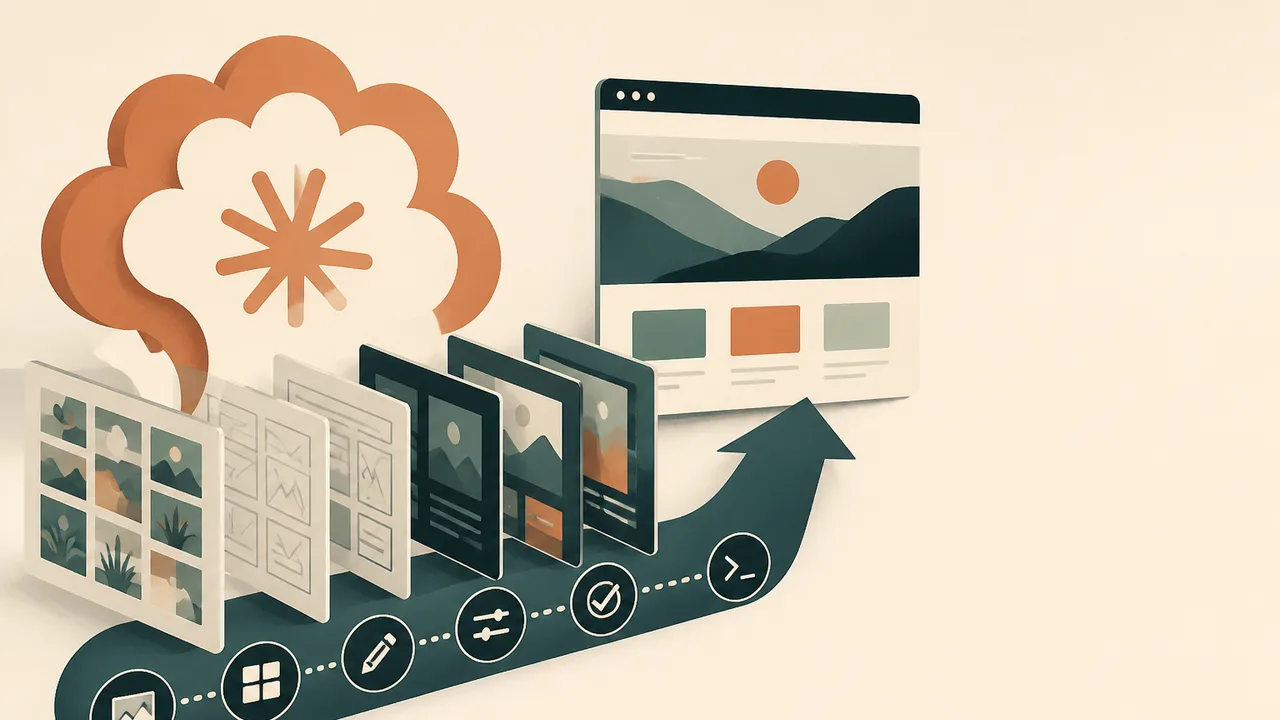
Photo: AI. Mika Sørensen
Send Claude Design a basic prompt and you will get a basic website. Competent layout, readable type, utterly forgettable. The Futurepedia creator behind this YouTube walkthrough calls it "AI design slop," and the description fits: a site that looks like every other site that came out of the same tool on the same afternoon.
The fix, according to the walkthrough, is a six-step system built around one core idea: Claude should be executing your creative decisions, not making them for you. The steps are Reference, Explore, Synthesize, Explode, Expand, and Build. Each one is designed to keep a human in the loop at the exact moment the AI would otherwise default to its most average answer.
Anthropic's Claude Design (available at claude.ai/design with a paid subscription) has been pushing toward brand-aware output, as Digital Trends reported, but brand guidelines only take you so far if the underlying prompt gives the tool nothing to work with. The system described here is about giving it something real.
Step 1: Reference
Before writing a single word of a prompt, the creator builds what he calls a taste board: two to five screenshots pulled from sources like Lapa Ninja (a filterable database of landing pages), Land Book, and Awwwards. For each reference, he annotates what he actually wants to borrow. Typography from one. Hero composition from another. Navbar treatment from a third.
Annotation is the part that tends to get skipped, and skipping it is where the slop starts. Without it, you are handing Claude a pile of images and asking it to guess your priorities. With it, you are writing a creative brief the tool can actually act on. The "two to five" constraint matters too: fewer references mean a sharper brief; more than five and you start averaging the references together, which produces the same mush you were trying to avoid.
Product assets go in here as well: logo, screenshots, hero images, anything Claude should treat as fixed. The creator notes that even imperfect AI-generated images work, though they "add a little challenge to fight the AI feel the images already give off."
Step 2: Explore
This step is where most people's Claude Design workflows stop too early. Instead of asking for one homepage, the creator asks for six: "not six color variations of the same layout," but six approaches that test different hero compositions, typographic hierarchies, uses of negative space, and navbar treatments.
"If I sent just my product images and the explanation of the business without the rest of that prompt, I could run that 10 times and I'd get back basically the same site every time." Each option surfaces ideas the others don't. In practice, the creator rarely picks a single direction from this batch. He picks pieces.
Step 3: Synthesize
Using Claude Design's comment feature, the creator annotates the six options: the typography pairing from option two, the background treatment from option four, a status card whose placement he likes but whose location he wants to change. Then a single follow-up prompt asks Claude to build a new version that incorporates exactly those annotated elements.
The result is a hybrid, a base that carries the strongest fragments from across the exploration batch. It will not be finished. It will be a foundation.
Step 4: Explode
This is the longest and most interactive step, and the one where Claude Design's "tweaks" feature does most of its work. Rather than requesting new layout variants, the creator locks in the chosen direction and asks Claude to generate a set of discrete, toggleable decisions: nav style (glass pills, bordered rail, centered logo), hero layout (centered, editorial split), product presentation (framed panel, chrome, tilted float, full bleed), feature section layout, button shape, button fill, accent color, spacing. Each choice lives in a dropdown. You audition them, pick your favorites, and move on.
A second pass through the Explode step covers interactions: hover states, scroll-triggered reveals, subtle parallax, and what the creator calls a "signature interaction," one distinctive motion that sets the site apart from the rest. For his demo project (an AI video editing platform he calls Flow Room), Claude surfaced a waveform animation under the CTA button that responds to cursor movement.
Claude Code's design aesthetic defaults toward the kind of outputs that make designers wince, and tweaking visual decisions inside it requires regenerating components one by one. The tweaks panel sidesteps that entirely.
Step 5: Expand
Once the homepage is locked, the creator uses it as the visual source of truth for the remaining pages. A single prompt asks Claude to build out one page per nav item, drawing on the established typography, card styles, and component aesthetics. The creator notes he did "zero iteration" on those secondary pages because the work he put into the homepage propagated through automatically.
Claude Design can also export a formal design system at this stage: a documented set of guidelines covering colors, type scales, spacing, and components that can be applied to future projects. The creator skips it here, and for a solo build, that call makes sense. A homepage that already encodes all the decisions you care about does the same job for a single site. The cost of skipping it comes later, when you come back to the project six months from now and rebuild the visual logic from memory, or when a second collaborator needs to stay consistent without asking you every time. The formal export is insurance. Whether the premium is worth it depends entirely on how much continuity you actually need.
Step 6: Build
With the design finalized, the creator exports directly from Claude Design into Claude Code (via a downloadable zip file) and deploys to Vercel through GitHub, without leaving the Claude Code interface. The deployment step included a bug discovery and self-correction: "It discovered them on its own, then fixed them on its own. I didn't need to do anything."
The full handoff, from design canvas to live URL, happens inside a single connected toolchain. You need free accounts on GitHub and Vercel, and the creator flags that there is real iteration involved in learning Claude Code, especially the first time. But the design-to-code path is closer to copying a zip file than writing a spec document.
What the System Actually Is
The six steps add up to a workflow that treats Claude as a production tool inside a human-directed creative process, not as a creative director. The creator puts it plainly: "You don't avoid AI design slop with a magic prompt. You use a system that lets you take control over the creative decisions Claude would otherwise make."
What this workflow reveals is where AI design tools actually sit right now: powerful executors, weak initiators. Claude Design can generate a waveform interaction you would never have specified. It cannot decide that a waveform is the right metaphor for a video editing platform without being pointed in that direction first. The tools have gotten good enough that the bottleneck has moved. It used to be execution. Now it is taste, and taste still requires a person with opinions willing to annotate a screenshot.
More Like This
Anthropic's Claude Design Tool: What Actually Changed
Anthropic released Claude Design for UI prototyping. We tested it to see if it escapes the 'vibe-coded' look that plagues AI-generated interfaces.
Claude Design's New Workflow Lets Anyone Build Animated Sites
A new AI-powered workflow combines Claude Design and Seedance 2.0 to create animated landing pages. Here's what the process actually looks like.
Claude Design's Hidden Cost: Why Your Usage Quota Vanishes
Claude Design makes iterating on UI blazingly fast—but you'll burn through 25% of your weekly quota before you finish a landing page. Here's what actually matters.

Claude Design's Major Upgrade, Assessed Honestly
Claude Design has expanded well beyond its original five templates. Here's what the updated platform can actually do—and where the real limits still sit.

Claude Design's 4 Tools That Change How You Build
Claude Design adds visual editing, annotation, and drawing tools to AI-generated assets. Here's what those four tools actually do—and where Claude Chat still wins.
How YC's Head of Design Works With AI Agents
Eve Bouffard, YC's head of design, shares her AI-first workflow—voice input, soul.md files, disposable prototypes—and what it means for design as a practice.

AMD Instinct MI350P: 144GB HBM3E in a PCIe GPU
AMD's Instinct MI350P brings 144GB of HBM3E and 3.6TB/s bandwidth to standard PCIe servers. Here's what it means for the mid-market AI infrastructure gap.
How Optimization Powers Modern AI and Engineering
From training ChatGPT to imaging black holes, optimization is the hidden engine behind modern AI and engineering. Steve Brunton's lecture explains how.