Navigating the New Shadcn Update: What You Need to Know
Discover how to start projects with Shadcn's update, new features, and what it means for your UI.

Written by AI. Yuki Okonkwo
Welcome to Shadcn 2.0: A User's Guide to the Future of UI
If you're anything like me, UI updates can feel like a surprise nerf to your favorite game character—exciting but terrifying. The latest Shadcn update is here, and it's packing enough features to make even the most stoic coder raise an eyebrow. Whether you're a seasoned developer or someone who just likes to play with icons, there's something in this update for you.
The New Project Magic Button
Starting a new project with Shadcn's update is smoother than butter on a hot biscuit. Imagine this: you're on the Shadcn landing page, and you spot a shiny new 'New Project' button. With a click, you're whisked away to a page where you can customize your project's every detail, from styles to themes. Gone are the days of wrestling with Radix UI—it's all about Base UI now.
As OrcDev highlights, "Now, with this Shadcn update, it is really easy... Here inside of our right sidebar, we can choose exactly what we want for our project."
Icons and Themes: The Buffet is Open
In the world of Shadcn, customization is king. You've got three new icon libraries to choose from: Table icons, Huge icons, and Phosphor icons. Personally, I'm a Huge icons fan—it's like choosing the deluxe edition of a game when everyone else is playing the standard.
And then there's the theme selection. You can switch it up faster than changing your phone's wallpaper. Whether you want an 'orcish' look with Emerald or something more subdued, the choice is yours. It's like having a closet full of clothes that actually fit.
The Transition Tango: From Radix to Base UI
Switching from Radix UI to Base UI isn't just a simple swap—it's a full-on dance. The components and syntax are different, and while it might feel like learning a new TikTok dance, it's worth it for the added flexibility and style.
OrcDev candidly mentions, "There is still a lack of support on many block components... if you want to use B UI instead of Radix UI, there is that 'as child' and 'render' difference."
The Future: Script Your Way to a New Look
One of the most futuristic promises of the Shadcn update? A script that can transform existing projects with a flick of the wrist. Imagine changing styles, themes, and icons across your entire project with a single command. It's like the magic wand we all wish we had during crunch time.
As OrcDev teases, "Imagine a script that you simply paste and it instantly transforms all your components... That's the future."
Open Questions: The Road Ahead
While the update brings a lot to the table, it also leaves some questions unanswered. How seamless will the transition truly be for complex projects? Will the icon libraries continue to expand? These are the mysteries that keep us up at night—or at least make us refresh the Shadcn subreddit for updates.
Your Shadcn Migration Checklist
The Shadcn update is a buffet of new features, improvements, and a few challenges. Whether you're excited or a little apprehensive, one thing is clear: the future of UI design just got a whole lot more interesting. Dive in, play around, and don't be afraid to break things—after all, that's how we learn.
Stay curious, stay skeptical, and most importantly, stay you. Until next time, happy coding!
More Like This
Dynamic Programming: From Theory to Practical Empowerment
Explore dynamic programming's practical power, transforming complex challenges into manageable solutions.
Revolutionizing CLI Management: Shards to Kilt
Explore how 'Shards', now 'Kilt', transforms CLI management with Rust and GPUi.
Zed Wants to Fix Code Editors' Two Biggest Problems
Zed code editor tackles lag on large codebases and solo-first design. But can a Rust-native editor really beat Cursor at its own game?
Choosing the Perfect Dev Laptop: AI vs. Traditional Coding
Explore top laptops for AI and coding, balancing performance, price, and specs at MicroEnter Phoenix.
Mastering React: Real-World Performance Tactics
Discover practical React performance techniques beyond the basics.

How Optimization Powers Modern AI and Engineering
From training ChatGPT to imaging black holes, optimization is the hidden engine behind modern AI and engineering. Steve Brunton's lecture explains how.
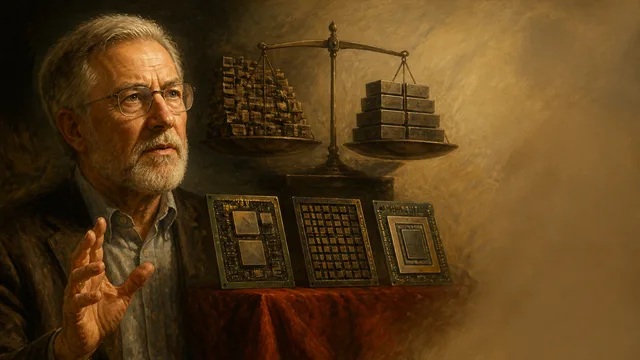
David Patterson on CPUs, GPUs, TPUs, and 50 Years in Computing
Turing Award winner David Patterson breaks down RISC vs. CISC, the GPU-to-TPU shift, Moore's Law's real status, and what 50 years in computing actually taught him.