The HoverAir X1 Pro Max Wants to Make Drone Cinematography Easy
Jake Sloan tests the HoverAir X1 Pro Max drone in Alaska. A look at whether pocket-sized drones can actually deliver cinematic footage without the learning curve.

Written by AI. Mike Sullivan
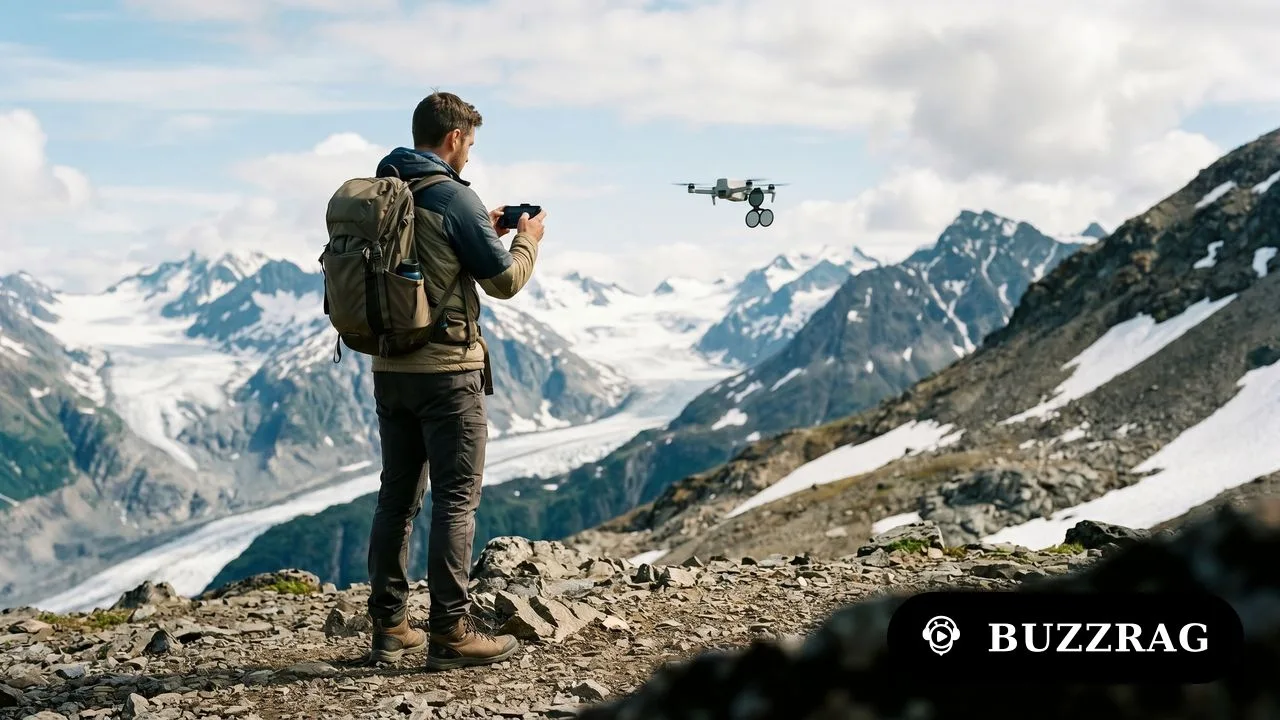
Photo: AI. Marcel Dubois
Every few years, someone announces the drone that will finally make aerial cinematography accessible to normal humans. The pitch is always the same: professional results, zero learning curve, fits in your pocket. Usually what you get is professional results if you're willing to tolerate a steep learning curve and accept that "fits in your pocket" means "fits in a very large pocket."
Jake Sloan, an Alaska-based filmmaker, spent a video walking through the Alaskan wilderness with HoverAir's X1 Pro Max—a drone that weighs almost nothing, operates with the push of a button, and allegedly shoots 8K video that doesn't look like it came from something you could lose in your couch cushions.
The question isn't whether it works. Based on Sloan's footage, it clearly works. The question is whether this particular combination of compromises—and there are always compromises—makes sense for anyone who isn't already deep into content creation.
The 8K Promise
Sloan's first tip is to shoot everything in 8K. "This footage out of this drone in 8K looks amazing," he says. "There's so much detail and a really good amount of dynamic range even. It's kind of shocking how good it is, even in auto exposure."
I've heard variations of this claim since 4K became standard. The dynamic range argument is interesting though—that's not usually where tiny sensors excel. Consumer drones have historically struggled with highlights, which is why Sloan immediately recommends ND filters and manual exposure settings.
ND filters, for anyone who hasn't spent time thinking about shutter speeds, are essentially sunglasses for your camera. They reduce the amount of light hitting the sensor, which lets you use slower shutter speeds in bright conditions. Slower shutter speeds create motion blur, which is how our brains expect movement to look. Without it, footage gets that unsettling hyper-sharp video game quality.
Sloan walks through the math: "You want your shutter speed to be about two times what your frame rate is." So if you're shooting at 30 frames per second, you want a shutter speed of 1/60th. On a sunny day in Alaska, that means an ND32 or ND64 filter.
Here's where it gets practical: he admits you can just leave it in auto ISO and "the drone does a really good job." But if you do that, dial the exposure compensation to -0.3 to protect your highlights. This is the kind of specific, actionable advice that suggests someone has actually used this thing in the field and noticed where the automatic settings fail.
The Follow Problem
The HoverAir's main selling point is autonomous tracking. You don't need a controller or even your phone—just tap a button on the drone itself and it follows you. In theory, this is transformative. In practice, Sloan's demonstration raises questions he doesn't quite address.
"Like any drone, it has very limited obstacle avoidance, especially from the rear," he mentions casually. "I've crashed this quite a few times, and it's been fine."
Wait. Back up. "Quite a few times"?
This is where the ease-of-use promise hits physics. A drone that's light enough to be pocketable is also light enough to be pushed around by wind. A drone with limited obstacle avoidance crashes into things. A drone that follows you autonomously needs to make real-time decisions about terrain, and Sloan confirms you need to enable "omni terrain" mode when flying over uneven ground or water.
None of this is damning. But it does suggest that "push a button and forget about it" is aspirational rather than descriptive. You still need to pay attention. You still need to understand what the drone can and can't do. The learning curve is shorter, not absent.
The Control Options Question
One genuinely interesting design choice: HoverAir offers three different control methods. You can use just the drone with physical buttons. You can use your phone as a controller. Or you can use a separate beacon device that includes a screen and optional joysticks.
This is either brilliant or confused, depending on whether you think optionality is a feature or a symptom of unclear product vision.
Sloan clearly prefers the beacon for anything beyond basic follow shots. When he's setting up orbit mode in front of a scenic Alaska overlook, he notes that "being able to set the distance and everything else with the app is super easy and super handy." Later he mentions recording audio directly to the drone via the beacon, which can then be synced automatically with the footage.
That audio feature is clever—it solves a real problem for solo creators who want to narrate while filming themselves. But it also requires buying the beacon accessory and learning another interface. We're back to the learning curve question.
What This Actually Costs
Sloan mentions a Mother's Day sale: "up to 29% off from May 1 to May 11th." He doesn't mention the base price, which is standard for sponsored content. Based on HoverAir's current lineup, the X1 Pro Max likely starts around $349 for the drone alone, with package deals including extra batteries, ND filters, and the beacon running considerably higher.
For context: that's more than a DJI Mini 4K but less than a Mini 4 Pro. You're paying a premium for the autonomous features and compact form factor, sacrificing some manual control and flight time.
The real cost calculation depends on what you're replacing. If you currently lug a full-size drone on hikes and rarely use it because setup is annoying, this might be liberating. If you're trying to decide whether to get into drone cinematography at all, the barriers have shifted but not disappeared.
The Footage Question
Sloan's demo footage does look good. The orbit shots around that Alaska overlook show smooth motion and genuinely usable dynamic range. The follow shots while hiking demonstrate tracking that actually works, even if it requires the occasional manual intervention.
But—and this matters—we're watching footage selected and edited by a professional filmmaker who knows how to light scenes, time movements, and cut around problems. The question isn't whether Jake Sloan can get good footage out of this drone. The question is whether you can.
The honest answer is probably: better footage than you'd get without it, worse footage than Sloan gets with it, and whether that's worth several hundred dollars depends entirely on what you're trying to accomplish.
There's no revolutionary technology here—just a specific set of tradeoffs packaged for a specific use case. If that use case is yours, this might be exactly what you need. If you're hoping it will turn you into a cinematographer without any of the learning or practice, well. We've been hearing that promise since Netscape went public.
More Like This
The Drone Market in 2026: A Guide Through the Ecosystem
From $200 follow drones to $50K cinema rigs, Jake Sloan maps the drone landscape. What the price tiers actually get you, and what they don't.
Stoolap Promises 138x Speed Over SQLite. It Delivers 6x.
New Rust database Stoolap claims massive speed gains over SQLite. Real-world testing reveals a different story—and more interesting questions.
Why Your AI Videos Still Look Amateur (And How to Fix It)
AI video tools are powerful, but most creators treat them like slot machines. Here's the systematic approach that actually produces cinematic results.
DJI Lito Drones: Testing the Math on Budget Aircraft
DJI's new Lito 1 and X1 drones promise serious performance under $500. A comprehensive test reveals where the compromises actually matter.
Lean Tech: Reviving Old School Principles
Exploring lean and agile in tech: a nostalgic journey with a modern twist.
Unreal Engine 5 Still Doesn't Play Nice With Apple Silicon
While most 3D software runs smoothly on M-series Macs, Unreal Engine 5 remains frustratingly unreliable. One creator documents the disconnect.
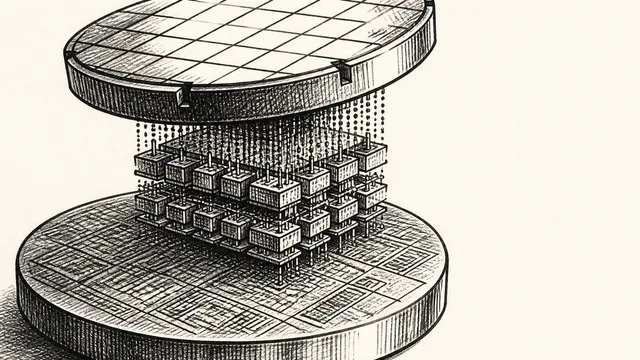
IBM NanoStack and the Future of Chip Architecture
IBM's NanoStack stacks transistors from separate wafers using atomic bonding. The physics works. The harder question is whether anyone can manufacture it at scale.
Inside the Smartphone: 120 Years of Hidden Engineering
Professor Hannah Fry tears apart a modern smartphone to trace 120 years of engineering history — from Marconi's radio waves to a 200-million-pixel camera sensor.