A Four-Step Framework for Automating Work With Claude
A YouTube creator's four-step Claude automation framework is drawing attention. Here's what works, what needs scrutiny, and what it means for your actual workweek.

Written by AI. Rachel "Rach" Kovacs

Photo: AI. Yuna Blackwood
There's a YouTube video making the rounds in AI productivity circles where the creator opens with this: "One of our students just did four hours of her husband's work in seven minutes. He's an attorney and she wasn't even that technical."
That claim will either make you lean forward or roll your eyes. But here's what I'd ask you to hold before you do either: the framework underneath that claim is actually worth your time. Not because the numbers are audited — they're not, more on that — but because the structure it teaches is the kind of thing most people skip right to their detriment.
The video, from the AI Foundations channel, walks through a four-step process for building automations using Claude Skills inside Claude Code. I want to map it for you honestly, because if you're a freelancer, a solo operator, or a salaried worker who's been handed "do more with AI" as a directive without any guidance, this framework gives you a real starting point — and a few places to watch your back.
Step one: Stop pretending you know where your time goes
The creator calls this "discovery," and the core instruction is disarmingly simple: write down every task you do repeatedly. Not the big annual projects. The Monday report. The proposal you reconstruct from scratch for every lead. The email you've typed out hundreds of times with only the name swapped.
Then put an hourly rate next to each one. The video offers a formula: annual salary divided by 2,000 (the approximate number of working hours in a year). Quick caveat on that math — 2,000 hours assumes a 40-hour week with no PTO and no holidays, which means it actually understates your real hourly rate if you're a salaried employee with time off. The honest number is probably higher, which makes the case for automation stronger, not weaker.
The creator shows two student examples: Travis apparently found $12,000 and 173 hours of automatable work per year; Greg found nearly $14,000 and 277 hours. These are compelling numbers, but they're self-reported estimates by paying students of a course, not independently verified. I'm not suggesting they're fabricated — I'm saying you should run your own audit rather than letting someone else's numbers convince you the ROI is guaranteed.
Run the audit anyway. The exercise itself is clarifying regardless of what you find.
Step two: EADA, and the question salaried workers need to ask first
Once you have your list, the creator's filter is EADA: Eliminate, Automate, Delegate, Accelerate — in that order, deliberately.
Eliminate comes first because it's the step most people skip. Some tasks on your list don't need to exist. The report nobody reads. The status update that could be an asynchronous message. You recover that time for free, no AI required.
Here's where I want to interrupt the framework with a question that matters specifically to you if you work for someone else: who controls what gets eliminated?
If you're a freelancer or a founder, you make that call. If you're salaried, "eliminate this task" is a conversation with your manager, not a solo decision. And "automate this task" carries a different implication: your employer may simply fill the reclaimed capacity with new work. That's not a reason to avoid automation — but it's a reason to be deliberate about how you surface the wins. Quietly freeing up two hours a week is different from announcing you've automated your job. The deskilling shock that comes with AI adoption often hits hardest when workers automate their way out of bargaining power rather than into it.
The framework's answer to this tension is to get to Accelerate — the fourth step, where you pour more into the work only you can do. That's the right instinct. But it only works if you actually own what you do next with the reclaimed time. Know the answer before you build the automation.
Automate is second, which is where Claude Skills lives. Delegate is third — tasks that still require human judgment but don't require your judgment (the creator delegates his video editing; he doesn't pretend Claude can do that). Accelerate is last, and the creator makes the case clearly: "You cannot accelerate a system that still has drag in it." Pouring effort into broken processes makes them worse faster.
Step three: Map before you build, or prepare to Frankenstein it
The creator's strongest single piece of advice is here: before you touch Claude, write down every step of the workflow you want to automate. Trigger. Action. Output. Train it like you're onboarding a new hire who's never seen your business.
He shows a student example — someone named Eric who skipped this step and built an entire marketing system inside Claude without mapping any of it. Files multiplied, outputs degraded, and Eric nearly rage-quit AI entirely. The creator's diagnosis: "He Frankensteined it." Eric rebuilt on a proper structure and the outputs became, in his own word, amazing.
The lesson isn't subtle: Claude is good at following instructions and terrible at reading minds. An underspecified workflow doesn't produce politely confused output — it produces confidently wrong output, which is harder to catch and fix. The map is what keeps Claude from drifting.
The creator also shows a nice trick: paste your workflow into Claude and ask it to generate a Mermaid diagram so you can see the logic visually. Claude Skills' visual capabilities extend further than most people realize — this is a low-effort way to catch gaps in your own logic before they become automation bugs.
Step four: The DBS folder structure (and why the structure isn't optional)
The creator's method for building Claude Skills uses what he calls the DBS framework: Direction, Blueprints, Solutions.
Direction is a skill.md file — the step-by-step instructions Claude follows when you trigger the skill. Think of it as the job description.
Blueprints live in a references folder — your voice guide, your style rules, your FAQ documentation, your brand context. This is what makes Claude sound like you rather than like a generic AI output.
Solutions are Python scripts Claude can build and use for structured, repeatable operations — parsing data, formatting outputs, anything that needs to happen the same way every single time.
Here's what breaks without this structure: Claude hallucinates your preferences instead of reading them. It reuses the same hooks because it has no archive of past sends. It generates in a generic voice because it has no voice file to load. The folder structure isn't a developer's preference — it's the mechanism by which your context actually gets into the model at runtime. Skip it and you get capable-but-generic. Build it and you get something that recognizably sounds like you.
The creator demos this live, building a skill that turns a new YouTube video into a newsletter draft. The output subject line: "I built an agent that works while I sleep." The preview: "It wakes up at 8:00 a.m., does the job, and texts me the results." Watching Claude generate that in real time, reading the creator's voice file and pulling from the video transcript — that part landed for me. The results were specific and well-written, not filler.
One technical note for anyone planning to implement the scheduling piece: the creator mentions hosting routines remotely via GitHub for 24/7 operation. That's a real option, but it's not a flip-of-a-switch setup — it involves configuration overhead and an understanding of how Claude Code's scheduling interacts with external repositories. Don't go in expecting plug-and-play.
What this is, and what it isn't
This is a course creator selling a course — the framework is free in the video, but the full discovery audit tool and the DBS template download require enrollment. That's a legitimate business model and it doesn't invalidate the methodology. The four steps are coherent: audit, filter, map, build. The sequencing logic holds up.
What it can't tell you is whether the time you reclaim actually stays yours. That depends on your employment situation, your relationship with your manager, and how visible your automation work becomes. The framework is designed for founders and solo operators who have full sovereignty over their task list. If that's you, the path from discovery to running skill is as clean as the video suggests.
If you're salaried, the framework is still useful — but your first automation shouldn't be your highest-visibility task. Start with something you own completely, build the muscle, understand what Claude does well and where it needs guardrails, and then decide what to surface upward.
The creator's closing metaphor is a near-drowning in Lake Michigan — jump in without charting the water and the current pulls you away from shore. It's a bit dramatic for a productivity tutorial, but it's not wrong. Claude validates the direction you give it. Point it at a well-mapped workflow and it executes. Point it at vague intent and it drifts confidently toward the wrong outcome.
Map first. Build second. And be clear with yourself about who benefits when the work gets done faster.
More Like This
AI Skills Are Becoming Infrastructure. Most Teams Missed It.
Six months after Anthropic launched skills, they've evolved from personal tools to organizational infrastructure. Most teams haven't caught up.
Two Hidden Claude Code Commands That Actually Matter
Most Claude Code users ignore /power-up and /insights. Here's why these slash commands might be the productivity hack you didn't know you needed.
Building Claude Skills With NotebookLM: A Technical Autopsy
Julian Goldie shows how to build custom Claude AI skills using Google's NotebookLM. We examine what works, what's overhyped, and what you should know.
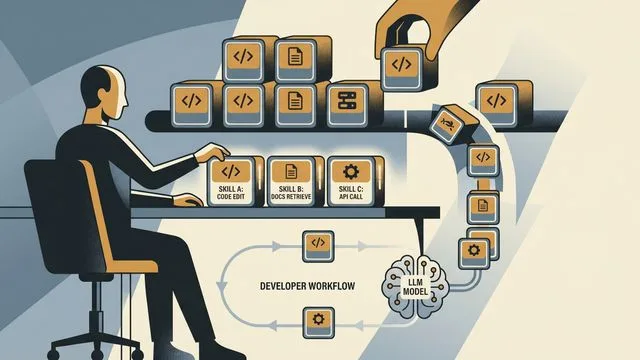
AI Skills at Scale: Teaching Agents Your Standards
Nick Nisi and Zack Proser of WorkOS make the case that structured markdown 'skills' are how you stop re-explaining yourself to AI agents every single day.
Claude Skills Promises Automation Anyone Can Build
Anthropic's Claude Skills lets users create custom automations through conversation. A look at what works, what's questionable, and what it means.

Claude Fable 5 and the Data You Hand Over
Claude Fable 5 promises to handle whole jobs autonomously. Before you hand it your CRM export, ask who controls what it learns about you.

Claude Fable 5 Return, OpenAI Jalapeño Chip, and AI Espionage
Claude Fable 5 signals a return, Anthropic accuses Alibaba of mass model distillation, OpenAI unveils its Jalapeño chip, and Gemini 3.5 Pro disappoints.

Mapping the Claude Ecosystem: Four Products, One Platform
Claude has grown from a chatbot into a layered ecosystem of products and automations. Here's what each piece actually does—and what questions it raises.