How Claude Code Actually Works: A Practical Guide
Claude Code has ten core concepts worth understanding. A new video maps the terrain clearly—here's what it gets right, and where the cost warnings deserve attention.

Written by AI. Bob Reynolds

Photo: AI. Ren Takahashi
Every new platform arrives with its own vocabulary, and Claude Code is no exception. Hooks, skills, routines, dynamic workflows — the terminology multiplies fast, and most of it sounds more complicated than it needs to be. A recent video from Chase AI cuts through a fair amount of that noise. It maps ten core concepts in about twenty minutes, and while it has the promotional texture you'd expect from someone selling a companion course, the underlying framework is genuinely useful — particularly for people who are smart enough to be curious about this tool but not quite sure where to start.
Let me translate what's actually being described, and where to apply healthy skepticism.
Start with what you're paying for
The video opens with a point that more AI tutorials skip: bigger is not automatically better, and more compute costs more money. Claude Code lets you choose how hard the model thinks before responding — low, medium, high, and higher still. The presenter's advice is to treat medium effort as your default for most tasks, reserving the higher settings for genuinely complex, long-running work.
That's sensible guidance. The effort level question is one the industry has wrestled with since these controls appeared: does granular control help you optimize, or does it just give you more ways to misconfigure things? The honest answer is both, depending on the user. What the video gets right is that for most practical tasks — building a website, drafting a report, automating a workflow — you're unlikely to need the maximum setting, and running at maximum burns through your token budget fast.
Speaking of which.
The context window is a budget, not just a meter
Here is the concept the video explains well, and where plain English actually matters. Claude Code works through a "context window" — think of it as the active memory of your current conversation with the tool. Every instruction you give it, and every response it sends back, consumes a portion of that budget. Once the budget is exhausted, the session needs to start fresh.
The presenter puts it simply: "Think of that as a token. And so those accumulate over time." That's roughly accurate as a mental model. The technical reality is that tokens and words aren't the same thing — a single word can span multiple tokens or less than one, depending on the word — but the practical point stands. Long conversations cost more and, eventually, they degrade quality. When your session is getting long, start a new one. Claude Code can look at the project files it has already generated, so you're not starting from scratch — just from a clean cognitive slate.
The commands worth knowing: /clear wipes the session entirely, /compact summarizes what's been discussed and begins fresh with that summary. Either works. The point is to manage the window deliberately rather than letting it silently fill up and wondering why the outputs are getting worse.
Three concepts that don't require a computer science degree
The claude.md file is nothing more than a text document — plain instructions — that Claude Code reads at the start of every session. Whatever you put in it gets applied automatically to every interaction. The presenter's advice here is worth emphasizing: less is more. If you stuff this file with every rule and preference you've ever had about formatting and tone, you've just added noise to every prompt, permanently. Keep it to the instructions that genuinely need to be universal.
There are two versions: one that applies globally across everything you do with Claude Code, and one that can be set per project. The global one is the one to treat carefully.
Skills are saved prompts. That's the entire concept. If you find yourself typing the same detailed instructions repeatedly — "check YouTube, check Reddit, check my email, synthesize into a morning briefing" — you can save that sequence once and invoke it with a short command. The video gives this example directly: "Instead of literally spelling that out every single time verbatim, I've done it once... and because it's now codified, I know that it's going to do everything in the exact sequence I want it to."
That's not magic. It's a macro, which has existed since the 1980s. The interesting part is that Claude Code can generate these saved prompts for you by examining your usage logs. That's a genuinely useful shortcut for someone who has been using the tool for a while and hasn't formalized their workflows yet.
Hooks are automatic responses to events. The presenter's example: every time Claude Code finishes a task, it plays a sound. That way, when you've walked away from the terminal, you know when to come back. Setting one up is as simple as telling Claude Code what you want — "play a sound whenever a task is completed" — and it configures itself. The underlying mechanism is a rule that says: when X happens, do Y. It is genuinely that simple.
Connectors: the part where jargon piles up
The video covers what it calls plugins, CLIs, and MCPs — and then helpfully notes that these terms mostly mean the same thing: software bridges that let Claude Code talk to other applications. Want Claude Code to read your Gmail, post to Notion, or interact with a browser? There's almost certainly a connector that makes that possible.
The terminology — CLI stands for "command-line interface," MCP stands for "Model Context Protocol" — matters less than the concept. These are standardized ways for Claude Code to reach outside itself and operate other software on your behalf. The presenter's advice is practical: when you're starting a new project, ask Claude Code whether any connectors exist that would make the job easier. It can search, find them, and install them. You don't have to know the landscape in advance.
Loop engineering and dynamic workflows: where costs get serious
This is where the video does its most valuable work, and where the cost transparency deserves real attention.
Loop engineering, as the presenter describes it, is setting up an automated sequence that runs on a schedule, checks its own performance, and tries to improve over time. A morning briefing that runs at 8 a.m., collects sources, produces a report, accepts a human quality rating, and uses that rating to improve next time — that's the example. The four components: a trigger, a task, a definition of success, and a log of past results. Without a clear definition of success, the loop has nothing to optimize toward. That's the part people skip, and the part that makes or breaks the whole thing.
Dynamic workflows push further. When the presenter describes Claude Code's deep research feature, he's describing a system that can spin up dozens — potentially hundreds — of independent AI instances simultaneously, each hunting for information, then cross-checking each other's findings before producing a final report. The result can be impressive. The cost can also be staggering.
"You could burn through and you will burn through millions and millions of tokens and just crush your usage," the presenter warns. "So use this sparingly."
That is an honest warning, and it's the kind of thing that often gets buried in tutorials aimed at selling the tool. The desktop app's built-in scheduler caps at 15 automated routines per day, according to reporting from OpenHelm — though the presenter notes you can also trigger automations through your computer's own scheduling system if you need to go beyond that limit. Either way, if you're running complex automated workflows at scale, you're running up a bill. Know what you're authorizing before you authorize it.
What this framework actually delivers
The Chase AI video is doing something modest but useful: it's drawing a map. Most Claude Code tutorials either stay in beginner territory or assume you already know what a sub-agent is. This one sketches the full terrain — from the basics of prompting to the architecture of large-scale automation — without requiring a developer background to follow.
The prompting advice alone is worth ten minutes of anyone's time: "The things that need to go into the prompt are one, the actual goal... and secondly you need to tell it to ask you questions." That's it. State what you want, and tell the tool to interrogate your assumptions before running. The number of people who skip the second step — and then wonder why they got a generic answer — is not small.
Where the framework is thinner is on the human side of the equation. The video treats automation as self-evidently desirable: set it up, let it run, let it improve. What it doesn't address is what happens when the loop optimizes for the wrong thing, or when a connector touches data you'd rather it didn't. At the scale of individual productivity, those risks are manageable. At the scale of a business running dozens of automated agents — which is clearly what the course behind this video is selling toward — they're worth thinking about carefully before you hit create.
The tool is real. The capabilities are real. The costs, if you're not paying attention, are also very real.
More Like This
Anthropic's Claude Routines Targets No-Code Automation Market
Claude Routines lets users automate workflows with natural language instead of drag-and-drop builders. Is this the end of traditional no-code platforms?
Claude Code's New Routines: Automation Without the Laptop Tax
Anthropic adds cloud-based scheduling to Claude Code. It's cron jobs for AI assistants, with the usual trade-offs between convenience and control.
![Code editor displaying HTML and project files with text overlay reading "[Demo] Building games with sub-agents" on dark…](https://static.buzzrag.com/articles/claude-code-gemini-agent-platform-game-development-dynamic-workflows/thumb-2be9b846.webp)
Claude Code Built a Game Its Creator Cannot Beat
Lydia Hallie's live demo shows Claude Code managing its own workflow to build a multi-level game from a sketch. The human couldn't clear a single level.
Claude's Loop Feature Isn't What the Hype Suggests
Anthropic's new loop skill for Claude Code has developers excited, but they're misunderstanding its purpose. Here's what it actually does.

Claude Opus 5.5 Turns the AI Model Race Toward Price
Anthropic cut Claude Opus 5.5 prices, but workload cost depends on tokens, cache use and safeguards. What buyers should test before switching.
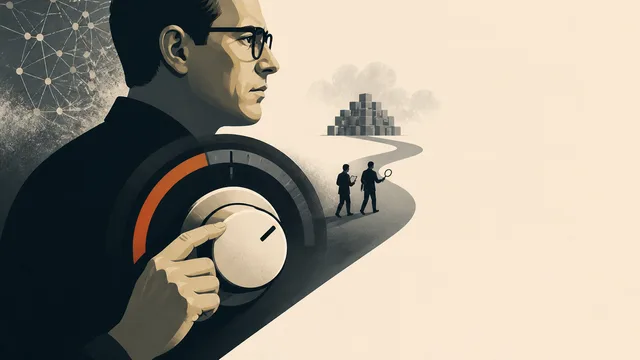
Amodei's Call to Slow AI: Pacing or Positioning?
Dario Amodei wants AI development paced and third-party evaluators like METR inside frontier labs. What the proposal promises, and what it leaves unanswered.

Building an LLM Wiki from Karpathy's Blueprint
Nate Herk demos an AI-powered personal wiki built on Karpathy's LLM knowledge base idea. Here's what the architecture reveals about how context shapes AI reasoning.

Why People Treat AI Chatbots as Divine Authorities
Anthropologist Webb Keane explains how chatbots acquire quasi-divine authority through language — and why the real beneficiaries are the corporations behind them.