Google Gemini Just Got Memory, 3D Models, and Music Creation
Google's Gemini updates add persistent memory via Notebooks, interactive 3D visualizations, and AI music generation—transforming it into a creative OS.

Written by AI. Tyler Nakamura
Google just dropped three updates to Gemini that fundamentally change what the tool can do. According to Julian Goldie's breakdown, we're looking at persistent memory through Notebooks integration, in-chat 3D visualizations, and full AI music generation—all free, all connected, all built into the same interface.
The updates matter because they address AI's biggest usability problem: every conversation starts from zero. But the question isn't just what Google added—it's whether these features actually solve real problems or just check boxes in the AI feature wars.
The Memory Problem Google Claims to Solve
Goldie frames the Notebooks integration as the biggest shift: "You know how every AI tool forgets everything the second you close the chat. You ask it something today, come back tomorrow, and it has zero idea who you are or what you were working on. That's been the biggest problem with AI since day one. Google just fixed it."
Here's what actually happens: Gemini now connects to NotebookLM, Google's research-focused AI tool. You can load documents, past conversations, or any text files directly into Gemini as persistent sources. Ask a question, and Gemini pulls from those sources instead of just its training data.
The practical difference: You can save a good chat as a reference document. Come back three weeks later, and Gemini still knows what you discussed. For students juggling multiple research papers or creators managing content calendars across platforms, this could genuinely save time—if you actually use it systematically.
But there's a gap between what's possible and what people will actually do. Building a notebook system requires upfront work: organizing files, converting conversations into sources, maintaining that library over time. Most people won't. They'll use AI the same way they use search—quick hit, close tab, repeat.
The users who benefit most are the ones already building systems. If you're not tracking your work now, Notebooks won't magically make you organized. It just gives organized people a better tool.
Interactive Visualizations: Actually Useful or Just Cool?
The second update lets you generate charts, graphs, and 3D models directly in chat. Goldie demonstrates asking for a 3D visualization of how black holes work—and Gemini builds an interactive model you can manipulate.
For educators and content creators, this is legitimately interesting. Explaining neural networks? Get a 3D model. Need a bar chart for a presentation? Generate it in seconds instead of fighting with Excel.
The question is quality. AI-generated visuals are fast, but are they good? A generic 3D model of a black hole might work for a YouTube explainer. For an academic presentation or professional report, you probably still need specialized tools and human polish.
What this does do: lower the barrier for basic visualization. If you're someone who avoids making charts because it's annoying, Gemini removes that friction. If you're someone who cares deeply about visual precision, this is a starting point at best.
The real value might be in iteration speed. Generate five different visual approaches in two minutes, pick the best one, then refine it elsewhere if needed. That's a genuine workflow improvement.
AI Music: Creative Tool or Royalty-Free Filler?
The music generator is the flashiest update. Goldie describes it competing with tools like Suno and Udio: "You go to the tool section, hit create music, and you just describe what you want. Make me a cinematic emotional song about ambition, and it builds it. Full track, chords included."
For YouTubers and content creators drowning in copyright strikes or subscription fees for stock music, this solves a real pain point. Need background music that won't get you demonetized? Generate it. Want a custom intro? Done.
But let's be honest about what this is. AI music tools create functional music—background tracks that fill space without demanding attention. If you need something that sounds like music but doesn't need to be good music, this works.
The limitation isn't technical capability. It's that AI music all kind of sounds the same—smooth, inoffensive, algorithmically pleasant. Great for a product demo video. Not great if you actually care about the music itself.
Still, for the specific use case of "I need royalty-free audio and I need it now," free AI music generation is a legitimate value-add. The question is whether it stays free once Google figures out the business model.
What Google's Actually Building Here
Goldie argues these aren't just features—they're pieces of a larger system: "Google is combining three things that used to be completely separate. Chat AI, talking, writing, answering questions. Two, research AI, notebook LM, sources, long-term memory. Three, creative AI, music, visuals, generation, all in one place, all connected, all working together."
That framing makes sense. Google isn't trying to build the best chatbot or the best music generator. They're building an integrated environment where you can research, write, visualize, and create without switching tools.
The tension is between integration and specialization. Gemini does a lot of things pretty well. Specialized tools do one thing really well. For most people, "pretty well" might be enough if it means not juggling six different subscriptions.
But power users will hit the ceiling fast. The music generator won't replace your DAW. The visualizations won't replace proper design software. The memory system won't replace Notion or Obsidian.
Gemini's strength is reducing friction for people who aren't power users—students, small creators, small business owners who need to get stuff done without becoming experts in every tool.
The System vs. Search Problem
The most interesting point in Goldie's breakdown isn't about features—it's about usage patterns: "Here's the thing most people get wrong with AI. They use it as a search engine. They ask a question, get an answer, close the tab, and then they wonder why AI isn't changing their life."
This is probably true. Most people treat AI like Google: one-off queries, disposable answers. The people getting real value are building workflows—using AI as infrastructure, not as a magic answer machine.
But that requires a specific mindset shift most people haven't made yet. It means thinking in systems: What information do I repeatedly need? What tasks do I do over and over? How can I structure my workflow so AI amplifies instead of just responds?
Gemini's updates make that easier—if you're already thinking that way. If you're not, these features just add complexity to a tool you already underutilize.
Who Actually Wins Here
These updates are legitimately useful for specific people:
Students and researchers who need to synthesize information across multiple sources without switching between tools constantly.
Content creators who need quick turnaround on background music, simple visuals, and research compilation without the budget for specialized tools.
Educators who need to explain complex concepts visually and want to iterate quickly on teaching materials.
Small business owners who need functional outputs (reports, presentations, background assets) without hiring specialists.
Who doesn't win: Anyone who needs best-in-class outputs in any specific domain. Specialists will still need specialist tools.
The real question is whether Google can make this sticky. Features are easy to copy. The hard part is getting people to change their workflows—and that's a much longer game than a feature drop.
More Like This
Claude Code 2.1.91: Three Updates That Actually Matter
Claude Code's latest update brings shell execution controls, 500K character handling, and session reliability fixes. Here's what changed and why it matters.
Anthropic Just Killed OpenClaw Access—Here's What Happened
Anthropic blocked OpenClaw from Claude subscriptions on April 4th. We break down why it happened and five alternatives that still work right now.
Google Gemini's Free Update Lets Anyone Build Apps
Google's new Gemini features—including Vibe Coding and Stitch—claim to turn anyone into a developer. But can AI really replace technical expertise?
Claude's New Auto Mode Solves AI's Permission Problem
Claude Code's new Auto Mode uses a safety classifier to let AI work autonomously without constant permission prompts—or the risks of skipping them entirely.
Google Merges NotebookLM Into Gemini: What Actually Changes
Google integrates NotebookLM into Gemini app. We examine what this consolidation means for users and whether it solves real problems or just moves them.
Google's Gemini 3.1 Pro: When Benchmark Wins Stop Mattering
Gemini 3.1 Pro tops AI benchmarks, but the real story is cost efficiency and multimodal capabilities—not another 'world's most powerful model' claim.
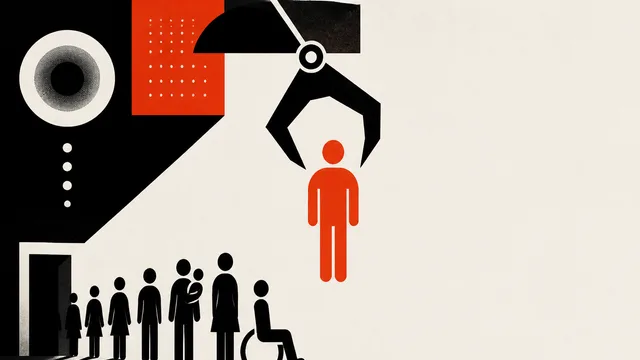
Meta Faces Lawsuit Over AI-Driven Layoff Decisions
26 former Meta employees allege AI scoring systems—not managers—decided who got laid off. Here's what that means for anyone who wants to work in tech.
Room-Temperature Quantum Materials Are Here
LSU physicists built a quantum material that works at room temperature. Here's what that actually means for quantum computing, and why it matters right now.