This Guy Fit 17TB of Enterprise Storage Into a Mini Rack
A home lab builder packed 17TB of NVMe storage into five mini PCs, ditching VMware for Proxmox and Ceph. Here's what actually worked—and what didn't.

Written by AI. Tyler Nakamura
There's something deeply satisfying about watching someone shrink their entire infrastructure footprint without losing capability. VirtualizationHowto's Brandon Lee just did exactly that—collapsing what used to require full 19-inch racks into a compact 12U mini rack housing five Minisforum MS-01 mini PCs. The result? 17TB of all-NVMe distributed storage running Proxmox and Ceph with dual 10Gb networking per node.
This isn't a flex. It's a case study in what happens when you get intentional about home lab design in 2026.
The VMware Exodus Gets Real
Lee's migration away from VMware wasn't philosophical—it was practical. Broadcom's licensing changes made VMware vSAN economically nonsensical for home lab use, and he wasn't alone in that calculation. But instead of just switching hypervisors, he used the transition as an excuse to rethink the entire stack.
Proxmox became the hypervisor of choice—open source, powerful, and natively integrated with Ceph for hyper-converged infrastructure. The appeal of HCI is straightforward: distributed storage across nodes means no external storage dependency. Your compute and storage scale together. When Lee previously ran VMware VSAN, he appreciated that simplicity. Ceph promised the same architectural elegance without the licensing headaches.
But here's where it gets interesting: Lee didn't just throw Ceph on whatever hardware he had lying around. He made a deliberate choice to standardize on uniform hardware across all five nodes—same CPU, same networking, same storage layout. In HCI deployments, uniformity matters more than most people realize. Dissimilar hardware can work, and Ceph is forgiving enough to handle it, but performance predictability suffers when node capabilities diverge.
The Five-Node Question
Why five nodes instead of three? Lee needed five specifically to enable Ceph erasure coding with a 3+2 profile. Here's what that means: data gets split into three chunks with two parity chunks, distributed across the cluster. You need at least three chunks to read or write data, which means you can lose any two nodes simultaneously without losing access to your data.
Compare that to traditional triple replication in Ceph—where you get about 33% usable capacity—and erasure coding's ~66% storage efficiency starts looking pretty attractive. It's the difference between 17TB usable and maybe 8TB usable from the same raw storage.
As Lee puts it: "With five nodes, I can lose two nodes. I can still maintain quorum in Proxmox and I can maintain Ceph availability under that 3+2 erasure coding scheme."
Three nodes would have met the bare minimum for a Proxmox cluster, but maintenance becomes stressful when taking a single node offline pushes you to the failure threshold. Five nodes provides operational breathing room.
When Networking Gets Weird
The hardware migration itself went surprisingly smoothly—Lee literally pulled NVMe drives from old mini PCs, dropped them into the new MS-01 units, and Proxmox booted like nothing changed. That's Linux flexibility for you. The networking configuration? That's where things got spicy.
Jumbo frames caused the first round of head-scratching. Lee had missed setting MTU 9000 on a couple of nodes, which created bizarre behavior: small packets worked fine (ARP, ICMP, SSH, web UIs all functional), but large data transfers would stall. Ceph I/O would hang, VM migrations would fail, backups would choke. Jumbo frames require absolute consistency across every hop—VM, bridge, VLAN, physical interface, switch. Miss one component and you get unpredictable packet drops.
The second networking issue was more obscure. When you configure a Proxmox VM with a VLAN tag and enable the firewall, Proxmox dynamically creates additional VLAN sub-interfaces and firewall bridges at runtime. These don't show up in your /etc/network/interfaces file, which is why Lee kept missing them. Under a single physical interface, this causes no problems. But once he introduced LACP bonding, those hidden sub-interfaces created dual plumbing paths to certain VLANs—two routes to the same destination, resulting in inconsistent connectivity and ping behavior that looked like broken LACP.
"It was amazing how the pings just automatically went to 100% with zero packet loss after I cleaned those things out of there," Lee notes. The lesson: if you're combining VLAN tagging, firewall-enabled VMs, and LACP bonding, those dynamically created interfaces will haunt you.
The Accidental Wipe Test
Late one night, tired and trying to make progress, Lee accidentally wiped the wrong NVMe drive while reviewing lsblk output. It's the kind of mistake that makes your stomach drop—until you remember you built redundancy into the system specifically for this scenario.
Ceph did exactly what it was designed to do. Lee removed the wiped OSD from the cluster configuration, re-added it properly, and let Ceph rebalance and heal itself. No data loss. No panic. Just distributed systems working as advertised.
As Lee puts it: "The lesson here is simple. Always double and triple check any device identifiers before zapping and wiping those drives." Sure. But also: this is why we build fault-tolerant systems in the first place.
The Kubernetes Layer
On top of Ceph block storage, Lee runs CephFS—a distributed file system that provides shared storage with standard file tools. This is what backs his Talos Linux Kubernetes cluster, which runs as VMs on Proxmox rather than bare metal.
Some have questioned that decision: why virtualize Kubernetes instead of running it directly on hardware? Lee's reasoning is operational flexibility. When you need to perform maintenance on a physical host, you just migrate the VMs. During his hardware refresh, this choice paid off repeatedly—Talos nodes stayed up while the physical infrastructure underneath them was being replaced.
That's the beauty of layered abstractions when they're done thoughtfully. The VM layer provides migration and maintenance capabilities that bare metal doesn't, without meaningfully impacting the Kubernetes workload performance.
What Actually Matters
This build represents something more interesting than just "check out my home lab." It's a working example of what open-source infrastructure can do at small scale—17TB of enterprise-grade distributed storage in a footprint that's quieter and more power-efficient than traditional rack gear, without compromising capability.
The total power draw is lower. The noise level is manageable. The physical footprint fits on a desk. And yet it supports live VM migrations, Kubernetes workloads, and can tolerate multiple simultaneous node failures. That's not just shrinking the lab—it's rethinking what's actually necessary.
Lee's closing line hits different when you consider the whole build: "It's not the size of the rack. It's how you design the build. It's how you architect the services." He's talking about his home lab, but the principle scales—literally and figuratively.
More Like This
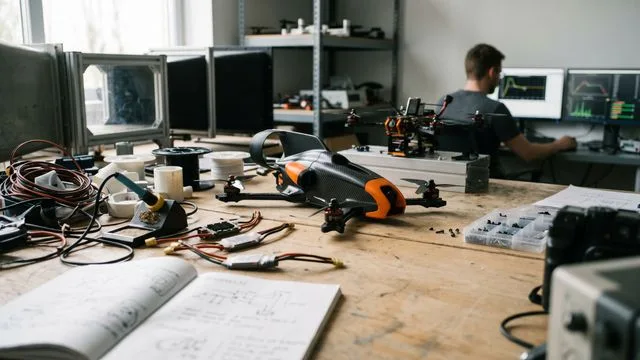
World's Fastest Drone Reclaims Record with V4
Discover how Peregreen V4 reclaimed the world's fastest drone title with a speed of 657 km/h.
This Tool Treats Your Home Lab Like Infrastructure Code
RackPeek documents home labs as YAML code in Git. Brandon Lee shows how this infrastructure-as-code approach beats static diagrams and spreadsheets.
30 Self-Hosted GitHub Projects Trending Right Now
From media automation to AI chat apps, here are 30 trending self-hosted GitHub projects that put you back in control of your data and infrastructure.

Unpacking 2026's First Major Security Bug
Explore the critical HPE1 view bug, a 10.0 CVSS vulnerability disrupting corporate management.
Sam Altman Says AGI Arrives in 2 Years. Here's the Data.
OpenAI's Sam Altman just compressed the AGI timeline to 2028. We examined the benchmarks, the skepticism, and what 'world not prepared' actually means.
Why Cloud Solutions Overtook Self-Hosting in Home Labs
Exploring the shift from self-hosting to cloud solutions for reliability and reduced stress in home labs.
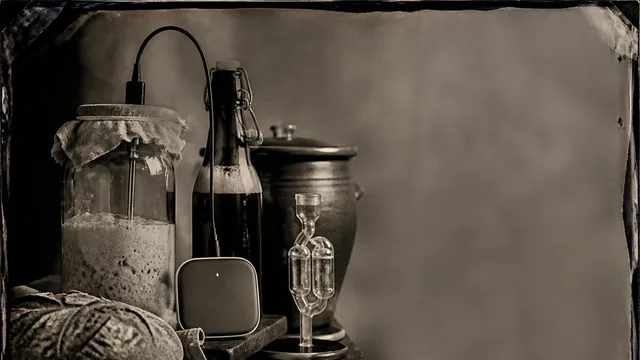
Smart Sensors Are Changing Home Fermentation
From sourdough starters to homebrewed beer, smart sensor kits are giving fermentation hobbyists precision control once reserved for commercial producers.
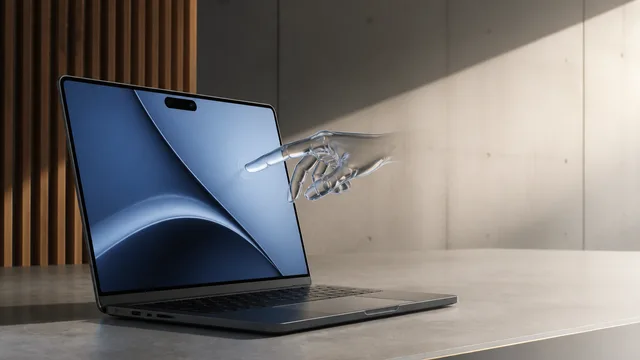
MacBook Pro Redesign: OLED, Touch, Same Old Chip
Apple's biggest MacBook Pro redesign brings OLED, touchscreen, and Dynamic Island—but the same M5 chip. Is a $3,000 price tag justified by new hardware alone?