OBSBOT Tiny 3 Lite Review: When Less Is Actually More
Tech reviewer Adam Doing Tech tests OBSBOT's new tracking camera and wireless mic combo. The surprising winner? The simplified 'light mode' that strips away features.

Written by AI. Mike Sullivan
Here's something I've noticed after 25 years of watching tech products: the good ones solve problems, but the great ones know which problems to ignore.
Adam from Adam Doing Tech just posted a review of OBSBOT's Tiny 3 Lite—a motorized tracking camera with a wireless microphone bundle that's been on the market for about a month. Full disclosure up front: OBSBOT sent him the unit for review, though no money changed hands. That matters less than you'd think. What matters is what he discovered about the product's design philosophy, which turns out to be more interesting than the hardware itself.
The Setup That Follows You Around
The Tiny 3 Lite is a small motorized camera that tracks you as you move. It shoots 4K at 30fps, includes slow-motion options at 1080p/120fps, and comes bundled with a wireless lavalier mic called the Vox SE. The packaging reminded Adam of Apple products—that premium unboxing experience companies invest in when they're trying to signal quality before you've used a single feature.
The camera itself is compact, with smooth motorized movement that doesn't quite hit 360 degrees but covers a wide enough angle for most use cases. USB-C to USB-C connectivity, with an adapter for standard USB if your setup requires it. The mic is magnetic—clips to your clothes without fiddling with pins—and includes a dead cat windscreen for outdoor recording.
All standard stuff for a modern streaming setup. Where it gets interesting is how you control the thing.
Voice Tracking Works Better Than Face Tracking
Adam tested three tracking modes: face tracking, hand gesture tracking, and voice tracking. His conclusion was unequivocal: "My belief thus far is that the voice tracking is more accurate than actually the face tracking or whatever that might be because it can follow your voice."
You say "Hey Tiny" and the camera focuses on you. Move around the room, and it follows your voice. He demonstrated this by pointing the camera at the ceiling, then using the voice command to bring it back to center. It worked consistently.
Hand tracking? He didn't recommend it. "Very weird," he said. Face tracking works, but voice proved more reliable in his testing. This aligns with what I've seen from other AI-powered tracking systems—computer vision is impressive until the lighting changes or you turn your head at the wrong angle. Audio, meanwhile, is directional physics. Harder to mess up.
The tracking speed is adjustable—fast, standard, or slow—depending on whether you're doing dynamic movement or seated talking-head content. You can control the camera through the software interface or directly on the preview screen. Pretty much what you'd expect from a 2024 streaming camera.
The Feature Nobody Asked For
Then Adam hit "beauty mode."
"I am against that stuff. I will not click it. It's a principle thing. I will not deal with it. I will not work with it at all. I hate it. I do not like it. I'm just against it. It's there. Anything that is related to having filters or whatever that might be, I am not a fan of."
Strong words. But here's the thing—beauty mode exists in almost every consumer video product now. Webcams, phones, video conferencing software. Companies add it because focus groups say users want it, or because competitors have it, or because the feature costs almost nothing to implement once you've built the underlying image processing pipeline.
But does anyone actually use it? I've been on thousands of video calls. I can count on one hand the number of times I've noticed someone using a beauty filter. Meanwhile, I can't count the number of times I've seen someone struggle to find the simple "start recording" button buried under seventeen settings menus.
Light Mode: The Real Innovation
Which brings us to what Adam actually liked about the Tiny 3 Lite.
OBSBOT includes two interface modes: Pro Mode and Light Mode. Pro Mode gives you access to all the settings, all the options, all the granular controls. Light Mode strips it down to essentials—a record button, tracking on/off, and basic controls.
"I like this mode because usually my case with stuff like that is that you need to have the least friction between you and the technology that you are using. Like you do not want things to be more complicated than they should be. That's why I appreciate this light mode because you go in there, you simply click record and then you will be good to go."
This is not a new idea. This is decades old. But it's an idea that gets forgotten every product cycle as feature lists become competitive weapons. Remember when every camera had to have more megapixels than the last one, even though most people couldn't tell the difference past 8MP? Remember when every phone needed more processor cores, even for users who only checked email?
The pattern repeats: engineers add features because they can, because the technology enables it, because product managers need differentiation. Nobody stops to ask whether the features are solving real problems or just creating new ones.
The Microphone Is the Story
Here's what Adam said about his priorities: "Honestly, I'm excited about microphone more than the camera. But the microphone, you know, it's a microphone. Like you connect it and then you record the audio and then you will be good to go."
The Vox SE is Bluetooth, magnetic mount, includes windscreen, comes with a charging station. It does what a wireless lav mic should do—captures audio without requiring you to think about it. The entire review's audio was recorded on the mic, which tells you something about its quality. He trusted it enough not to use backup audio.
This is the boring, unsexy part of content creation equipment: does it work reliably? Can you forget about it and focus on what you're actually making? The Tiny 3 Lite's camera has motors and tracking and multiple modes and voice commands. The microphone is a microphone. Guess which one Adam was more enthusiastic about?
What This Tells Us About Product Design
OBSBOT made an interesting choice with Light Mode. They built all the features, all the complexity, all the pro-level controls—and then they built a second interface that hides most of it. That's harder than it sounds. It means admitting that your carefully-engineered features might get in the way. It means designing for the use case where someone just wants to hit record and start talking.
Most companies can't do this. They optimize for feature comparisons and spec sheets. They assume if they built it, users should want it. They don't build the simplified mode because it makes their product look less capable in marketing materials.
But here's what I've learned watching technology adoption for a quarter century: the products people actually use long-term aren't the ones with the most features. They're the ones that get out of the way. The camera you use is the one that's ready when you need it, not the one with seventeen menu options you have to remember.
The OBSBOT Tiny 3 Lite costs around $200-250 based on similar products in their lineup. That puts it in the middle of the streaming camera market—cheaper than the high-end PTZ cameras, more expensive than basic webcams. Whether it's worth it depends less on the feature list and more on whether you value that Light Mode philosophy.
Because Adam was right about friction. Every setting you have to remember, every option you have to configure, every feature you have to learn—that's friction between you and actually creating something. The best technology is the technology you forget you're using.
More Like This
Do You Really Need an $80 HDMI Cable? Maybe Not
Tech reviewer Adam tests a premium HDMI 2.1 cable. We examine what you're actually paying for and whether most users need it.
Can Unreal Engine 5 Run on a $500 MacBook? Sort Of.
Testing Unreal Engine 5.7 on the MacBook Neo reveals what happens when professional software meets budget hardware—and why friction matters.
Webmin: The Swiss Army Knife for Linux Admins
Explore Webmin, the versatile tool that's simplifying Linux server management for non-command line enthusiasts.
Unreal Engine 5 Still Doesn't Play Nice With Apple Silicon
While most 3D software runs smoothly on M-series Macs, Unreal Engine 5 remains frustratingly unreliable. One creator documents the disconnect.
WavLink's Thunderbolt 5 Dock: Professional Overkill?
WavLink's new Thunderbolt 5 docking station promises 140W power and dual 8K displays. But who actually needs this much connectivity in 2025?

IBM NanoStack and the Future of Chip Architecture
IBM's NanoStack stacks transistors from separate wafers using atomic bonding. The physics works. The harder question is whether anyone can manufacture it at scale.
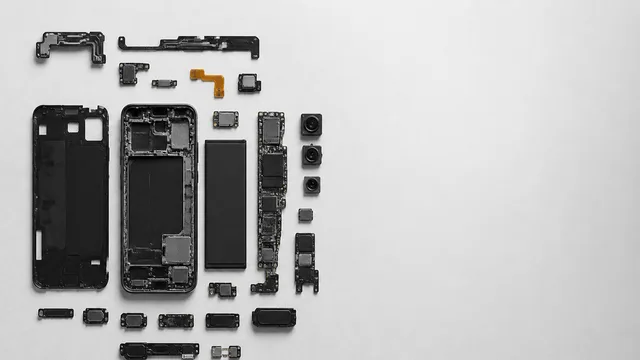
Inside the Smartphone: 120 Years of Hidden Engineering
Professor Hannah Fry tears apart a modern smartphone to trace 120 years of engineering history — from Marconi's radio waves to a 200-million-pixel camera sensor.