How AI Agents Actually Remember Things Between Chats
Google's new tutorial shows how to give AI agents persistent memory—so they remember you even after restarts. Here's what actually changes.

Written by AI. Yuki Okonkwo
You know that slightly annoying thing where you're having a great conversation with a chatbot, explaining all your preferences in detail, and then—app restart, new session, who dis?
Yeah, that's not a bug. It's actually how most AI agents /article/ai https://cloud.google.com/vertex-ai-agents-are-getting-persistent-and-that-changes-everything work by default. They live entirely in short-term memory, which means everything evaporates the moment the app closes. It's like having a conversation with someone who gets a complete memory wipe every time you hang up the phone.
Google's Annie Wang just dropped a tutorial addressing this exact problem, and honestly? The solution is way more elegant than I expected. Using Google's Agent Development Kit (ADK), she demonstrates two specific upgrades that transform an agent from goldfish-brain to actually-useful assistant.
The Problem: Everything Lives in RAM Until It Doesn't
First, let's be clear about what we're solving. In Wang's previous tutorial (this is part of a series), she built an agent with working memory /article/ai-memory /article/claude-code-memory-problem-diy-fix-systems-need-human-eyes-not-just-agent-access using sessions and state. Cool! It could track a conversation, remember context, build on previous exchanges. But all of that lived in RAM—in-memory session service, to be technical about it.
The instant that app restarts? Gone. All of it.
"In the last episode, we used in-memory session service and here we replace it with a database session service that writes to a database file or a real database like Postgres," Wang explains. "From now on, every user message, every agent reply, and every state change is saved to disk."
This is upgrade number one: persistent sessions. Swap the storage engine from RAM to database (could be SQLite, could be Postgres, whatever you've got), and suddenly your agent can pick up exactly where it left off. Same session ID? The agent loads the full conversation history and continues like nothing happened.
What's clever here is that you're not rewriting your agent logic. You're literally just swapping out the storage backend. The ADK abstracts this beautifully—your agent code stays the same, you just change which session service you're using.
But Wait, There's a Second Problem
Persistent sessions solve the "continue this exact conversation" problem. They don't solve the "remember me across different conversations" problem.
Like, imagine you tell your trip-planning agent on Monday that you're vegetarian. Great, it plans accordingly. Then next Friday you start a completely new chat (new session ID) and ask for restaurant recommendations. Does it remember you're vegetarian?
Nope! Different session, different conversation history, different context window. You're starting from scratch.
This is where upgrade number two comes in: the user profile store.
Wang builds a small, structured database table—one row per user ID and preference key. Think: dietary restrictions, favorite activities, preferred transportation modes. Small, curated, deliberately limited in scope.
"We keep it small and structured so it's easy to curate and update," she notes. This isn't trying to be a massive knowledge graph of everything you've ever said. It's specific, queryable facts that matter across contexts.
How the Agent Actually Uses This
Here's where it gets interesting from a design perspective. The agent doesn't automatically read from this profile store—it has to actively use tools to interact with it.
Wang gives the agent two specific tools:
- recall_user_preference: Reads all saved preferences for this user
- save_user_preference: Inserts new preferences or updates existing ones
But tools alone don't create behavior. You also need to structure the agent's instructions. Wang's approach is basically a four-step protocol:
- Recall first: At conversation start, call recall_user_preference
- Personalize and plan: Use whatever you find in that data
- Present and learn: After planning, explicitly ask if there's anything new to save
- Save last: If the user provides new info, call save_user_preference before finishing
This creates a rhythm: check for context, use it, ask for updates, store updates. It's almost conversational choreography.
Watching It Work
Wang demos this with a trip-planning scenario. First conversation, new user asks for help. Agent calls recall_user_preference, finds nothing, proceeds to plan, then asks: "Do you have any preferences I should remember?"
User says they're vegetarian. Agent calls save_user_preference, gets confirmation, explicitly tells the user it's saved.
Then—and this is the cool part—Wang simulates a complete restart. App stops, RAM clears. But the session lives in the database and the user profile lives in its own table.
Brand new chat, brand new session ID, user returns: "Hi, I'm back. Can you plan a trip for me?"
Agent immediately calls recall_user_preference, finds "dietary: vegetarian," and personalizes the response from turn one. No repeated questions, no having to re-explain. The agent actually remembers.
What This Actually Means for Agent Design
The ADK offers three session service options now:
- In-memory: Fast, ephemeral, dies on restart (what you'd use for stateless demos)
- Database: You control the database, conversations survive restarts (what most production apps probably want)
- Vertex AI: Managed by Google Cloud, which Wang hints will connect to something called "memory bank" in the next tutorial
That modularity matters. You're not locked into one memory architecture. You can start simple and upgrade as needs evolve. The agent logic stays consistent—only the storage layer changes.
What Wang's building toward (and teasing for the next episode) is even more ambitious: a memory bank that can archive entire conversations plus media—text, images, audio, video—and then search by semantic meaning to surface relevant context in new chats.
So your agent could remember "that photo of the building" or "the audio clip from the talk" from weeks ago, not because it stored a transcript, but because it indexed the meaning and can retrieve it when relevant.
That's... honestly kind of wild? We're moving from "remember this string" to "remember this concept" to "remember this multimodal experience and know when it's relevant later."
The persistent memory problem isn't just a technical hurdle—it's the difference between an agent that's a useful tool and one that's just repeatedly frustrating. These upgrades feel like table stakes for anything you'd actually want to use long-term.
More Like This
Inside Google's TPU Infrastructure: 9,216 Chips, One Job
Google's TPU product manager breaks down how Kubernetes orchestrates thousands of AI chips as a single unit—and why that matters for training frontier models.
Building Multi-Agent AI Systems: What Google's Lab Reveals
Google demonstrates multi-agent AI architecture using MCP servers and ADK. The hands-on lab reveals how agents communicate and what developers need to know.
TypeScript Is Getting Rewritten in Go. Here's Why That Matters
Microsoft is porting TypeScript to Go for TypeScript 7, promising 10x speed improvements. Here's what developers need to know about versions 6 and 7.
AI Memory Systems Need Human Eyes, Not Just Agent Access
Thousands built AI memory databases through MCP servers. Now they're discovering the missing piece: visual interfaces that both humans and agents can use.
Exploring Domain-Specific Language Models
Dive into the world of domain-specific models, exploring their trade-offs, applications, and integration with AI agents.

AI's Wild Week: From Images to Audio Mastery
Explore the latest AI tools reshaping images, audio, and video editing. From OpenAI to Adobe, discover what these innovations mean for creators.
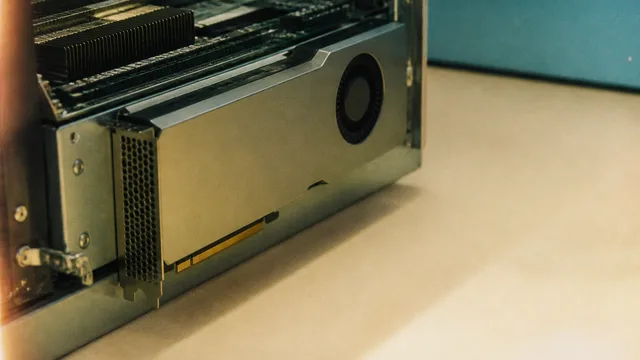
AMD Instinct MI350P: 144GB HBM3E in a PCIe GPU
AMD's Instinct MI350P brings 144GB of HBM3E and 3.6TB/s bandwidth to standard PCIe servers. Here's what it means for the mid-market AI infrastructure gap.

How Optimization Powers Modern AI and Engineering
From training ChatGPT to imaging black holes, optimization is the hidden engine behind modern AI and engineering. Steve Brunton's lecture explains how.