Desktop Environments vs Window Managers: What Linux Users Need to Know
DevOps engineer Mischa van den Burg explains the practical differences between Linux desktop environments and window managers—and why it matters for your workflow.

Written by AI. Yuki Okonkwo
There's a split in the Linux world that most newcomers don't realize exists until they're neck-deep in forum threads: the divide between desktop environments and window managers. It sounds like semantic nitpicking until you understand what's actually at stake—which is basically how you interact with your entire computer.
Mischa van den Burg, a DevOps engineer with over a decade of Linux experience, walked through this territory in a recent livestream while battling a cold. What emerged wasn't just a technical explainer, but a window (sorry) into why people organize their digital workspaces so differently.
The Desktop Environment: Linux for People Who Like Clicking Things
Desktop environments are what most people think of when they picture using a computer. Start menus, taskbars, icons you can click. The whole shebang. Van den Burg points to Ubuntu Desktop as the quintessential example—it ships with GNOME, a full-featured environment that gives you a file explorer, application suite, and that familiar left-side taskbar.
"When you install Windows, you install essentially a desktop environment," van den Burg explains. "Now the cool thing with Linux is that Linux has tons of desktop environments as well."
The main players: GNOME (Ubuntu's default), KDE Plasma (which mimics Windows 10's aesthetic closely enough to ease the transition), XFCE, Cinnamon, and the newer Cosmic desktop from System76. Each comes with its own philosophy about how computing should feel.
KDE Plasma is particularly interesting for Windows refugees—it deliberately mirrors that familiar bottom taskbar and start menu layout. Van den Burg notes the intentionality: "You can see why it does the bar in this bottom and look it has it even mimics the Windows 10 kind of clock in the side here the start menu."
Desktop environments aren't just pretty faces, though. They install entire suites of applications you'll probably need: web browsers, file managers, text editors, settings panels. It's Linux attempting to provide the complete, integrated experience you'd expect from macOS or Windows.
Window Managers: The Keyboard-First Approach
Then there are window managers, and this is where things get interesting for a specific type of person—the kind who believes mice are for people with too much time on their hands.
A window manager does exactly what it says: manages windows. That's it. No start menu, no bundled apps, no desktop icons. Just a system for drawing windows on your screen and letting you control them. Van den Burg uses Sway, and his setup reveals the philosophy: "I don't have a start button that I can click. I do have a few bars here with some information in it, but I do not have a start menu that you might be used to."
The power move with window managers is workspaces—collections of windows organized by task. Van den Burg's setup: workspace 1 is always his browser, 2 is always Obsidian, 3 is always terminal. When he's coding and needs to check documentation, it's not alt-tabbing through fifteen windows—it's two fingers pressing Super+1.
"So this means that when I start my computer, all of my applications are exactly where I want them to be," he says. "I can just with just two fingers, I just instantly I'm in the browser."
But here's the real kicker: it's all code. Van den Burg's entire window manager config lives in a text file. Every keybinding, every custom script, every workspace rule—specified in plain text. Install Linux on a new machine, copy over the config, and your environment is identical. No clicking through settings menus. No trying to remember where you tweaked that one thing.
"When I install a new Linux machine, I can take this code and my environment is going to be exactly the same as it is in this one because it's all specified in code."
The Unspoken Tradeoff
What van den Burg doesn't dwell on—but what's implicit in his workflow demo—is the learning curve. Desktop environments work out of the box because someone made thousands of decisions for you. Window managers require you to make those decisions yourself.
You want a start menu equivalent? You'll install dmenu or rofi and configure it. You want volume controls that pop up when you adjust sound? That's a separate program (maybe a waybar module if you're on Wayland). System tray icons? Another thing to configure.
Van den Burg used GNOME for years before switching to window managers, and his reasoning reveals the gradient: "The only reason why I don't use it anymore is because there is less configurability or you have to do all of these weird hacks with like Gnome applications and G settings and it started to become hacky for what I wanted to do."
There's a point where tinkering with desktop environment settings starts feeling more constrained than just writing config files. But that point is different for everyone, and it's honest to say many Linux users never reach it. GNOME and KDE Plasma are legitimately excellent pieces of software that serve millions of users perfectly well.
What This Actually Means for Users
The desktop environment vs window manager choice isn't really about which is "better." It's about whether you want computing to feel like driving an automatic or a manual transmission. Both get you where you're going.
Desktop environments prioritize discoverability—you can click around and find features. Window managers prioritize efficiency once you've internalized the keybindings. Desktop environments give you sensible defaults. Window managers give you a blank canvas.
For someone just getting into Linux, van den Burg's advice is implicit but clear: start with a desktop environment. Ubuntu Desktop with GNOME, or Fedora KDE if you're coming from Windows. Learn the command line separately (that's what his free course focuses on). Once you're comfortable, then you can evaluate whether a window manager's tradeoffs make sense for your workflow.
The beauty of Linux—and maybe its curse, depending on your personality—is that you get to make this choice at all. Your operating system isn't a fixed product; it's a pile of components you can assemble however makes sense to you. Desktop environments and window managers are just the most visible part of that philosophy.
Van den Burg runs his entire business, content creation, and DevOps work through his customized Linux setup. But he also teaches people starting from "what is a command line." Both approaches are valid Linux. The question is just which one matches how your brain wants to work.
More Like This
TypeScript Is Getting Rewritten in Go. Here's Why That Matters
Microsoft is porting TypeScript to Go for TypeScript 7, promising 10x speed improvements. Here's what developers need to know about versions 6 and 7.
Where Does the Linux Kernel Actually End?
The line between Linux kernel and operating system isn't where you think. A deep dive into init, user space, and what actually makes a distribution.
Why ChatGPT Won't Teach You Linux (And What Will)
A DevOps engineer with 10+ years experience argues that AI tools are failing Linux learners—and explains what actually works for mastering the command line.
Claude's Agent Teams: Powerful Collaboration at a Price
Claude Code's new Agent Teams feature lets AI agents debate and collaborate on code. It's impressive—but the token costs might make you think twice.
AI's Wild Week: From Images to Audio Mastery
Explore the latest AI tools reshaping images, audio, and video editing. From OpenAI to Adobe, discover what these innovations mean for creators.
17 Linux Facts That Stumped a 12-Year Veteran
From IBM's 2000 Linux smartwatch to NSA backdoor requests, these Linux history facts surprised even experienced engineers. How many do you know?

How Optimization Powers Modern AI and Engineering
From training ChatGPT to imaging black holes, optimization is the hidden engine behind modern AI and engineering. Steve Brunton's lecture explains how.
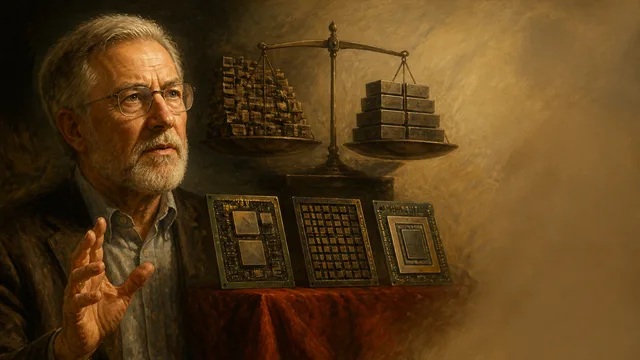
David Patterson on CPUs, GPUs, TPUs, and 50 Years in Computing
Turing Award winner David Patterson breaks down RISC vs. CISC, the GPU-to-TPU shift, Moore's Law's real status, and what 50 years in computing actually taught him.